
Migos AI Video: Diagnose Framing and Motion Problems
Troubleshoot an original Migos AI-inspired duo video by separating opening-frame issues from motion drift and comparing one focused revision at a time.
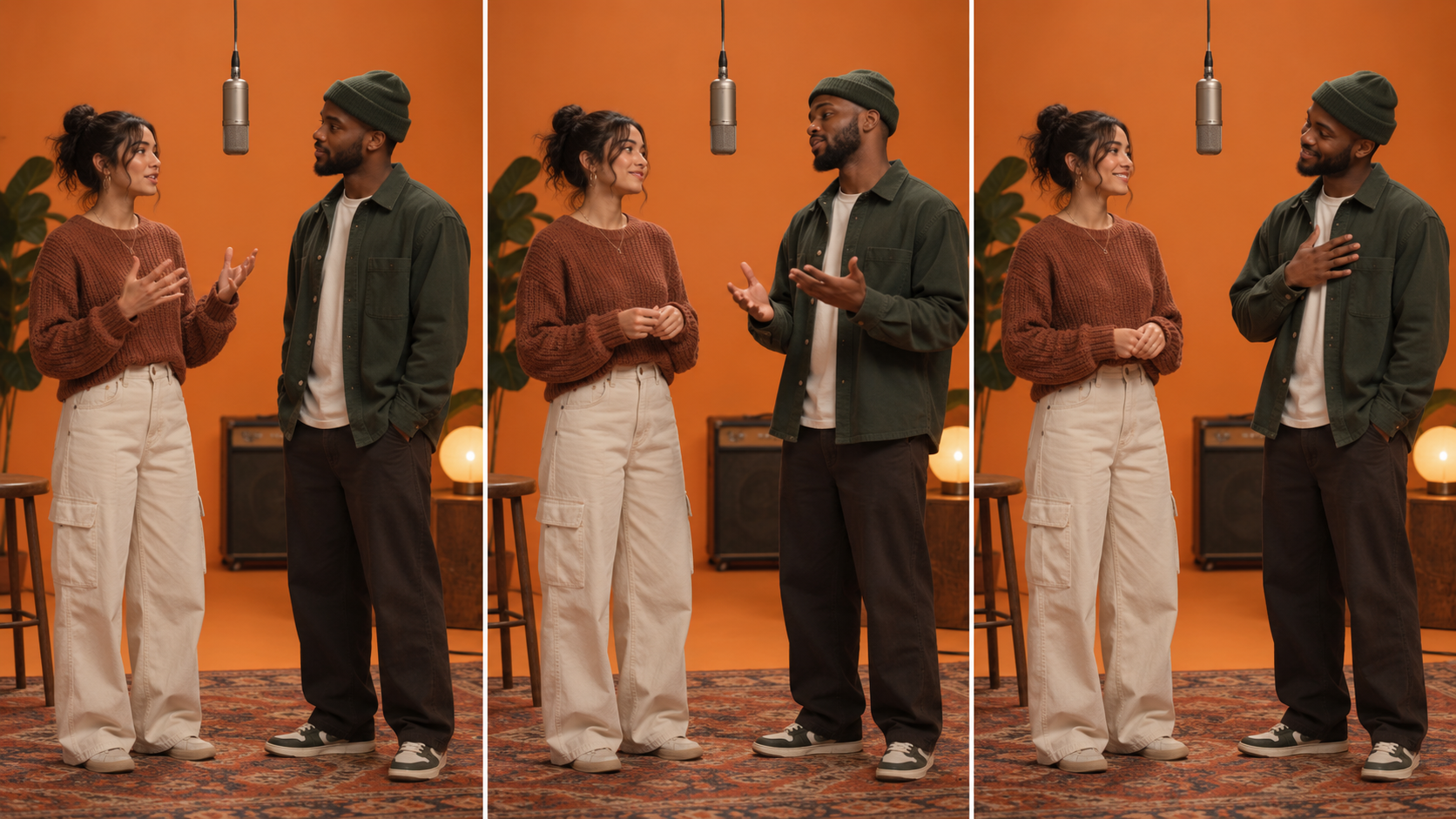
Watch the illustrated guide
Original illustrated explanation with synthesized English narration and English captions. No generation test or original performance footage.
English transcript
If a face is hidden in the opening frame, inspect the crop and microphone. If identity changes later, inspect the motion and occlusion. Separate spatial problems in the first frame from temporal problems that develop over time. This illustration shows an original duo scene, not generated video evidence. Replace a large arm sweep with a small gesture or nod. Keep other settings comparable, then inspect the same portion of both attempts. Check opening, middle, ending, sound, and final crop. Preservation instructions are goals, not guarantees. This is an illustrated troubleshooting guide, not a benchmark.
A Migos AI video can lose its effect when one performer's face changes, a hand passes through the microphone, or the camera moves enough to hide the exchange. Fixing those problems starts with identifying which part failed: the source composition, the requested action, or the generated motion.
This guide offers a troubleshooting method for original duo scenes using klingai.me's video controls. It is not a tested Hotel Lobby recreation, a lip-sync benchmark, or a claim that the site provides a dedicated Migos AI template.
Establish the input contract
The trend is associated with the duo staging of Quavo and Takeoff's “Hotel Lobby,” documented by COLORS. To build an original variation, determine whether you are starting with a written scene or a composed image.
The public video interface shows text-to-video and image-to-video modes. Those modes do not establish two-photo compositing, precise reference-motion transfer, or exact soundtrack reproduction. Select the input the interface accepts and keep your first action small.
Classify the failure before regenerating
| Observed problem | First thing to check | Focused revision to try |
|---|---|---|
| A face is hidden immediately | Source crop and microphone position | Improve the still or widen the composition |
| The face changes during a gesture | Movement intensity and occlusion | Request a smaller gesture |
| Left and right performers trade places | Crossings and ambiguous action | Keep each subject in a named position |
| The microphone moves unexpectedly | Prop complexity and interaction | Keep it stationary and avoid contact |
| The scene becomes hard to read | Camera motion and simultaneous actions | Use a fixed camera and one main action |
These are diagnostic hypotheses, not verified fixes for a particular model. Record whether each revision helps your actual output. A plausible explanation is useful only if the next comparison supports it.
Make the comparison informative
Save the initial input and settings. Change one major instruction on the next attempt, such as replacing a broad arm sweep with a small nod. Compare the same portion of both clips.
Our editorial analysis separates two types of mismatch. A spatial mismatch is visible in the opening composition: crowding, unsuitable crop, or an obstructed face. A temporal mismatch develops later: drifting clothing, a moving prop, or inconsistent identity. Addressing the opening frame cannot be assumed to solve every later problem, but the distinction helps you choose a more relevant next action.
Use a simple record:
- First problem timestamp.
- Element affected.
- Original instruction.
- Single revision.
- Whether the revised clip improves that issue.
Do not report a success rate from one attractive output. Model settings and input choices can change the result, and this guide supplies no measured reliability figure.
A restrained motion brief
Animate a composed image of two fictional performers in an orange studio. Fixed camera. Keep the left performer on the left and the right performer on the right. The left performer makes one small hand gesture below shoulder height; the right performer gives a subtle nod. Keep the microphone stationary, both faces visible, and clothing consistent. No cuts or added text.
This is an illustrative prompt, not a tested result. Use only the duration and other settings shown for the selected model. Inspect the finished clip rather than treating preservation instructions as guarantees.
Sound and export need their own checks
If your scene needs music or dialogue, check the actual audio options. A generated video does not establish permission to reuse the original song. Plan authorized sound separately when necessary, and watch for unintended speech or noise in the export.
Review the opening, middle, and ending, then play the whole clip. A thumbnail can hide changes that occur between those frames. Confirm that the intended crop preserves both subjects throughout the action.
Use the Kling prompt collection to study more shot descriptions, and consult current plans before budgeting revisions. The practical target is a readable original interaction with stable subjects, not a promise that every attempt will reproduce a famous performance.