klingai.me
Sign in
🚀 Create your next AI video — bring your ideas to life.

Kling VideoHOTKling Prompts

AI Generations

AI VideoAI Image

Models

Veo AI VideoKling AI VideoBanana AI Image

Assets LibraryFavorites
What's New
Upgrade Plan
klingai.me

Left photo + right photo + motion video

Create Hotel Lobby AI with Reference-led Motion

Pair a character image with a performance reference and explore the orange-studio effect. Build a Hotel Lobby AI motion shot with clear inputs, inspect the result and choose how to finish the sequence.

Create my motion shot

Prepare a duo image from your two photos, then add a motion reference. Sign in to upload and review the model and credit quote before generating.

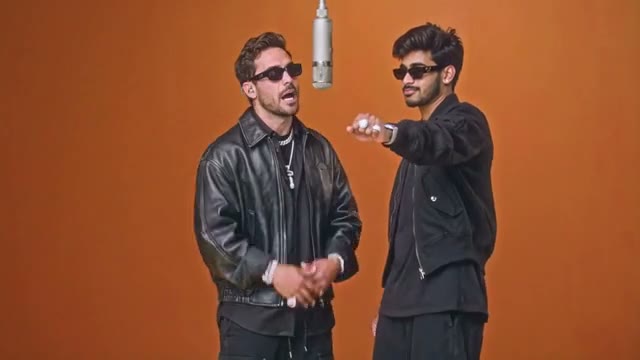
Classic Hotel Lobby Duo

Two performers, a suspended microphone and a simple orange backdrop.

Motion Control

Loading video models…

1. Motion reference video

Upload an MP4 / MOV, 3–30 seconds, up to 32 MB. Sign in to upload your own video.

PNG or JPG · up to 10 MB each. Keep both faces visible. Each photo fills its half of the duo image.

Sign in to prepare your duo and generate a video.

Both photos are combined into one reference image. The motion video guides the performance; independent face replacement is not provided.

59/10000
Required Credits—
Reopen this page to resume result checks. Confirmed failures are refunded automatically.

Classic Hotel Lobby Duo

Two performers, a suspended microphone and a simple orange backdrop.

Collected footage illustrates each style. Choosing a style changes this preview; upload your own permitted motion video for generation.

Hotel Lobby AI motion and style references

Watch the collected performances to inspect framing, subject separation and changes of pose. Use them to understand the visual format; generated motion and character continuity still depend on the selected model and input media.

Classic Hotel Lobby Duo

Two performers, a suspended microphone and a simple orange backdrop.

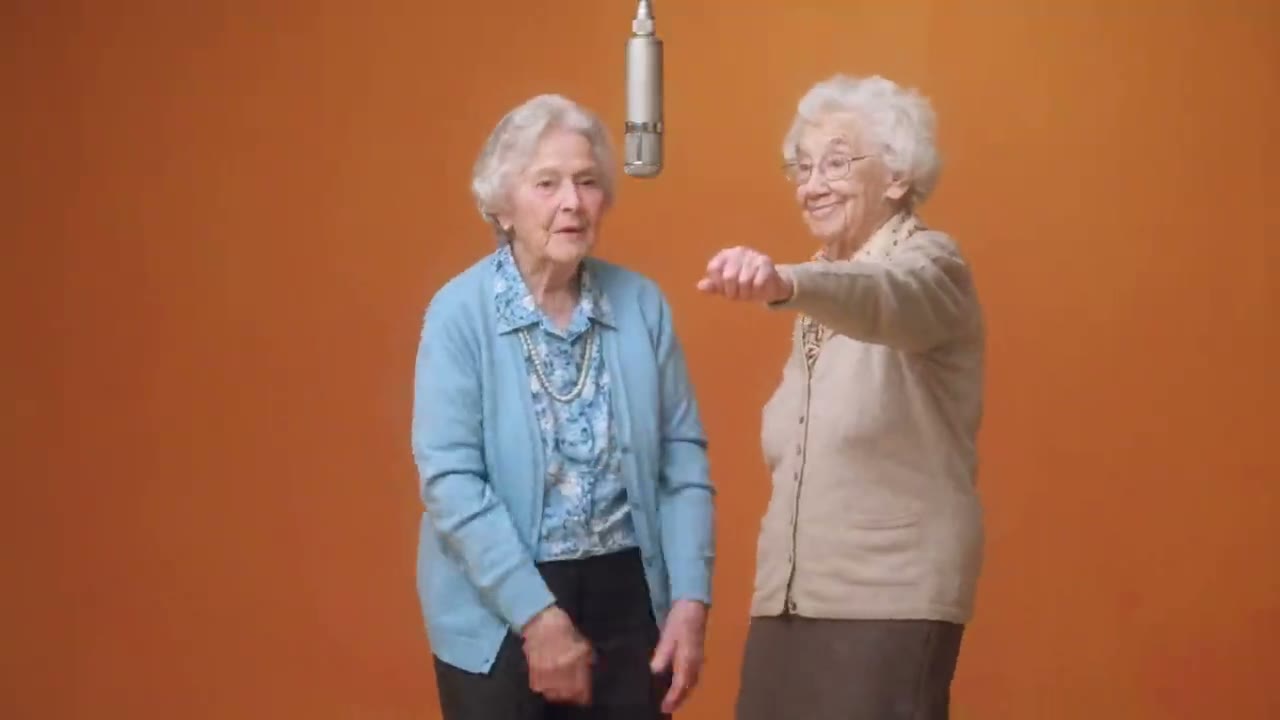
Grandma Rap Duo

Contrasting outfits and an energetic performance in the same studio setup.

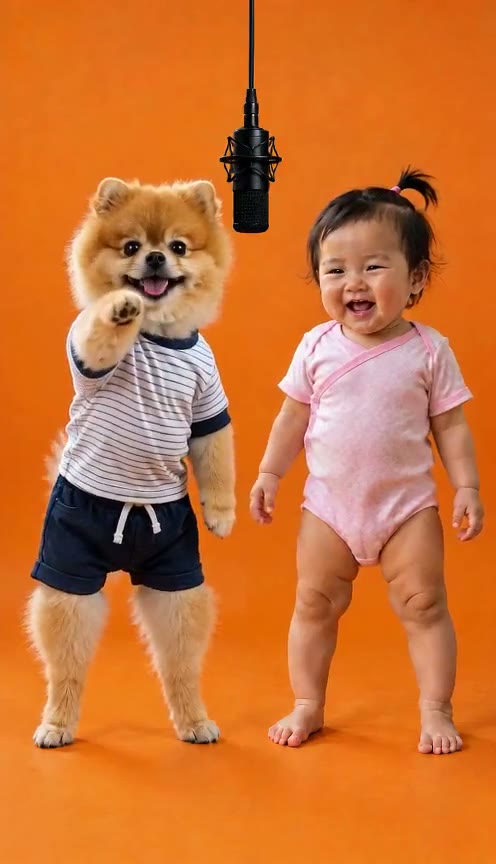
Pet & Baby Duo

A playful pairing with a clear gap between the two subjects.

Halloween Costume Duo

Costume silhouettes make the left and right performers easy to distinguish.

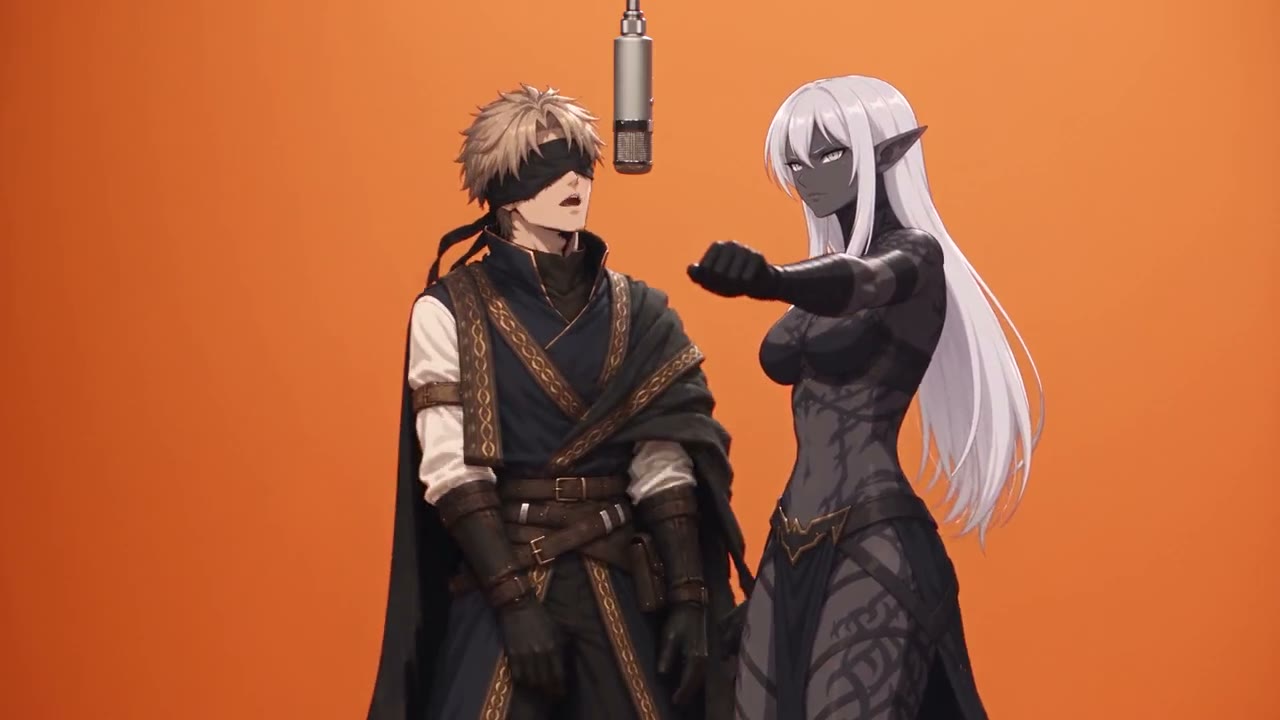
Anime Duo

Illustrated characters bring a different visual treatment to the duo format.

Grandma & Grandson Duo

An intergenerational pairing uses matching staging and contrasting identities.

Animal Sidekick Duo

A character and an animal sidekick share a readable performance space.

Orange Studio Duo

A studio performance with a suspended microphone and a warm orange backdrop.

Inspect the reference composition

Compare subject boundaries, crop and occlusion in the still frames before evaluating your own image and motion inputs.

Classic Hotel Lobby Duo: Hotel Lobby AI visual reference

Classic Hotel Lobby Duo

Two performers, a suspended microphone and a simple orange backdrop.

Anime Duo: Hotel Lobby AI visual reference

Anime Duo

Illustrated characters bring a different visual treatment to the duo format.

Grandma Rap Duo: Hotel Lobby AI visual reference

Grandma Rap Duo

Contrasting outfits and an energetic performance in the same studio setup.

Pet & Baby Duo: Hotel Lobby AI visual reference

Pet & Baby Duo

A playful pairing with a clear gap between the two subjects.

Make a Hotel Lobby AI video with your own performance

Prepare the visual input from a left photo and a right photo, combined into one duo image. Match the composition to your uploaded motion reference and assess the result for occlusion, framing and continuity. The selected model receives one image and one motion clip; two independent identity replacements are not part of this input contract.

How to create your Hotel Lobby video

  1. 1. Prepare a compatible motion clip

    Upload an MP4 or MOV, 3–30 seconds and no larger than 32 MB. Use a single readable performer with a stable crop. Choose a clip where the hands and face remain visible during the action you want the character to follow.

  2. 2. Match both photos to the motion framing

    Use the left and right upload areas to select clear, similarly framed images. Prepare their combined reference and review subject boundaries. Select an available model and describe the studio and lighting without asking the prompt to override the reference action.

  3. 3. Review the quote, then inspect continuity

    Read the displayed credit estimate before submitting. Review the full result for face, clothing and limb continuity, especially at changes of direction. Find the completed task in history and download the output for your finishing workflow.

Match the Hotel Lobby AI inputs before rendering

Reduce conflicts between what the image shows and what the reference asks the character to do.

Align the crop and pose

A waist-up reference needs useful information about the shoulders, torso and hands. A tightly cropped headshot may leave the model guessing. Choose a character image that exposes the same areas without unnecessary obstructions or additional people.

Prefer continuous, readable action

Rapid cuts, strong camera motion and performers crossing in front of one another make the movement harder to assess. Use a cleaner reference when possible. A short coherent action is often a better starting point than a complicated routine.

Diagnose the result by the moment that breaks

The location of a defect can help you decide which input needs attention.

Identity drift near a turn

If the face changes during a strong turn, inspect how much facial information the image provides and whether the reference hides it. A clearer image or a gentler motion reference may be more useful than repeating the same request.

Merged hands or unstable clothing

Check whether arms cross the torso or small accessories disappear against the background. Use a simpler silhouette and an unobstructed gesture. There is no promise that exact garment details or every hand position survive motion transfer.

Finish the motion shot as part of a sequence

Generation and editing answer different questions about the final performance.

Give a duo two separate shots

Generate each character with a shared studio brief, similar framing and contrasting clothing. Alternate the clips in an editor. This approach does not claim independent left and right replacement inside one task, and each output still needs continuity review.

Check crop and audio after generation

Inspect the actual output dimensions and sound before choosing a publishing format. The original song, vocals and synchronized lip movement are not guaranteed. Use an authorized soundtrack and keep important gestures visible in the final crop.

Hotel Lobby AI prompt ideas

Suggested prompts describe the intended look. They are not generated examples or guarantees of the result; motion still comes from the reference video.

A two-performer studio brief

Two original performers side by side in a minimal orange studio, clearly visible faces and shoulders, contrasting jackets, a suspended microphone between them, soft frontal lighting and a steady camera, movement guided by the uploaded performance reference.

A stylized studio shot

One original stylized character with a clear silhouette and contrasting outfit in an orange recording booth, soft even lighting, uncluttered background, medium framing and expressive controlled motion following the uploaded reference.

Hotel Lobby AI motion workflow questions

How do collected references relate to this generator?

Collected references illustrate the Hotel Lobby performance idea. Prepare your own permitted images and motion reference, then review the actual model and credit quote. Choosing a reference changes the preview; it does not import a preset or promise artist endorsement.

Can I use two separate performer photos?

Use the left and right photo areas to prepare one side-by-side duo image, then add a motion reference. Both photos contribute to the composition. They are not sent as separate identity replacement controls, and the result depends on the selected model.

Can I generate Hotel Lobby AI free?

No unlimited or guaranteed free rendering is offered. Generation requires an available model and sufficient credits for the displayed quote. Check your balance and current pricing; promotional credits may not cover the chosen clip and settings.

What should I compare with Higgsfield Hotel Lobby?

For Higgsfield AI Hotel Lobby searches, compare required media, performer controls and output behavior. This page takes a motion clip and one character image. It does not claim identical templates, soundtrack treatment or generation cost.

Can I use a character image prepared elsewhere?

You can prepare a character image in an image editor, then upload it in a supported format. Use a clear image you have permission to process; project files and editor settings are not imported.

Can a writing assistant help plan the performance?

A writing assistant can help organize a shot brief. Video rendering uses the selected model and its current credit quote; written planning does not provide a video preset or a separate generation integration.

Why is the credit quote unavailable?

A model must be available and have a supported quote for the reference duration and selected settings. Upload the reference and review the available controls. Do not treat an unavailable quote as a free generation or assume another model's price applies.

Will the reference soundtrack be kept exactly?

Exact soundtrack preservation and lip synchronization are not promised. Inspect the result and use music you are authorized to publish when finishing the edit. The reference and character image also need appropriate permission for processing.

What does the left/right photo input send to the model?

It prepares one side-by-side image from both photos. That image is paired with your motion video. The left and right slots set the composition and do not create independent identity replacement inputs.

Plan your next performance

Match the character and motion inputs first. Review the moments where identity or anatomy changes, then decide which shot belongs in the final sequence.

Create my motion shot
Create a character image · Explore AI video tools · Check plans and credits · Read creative guides
Home

Explore AI Image and Video Workflows with klingai.me

Copyright 2025 © All rights reserved.

  • klingai.me
Support
  • Pricing
  • support@klingai.me
  • Blog
Legal
  • Privacy Policy
  • Refund Policy
  • Terms & Conditions

AI Videos

  • Hotel Lobby AI Motion Video Generator | klingai.me