klingai.me
PricingLog in / Sign Up
Black Friday · Up to 30% off
08Days15Hours36Min42Sec
View deals →

Kling VideoHOTKling Prompts

AI Generations

AI VideoAI Image

CREATIVE TOOLS

Models

Veo AI VideoKling AI VideoBanana AI Image

Assets LibraryFavorites
Upgrade Plan
klingai.me

City Game Loading Screen Art: A Practical Guide

Create original city artwork
PNG or JPEG, up to 10 MB. Choose a recent upload or a generated image.

Description
470/2000
Required Credits—
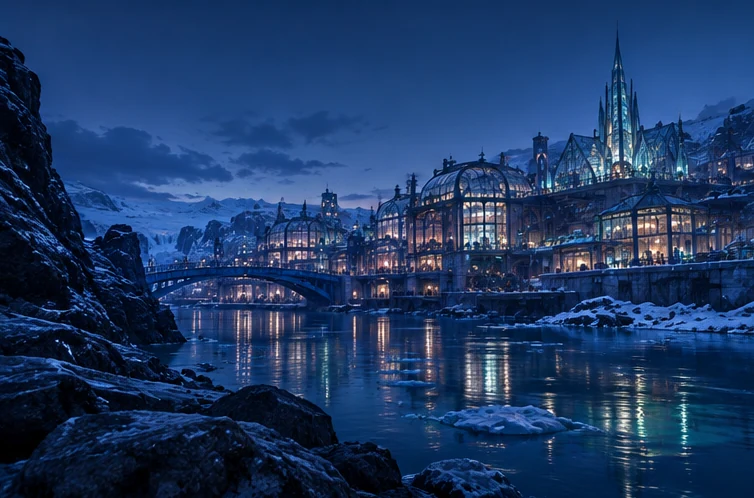
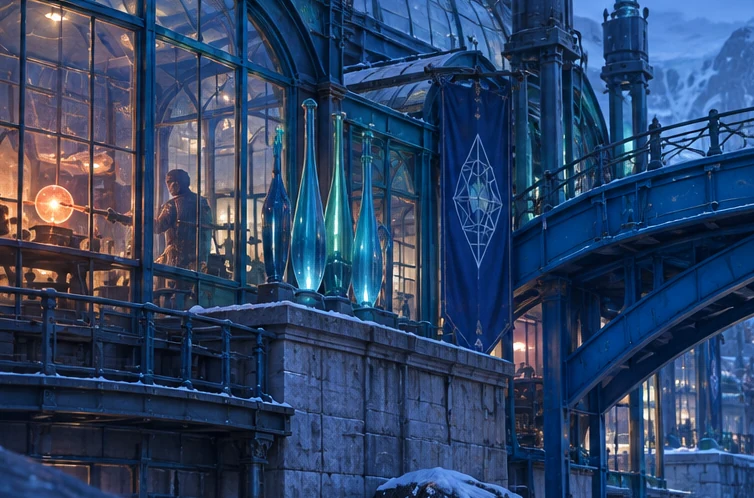
Wide view of an illustrated blue-hour canal city with glass workshops, cobalt bridges and mint reflections.
A wide canal approach establishes the fictional city, its glass workshops, and the blue-hour palette.
History

Use this practical guide to plan a City Game Loading Screen illustration for an original fictional game world. Start with a blue-hour approach along a glacial canal, then shape the scene around glass workshops, cobalt bridges, mint reflections, and an adult night shift mechanic wearing a sand vest. The artwork is an illustration, not an actual game screen or benchmark.

A simple workflow

  1. Write a text-to-image prompt that establishes the canal approach, blue-hour lighting, and broad city layout. Describe the workshops and bridges as original design elements, and keep the scene free of interface graphics, logos, and lettering.
  2. Review the composition at a glance. Check that the canal leads the eye into the city, the cobalt bridges read clearly against the cool sky, and mint reflections remain distinct from the glass façades.
  3. For a revision, use image-to-image with one optional starting image and an edit prompt. Specify the change you want—such as moving the mechanic toward the right edge—while asking to preserve the established architecture and lighting.

Compare the character and the city composition
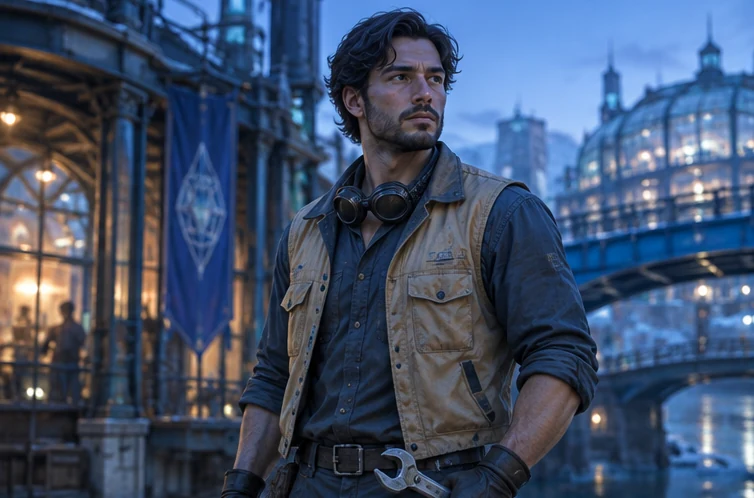
Portrait of an adult night shift mechanic wearing a sand vest, with a fictional canal city softly visible behind them
A closer character view keeps the mechanic’s workwear and adult appearance clear.
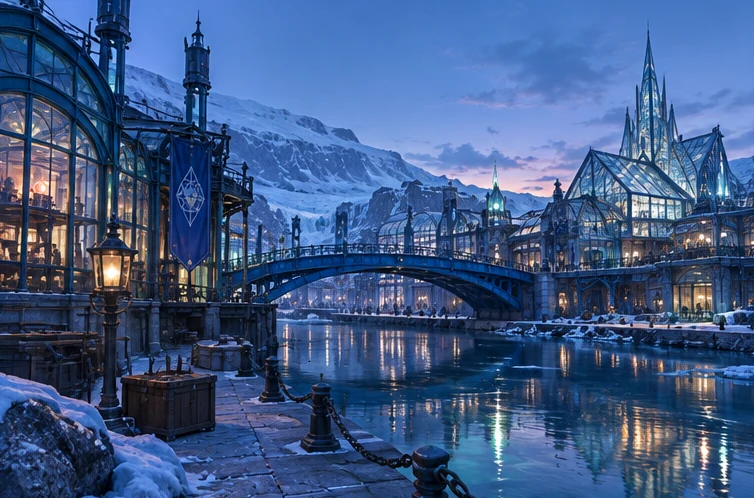
Wide canal scene with a long stretch of open water and workshops along the far bank.
An alternate wide composition leaves visual breathing room while retaining the canal setting.

What to check before you keep a result

  • Framing: The blue-hour canal approach should feel like a wide establishing view, with enough surrounding city to communicate scale.
  • Character: The mechanic should read as an adult night shift worker in a sand vest, with a natural everyday pose that does not compete with the city.
  • Visual clarity: Look for separation between cobalt bridges, glass workshops, and mint reflections; revise the prompt if these elements blend together.
Close-up illustration of glass workshop surfaces, cobalt bridge details, and mint reflections in the fictional city
A texture study focuses on the city’s glass, painted metal, and reflected color.

Common questions

Can I create this scene from text alone?

Yes. Use text-to-image to describe the canal approach, blue-hour setting, city elements, character, and desired framing.

Can I revise an existing image?

Yes. Image-to-image can use one optional starting image and an edit prompt that specifies the change you want.

Is the preview a real generated benchmark?

No. The preview is an illustrated guide and should not be treated as a real generated benchmark.

How long will generation take, and what will it cost?

Refer to the quote displayed in the generator. No fixed quote or guaranteed timing is stated here.

Related tools

  • Explore image creation
  • Browse more video tools
  • Check credit and account options
  • Try a different holiday duet

klingai.me · Updated 2026-11-23

See update history
  • 2026-11-23 — This guide explains how to plan and refine an original blue-hour canal-city illustration with a mechanic, glass workshops, cobalt bridges, and mint reflections. Updated the page title to end with the site name.
klingai.me

Create AI videos from text and images with Kling models.

support@klingai.me ↗
InstagramXYouTubeTikTokPinterest

Product

  • Create
  • Pricing
  • Blog
  • Developer API
  • MCP Server

AI Images

  • AI Image
  • Add Pumpkin To Photo
  • AI Censor Remover
  • AI Face in Hole Generator
  • AI Snow Globe Photo
  • South Park Character Creator
More (5)
  • Black Friday Poster Maker
  • City Game Loading Screen
  • GPT Image 2.6 AI Image Generator
  • Romantic Couple Spotlight
  • Stitch Images

AI Videos

  • AI Video
  • AI Day Of The Dead Pet Video
  • Bama Bound AI Video
  • Bigfoot Video Generator
  • Cat Taxi AI
  • Christmas Dance Trend
More (11)
  • Deck the Halls Dance
  • Earth Zoom Generator
  • Fireworks Video Effect
  • Flamingo Floatie AI
  • Genjutsu AI Video Generator
  • Goodbye 2026 Welcome 2027 Video Guide
  • Oh You Can Make It Cap AI
  • Ozil Goal AI Video Generator
  • Toc Toc AI Dance Generator
  • Video to Video AI with Motion Control
  • Hotel Lobby AI Motion Video Generator

Help

  • Contact

AI Resources

llms.txtFull guideOverviewFeaturesPricingFAQ
Ask AI about klingai.meChatGPT ↗Claude ↗Perplexity ↗Gemini ↗Grok ↗
© 2026 klingai.me. All rights reserved.
SitemapTerms of ServicePrivacy PolicyRefund Policy

Cookie Settings

We use cookies.