
Verified prompt
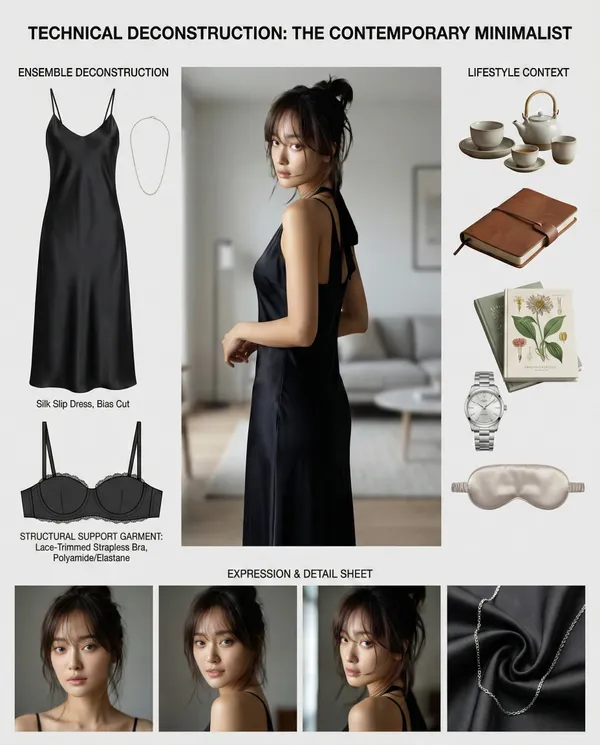
sk: Create a comprehensive "Wardrobe Deconstruction and Style Profile" collage based on an uploaded image.** **Objective:** Act as a professional fashion archivist and technical designer. Given an uploaded image of a person, generate a visually compelling, high-resolution "Style Profile" collage that meticulously deconstructs their entire ensemble, from the outermost layer to the foundational structure. The final output must be a single, cohesive, photorealistic image. **Core Elements:** 1. **Central Subject Image:** * Place the subject from the uploaded image in a full-body pose as the central focus. * Maintain the subject's likeness (face, hair, clothing) while enhancing the image to a professional, high-fashion photographic standard. 2. **Complete Ensemble Deconstruction (Photorealistic Product Shots):** * Generate a visual breakdown of the subject's attire, presenting each item as a separate, high-quality product photograph. This breakdown must include: * **Outer and Mid-Layers:** All visible garments and accessories. * **Foundational Elements:** A technical illustration of the essential structural garments that provide shape and support to the silhouette (e.g., a bra, slip, or specific underlayer). These elements must be rendered as **objective, flat-lay design schematics** with a focus on material and construction, not on the human form. * Include detailed close-ups of key materials (e.g., fabric weave, leather texture, metal finish) to emphasize quality and design. 3. **Lifestyle & Contextual Items:** * Based on the subject's style, infer and generate a collection of 4-6 photorealistic items that suggest their likely environment, interests, or daily routine. 4. **Expression & Detail Sheet:** * Generate a series of 3-4 close-up portraits showing a range of natural, context-appropriate expressions. **Aesthetic and Layout Guidelines:** * **Overall Style:** Strictly **Hyper-realistic, photographic style**. Absolutely no illustration, anime, or hand-drawn elements. * **Layout:** Arrange all elements in a **clean, balanced, and modular collage** on a neutral background (white or light gray). The layout must be visually logical and professional, resembling a high-end fashion technical document. * **Annotations:** Use a clean, minimalist font for all text. * **Title:** Generate a professional, gender-neutral title (e.g., "Technical Deconstruction: The Urban Minimalist"). * **Labels:** Add brief, descriptive labels for all deconstructed items, including the "Foundational Elements," using technical terms (e.g., "Structural Support Garment," "Base Layer"). **Crucial Instruction:** The rendering of all "Foundational Elements" must be purely technical and objective, presented as a **design schematic or flat-lay product shot** to emphasize construction and material, completely detached from the central subject's body.
sk: Create a comprehensive "Wardrobe Deconstruction and Style Profile" collage based on an uploaded image.** **Objective:** Act as a professional fashion archivist and technical designer. Given an uploaded image of a person, generate a visually compelling, high-resolution "Style Profile" collage that meticulously deconstructs their entire ensemble, from the outermost layer to the foundational structure. The final output must be a single, cohesive, photorealistic image. **Core Elements:** 1. **Central Subject Image:** * Place the subject from the uploaded image in a full-body pose as the central focus. * Maintain the subject's likeness (face, hair, clothing) while enhancing the image to a professional, high-fashion photographic standard. 2. **Complete Ensemble Deconstruction (Photorealistic Product Shots):** * Generate a visual breakdown of the subject's attire, presenting each item as a separate, high-quality product photograph. This breakdown must include: * **Outer and Mid-Layers:** All visible garments and accessories. * **Foundational Elements:** A technical illustration of the essential structural garments that provide shape and support to the silhouette (e.g., a bra, slip, or specific underlayer). These elements must be rendered as **objective, flat-lay design schematics** with a focus on material and construction, not on the human form. * Include detailed close-ups of key materials (e.g., fabric weave, leather texture, metal finish) to emphasize quality and design. 3. **Lifestyle & Contextual Items:** * Based on the subject's style, infer and generate a collection of 4-6 photorealistic items that suggest their likely environment, interests, or daily routine. 4. **Expression & Detail Sheet:** * Generate a series of 3-4 close-up portraits showing a range of natural, context-appropriate expressions. **Aesthetic and Layout Guidelines:** * **Overall Style:** Strictly **Hyper-realistic, photographic style**. Absolutely no illustration, anime, or hand-drawn elements. * **Layout:** Arrange all elements in a **clean, balanced, and modular collage** on a neutral background (white or light gray). The layout must be visually logical and professional, resembling a high-end fashion technical document. * **Annotations:** Use a clean, minimalist font for all text. * **Title:** Generate a professional, gender-neutral title (e.g., "Technical Deconstruction: The Urban Minimalist"). * **Labels:** Add brief, descriptive labels for all deconstructed items, including the "Foundational Elements," using technical terms (e.g., "Structural Support Garment," "Base Layer"). **Crucial Instruction:** The rendering of all "Foundational Elements" must be purely technical and objective, presented as a **design schematic or flat-lay product shot** to emphasize construction and material, completely detached from the central subject's body.
Verified prompt
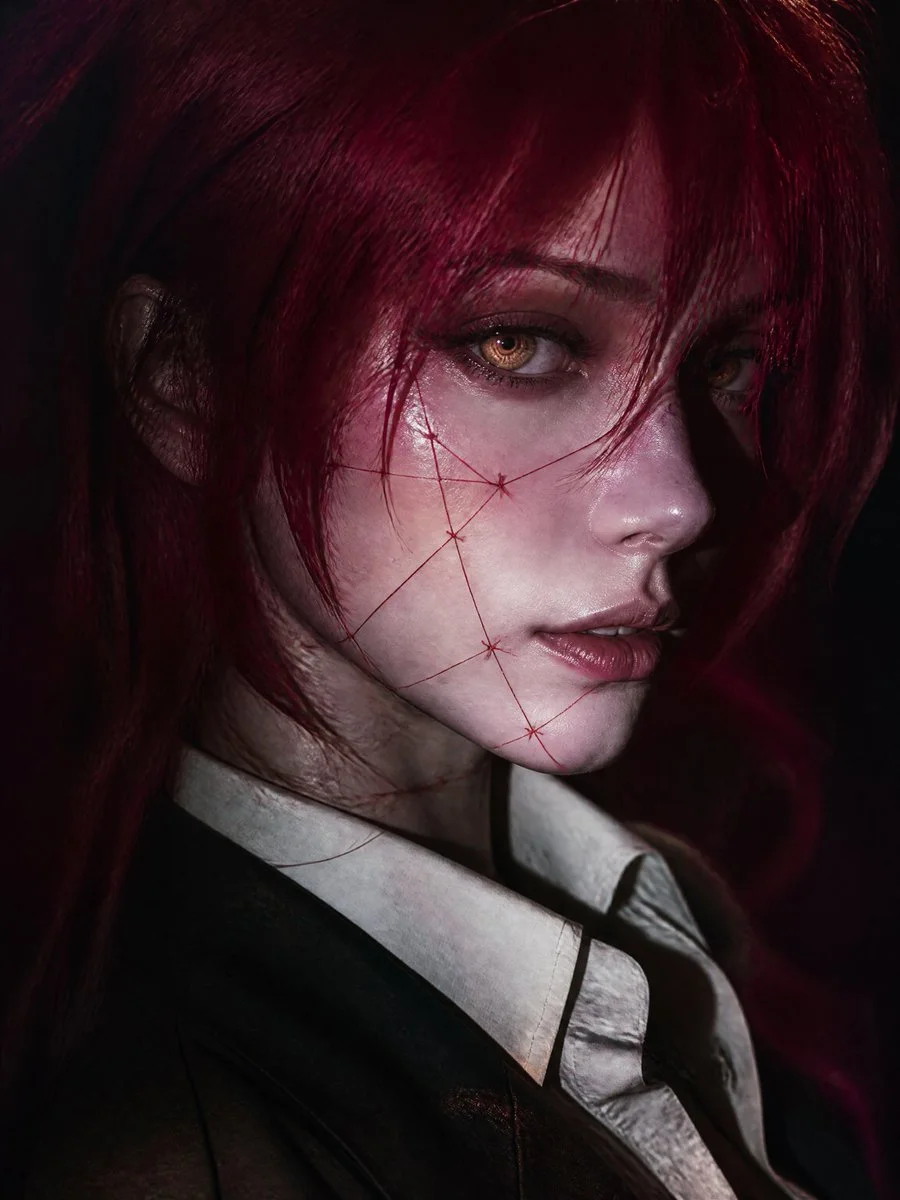
Cinematic editorial close-up portrait of original fantasy-inspired young woman, vertical 9:16, face dominating from slightly elevated three-quarter angle, head turned toward camera gaze past lens. Pale porcelain cool-undertone skin, delicate features, defined nose, soft lips, calm mysterious expression. Vivid crimson-magenta long messy hair layered strands framing one eye, loose foreground strands. Luminous amber-gold irises with concentric spirals, blue-gray limbal ring, wet reflections, detailed lashes, faint glow. Thin crimson thread-like artistic stitched markings on cheeks jaw neck, elegant graphic surreal no gore. Dark tailored jacket over ivory collared shirt slightly open, subtle dark neckline accessory. Dramatic low-key on-camera flash lighting bright highlights deep shadows, cool tones red hair spill, realistic skin texture. Dark indistinct burgundy charcoal background, shallow DOF cinematic bokeh grain. High-end fashion editorial dark fantasy, original character no existing copies.
Cinematic editorial close-up portrait of original fantasy-inspired young woman, vertical 9:16, face dominating from slightly elevated three-quarter angle, head turned toward camera gaze past lens. Pale porcelain cool-undertone skin, delicate features, defined nose, soft lips, calm mysterious expression. Vivid crimson-magenta long messy hair layered strands framing one eye, loose foreground strands. Luminous amber-gold irises with concentric spirals, blue-gray limbal ring, wet reflections, detailed lashes, faint glow. Thin crimson thread-like artistic stitched markings on cheeks jaw neck, elegant graphic surreal no gore. Dark tailored jacket over ivory collared shirt slightly open, subtle dark neckline accessory. Dramatic low-key on-camera flash lighting bright highlights deep shadows, cool tones red hair spill, realistic skin texture. Dark indistinct burgundy charcoal background, shallow DOF cinematic bokeh grain. High-end fashion editorial dark fantasy, original character no existing copies.
Verified prompt
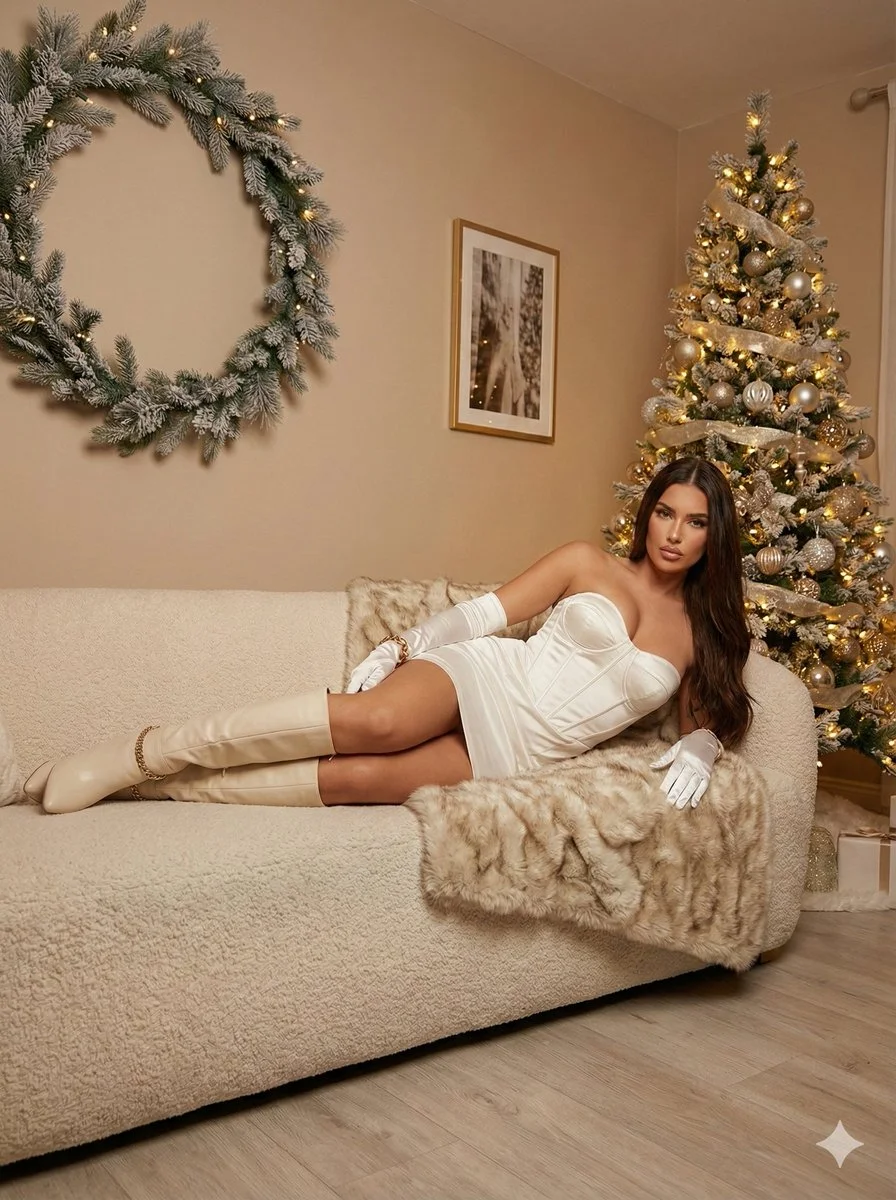
Ultra photorealistic 8K portrait, Leica Q2 camera, 28mm Summilux lens. Subject: female, early 20s, slim, glamorous waves honey brown hair, sparkling excited eyes, laughing. Holding lit sparkler up high and champagne flute. Wearing sequined silver/gold dress with spaghetti straps. Location: luxury rooftop bar, midnight New Year's Eve, fireworks reflecting on glass railings, festive confetti. Cinematic night portrait with mixed dramatic lighting, bokeh background.
Ultra photorealistic 8K portrait, Leica Q2 camera, 28mm Summilux lens. Subject: female, early 20s, slim, glamorous waves honey brown hair, sparkling excited eyes, laughing. Holding lit sparkler up high and champagne flute. Wearing sequined silver/gold dress with spaghetti straps. Location: luxury rooftop bar, midnight New Year's Eve, fireworks reflecting on glass railings, festive confetti. Cinematic night portrait with mixed dramatic lighting, bokeh background.
Verified prompt
Verified prompt
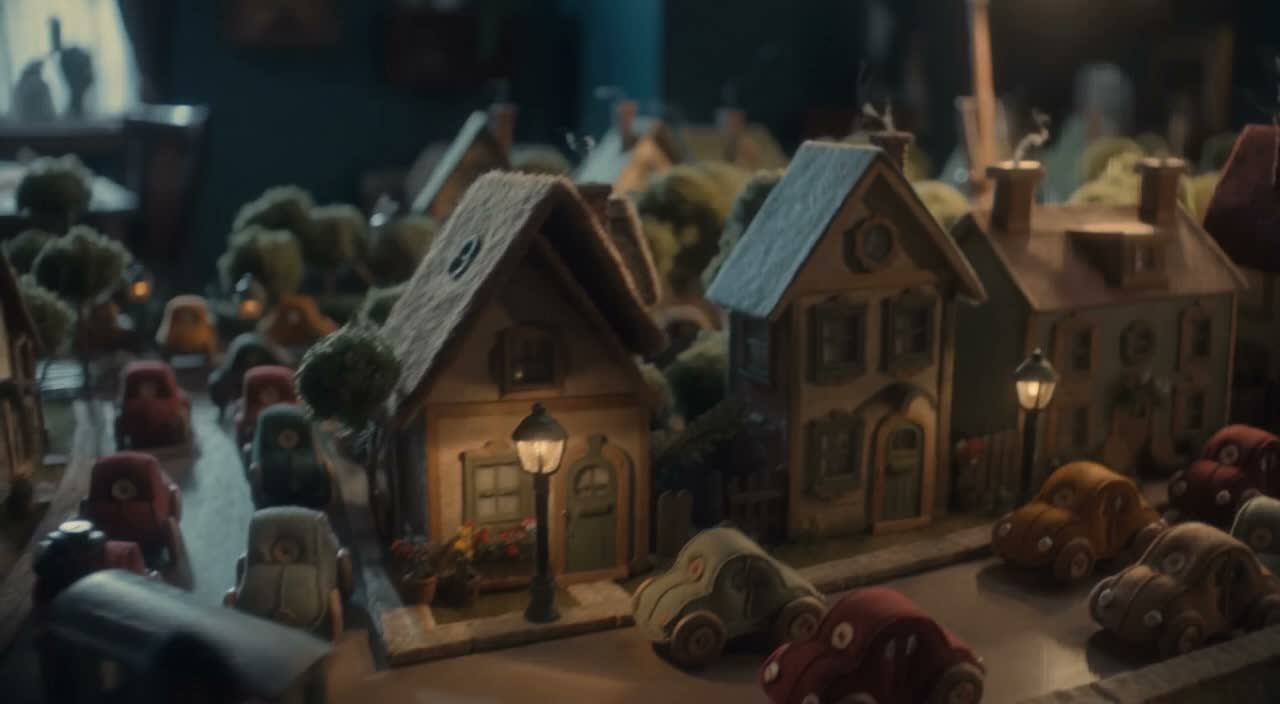
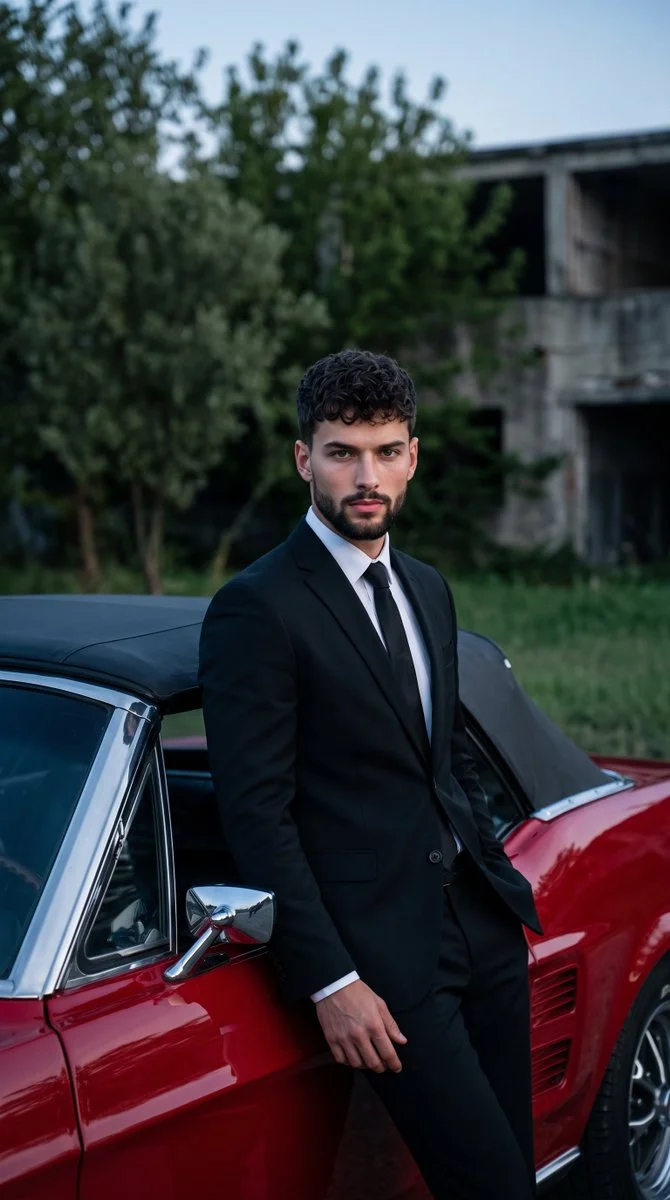
Photograph an adult man in a tailored black suit, white shirt and dark tie standing beside a classic cherry-red muscle car. Let him lean casually against the vehicle with one hand near a trouser pocket and a calm look toward the camera. Include the car's chrome trim and dark convertible roof in the foreground. Set the scene outdoors with dense green trees and a softly blurred low building behind him. Combine cool evening ambient light with gentle frontal fill, keeping the suit, skin and glossy red paint realistic and detailed.
Photograph an adult man in a tailored black suit, white shirt and dark tie standing beside a classic cherry-red muscle car. Let him lean casually against the vehicle with one hand near a trouser pocket and a calm look toward the camera. Include the car's chrome trim and dark convertible roof in the foreground. Set the scene outdoors with dense green trees and a softly blurred low building behind him. Combine cool evening ambient light with gentle frontal fill, keeping the suit, skin and glossy red paint realistic and detailed.
Verified prompt
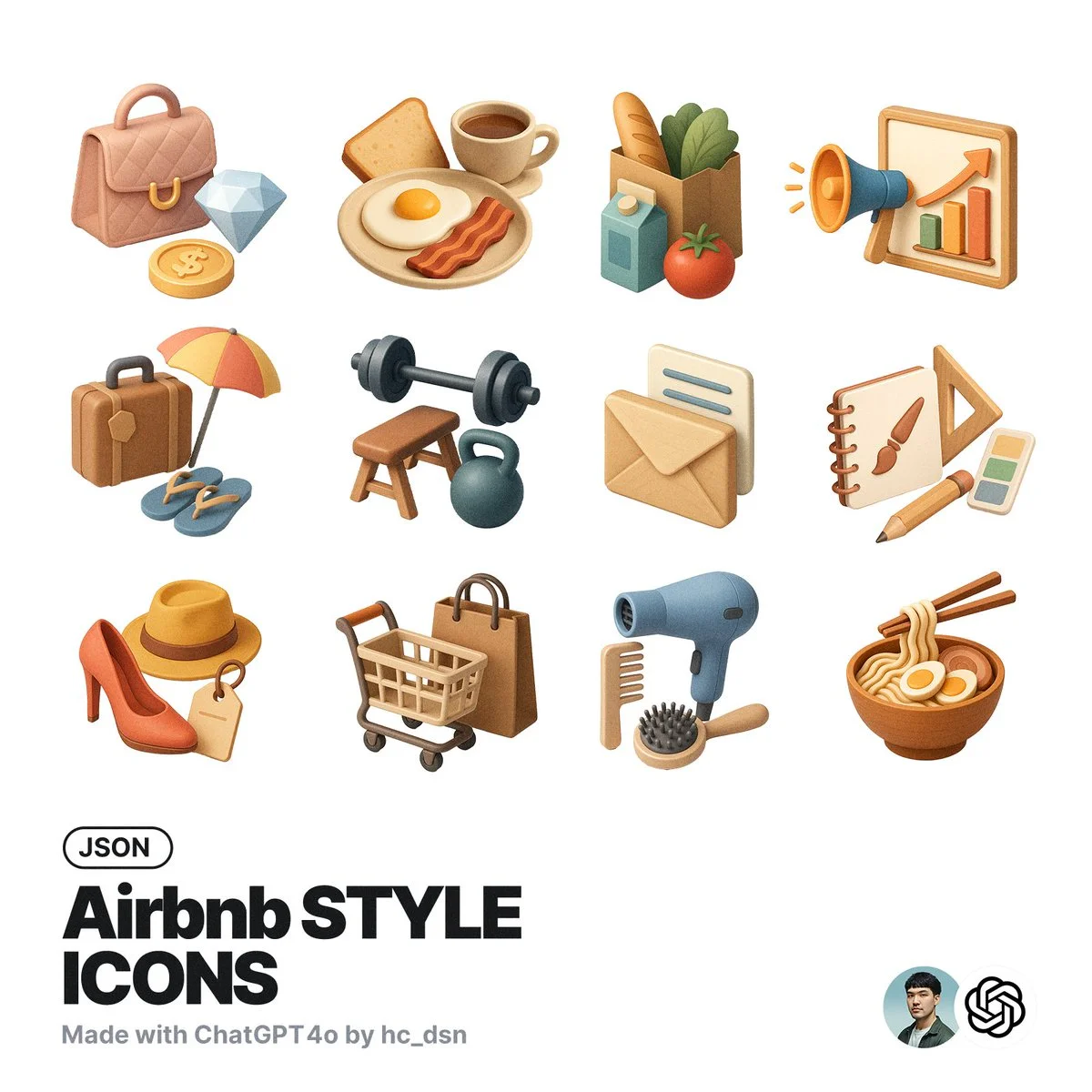
generate[concept] icon with this json style: { "icon_style": { "perspective": "isometric", "geometry": { "proportions": "1:1 ratio canvas, with objects fitting comfortably within margins", "element_arrangement": "central dominant object, with supporting elements symmetrically or diagonally placed" }, "composition": { "element_count": "2–4 main objects", "spatial_depth": "layered to create sense of dimension and slight elevation", "scale_consistency": "uniform object scale across icon set", "scene_density": "minimal to moderate, maintaining clarity and visual focus" }, "lighting": { "type": "soft ambient light", "light_source": "subtle top-right or front-top direction", "shadow": "gentle drop shadows below and behind objects", "highlighting": "mild edge illumination to define forms" }, "textures": { "material_finish": "semi-matte to satin surfaces", "surface_treatment": "smooth with light tactile variation (e.g., wood grain, soft textures)", "texture_realism": "stylized naturalism without hyper-realistic noise" }, "render_quality": { "resolution": "high-resolution octane 3D rendering", "edge_definition": "crisp, no outlines; separation achieved via lighting and depth", "visual_clarity": "clean, readable shapes with minimal clutter" }, "color_palette": { "tone": "naturalistic with slight saturation boost", "range": "harmonious muted tones with gentle contrast", "usage": "distinct colors per object to improve identification and readability" }, "background": { "color": "#FFFFFF", "style": "pure white, flat", "texture": "none" }, "stylistic_tone": "premium, friendly, clean with lifestyle or service-oriented appeal", "icon_behavior": { "branding_alignment": "neutral enough for broad applications", "scalability": "legible at small and medium sizes", "interchangeability": "part of a cohesive icon system with interchangeable subject matter" } } }
generate[concept] icon with this json style: { "icon_style": { "perspective": "isometric", "geometry": { "proportions": "1:1 ratio canvas, with objects fitting comfortably within margins", "element_arrangement": "central dominant object, with supporting elements symmetrically or diagonally placed" }, "composition": { "element_count": "2–4 main objects", "spatial_depth": "layered to create sense of dimension and slight elevation", "scale_consistency": "uniform object scale across icon set", "scene_density": "minimal to moderate, maintaining clarity and visual focus" }, "lighting": { "type": "soft ambient light", "light_source": "subtle top-right or front-top direction", "shadow": "gentle drop shadows below and behind objects", "highlighting": "mild edge illumination to define forms" }, "textures": { "material_finish": "semi-matte to satin surfaces", "surface_treatment": "smooth with light tactile variation (e.g., wood grain, soft textures)", "texture_realism": "stylized naturalism without hyper-realistic noise" }, "render_quality": { "resolution": "high-resolution octane 3D rendering", "edge_definition": "crisp, no outlines; separation achieved via lighting and depth", "visual_clarity": "clean, readable shapes with minimal clutter" }, "color_palette": { "tone": "naturalistic with slight saturation boost", "range": "harmonious muted tones with gentle contrast", "usage": "distinct colors per object to improve identification and readability" }, "background": { "color": "#FFFFFF", "style": "pure white, flat", "texture": "none" }, "stylistic_tone": "premium, friendly, clean with lifestyle or service-oriented appeal", "icon_behavior": { "branding_alignment": "neutral enough for broad applications", "scalability": "legible at small and medium sizes", "interchangeability": "part of a cohesive icon system with interchangeable subject matter" } } }
Verified prompt
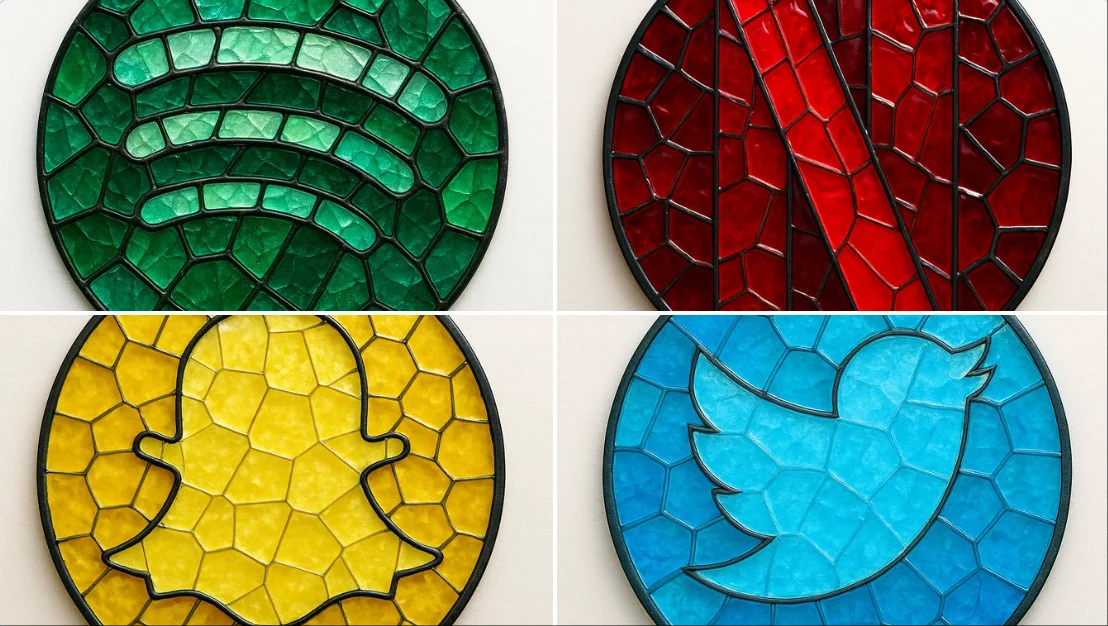
create image: { "style": "mosaic stained glass emblem", "object": "brand logo", "brand": { "name": "Spotify", "logo_shape": "circular", "icon_style": "three curved bars", "color_palette": { "primary": "#1DB954", "secondary": "#1ED760", "glass_variants": ["#147A3E", "#0F5C30", "#26C178"] } }, "material": { "type": "colored glass", "effect": "semi-transparent with light reflections", "outline": { "color": "#111111", "width": "medium", "style": "lead-line traditional mosaic" } }, "composition": { "layout": "logo composed of tessellated glass pieces", "geometry": "irregular but fitted glass shapes", "contrast": "dark outlines define shape clearly" }, "lighting": { "type": "diffused natural light", "highlight": "glass texture and color depth emphasized" }, "background": { "type": "flat surface", "color": "#F4F4F4" }, "camera": { "angle": "top-down", "focus": "centered on entire logo" }, "render": { "quality": "high", "shadows": "soft", "reflections": "minimal" } }
create image: { "style": "mosaic stained glass emblem", "object": "brand logo", "brand": { "name": "Spotify", "logo_shape": "circular", "icon_style": "three curved bars", "color_palette": { "primary": "#1DB954", "secondary": "#1ED760", "glass_variants": ["#147A3E", "#0F5C30", "#26C178"] } }, "material": { "type": "colored glass", "effect": "semi-transparent with light reflections", "outline": { "color": "#111111", "width": "medium", "style": "lead-line traditional mosaic" } }, "composition": { "layout": "logo composed of tessellated glass pieces", "geometry": "irregular but fitted glass shapes", "contrast": "dark outlines define shape clearly" }, "lighting": { "type": "diffused natural light", "highlight": "glass texture and color depth emphasized" }, "background": { "type": "flat surface", "color": "#F4F4F4" }, "camera": { "angle": "top-down", "focus": "centered on entire logo" }, "render": { "quality": "high", "shadows": "soft", "reflections": "minimal" } }
Verified prompt
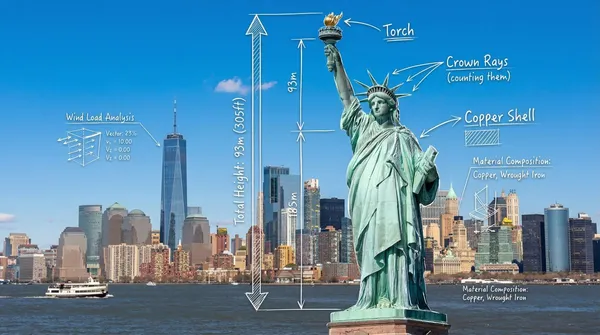
otorealistic wide-angle landscape shot of the Statue of Liberty with the New York City skyline and harbor in the background. Superimposed on the scene is a white, hand-drawn augmented reality technical overlay. Features include: 1. Sketchy white leader lines pointing to key details like the "Torch," "Crown Rays," and "Copper Shell" with handwritten text labels. 2. Large dimensional vertical measurement arrows indicating the total height from ground to torch. 3. Small floating wireframe icons showing wind load data and material composition. Aesthetic: Structural engineering analysis, F1 broadcast graphics style, bright outdoor daylight, architectural blueprint overlay.
otorealistic wide-angle landscape shot of the Statue of Liberty with the New York City skyline and harbor in the background. Superimposed on the scene is a white, hand-drawn augmented reality technical overlay. Features include: 1. Sketchy white leader lines pointing to key details like the "Torch," "Crown Rays," and "Copper Shell" with handwritten text labels. 2. Large dimensional vertical measurement arrows indicating the total height from ground to torch. 3. Small floating wireframe icons showing wind load data and material composition. Aesthetic: Structural engineering analysis, F1 broadcast graphics style, bright outdoor daylight, architectural blueprint overlay.
Verified prompt
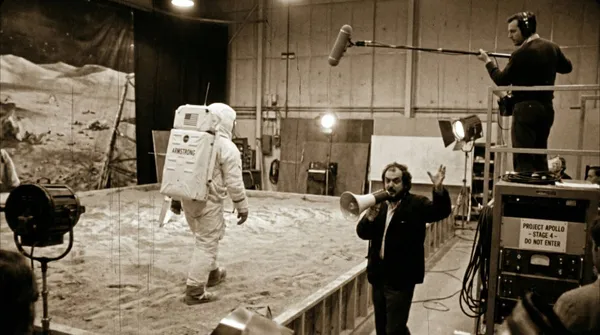
ed production footage from a secret soundstage, 1969. Neil Armstrong is walking on the "Moon surface," but the camera pulls back to reveal it is just a sandbox in a studio. A boom mic operator is visible in the top corner. Stanley Kubrick is shouting instructions through a megaphone. Studio lights, film grain, slightly blurry, handheld camera movement style.
ed production footage from a secret soundstage, 1969. Neil Armstrong is walking on the "Moon surface," but the camera pulls back to reveal it is just a sandbox in a studio. A boom mic operator is visible in the top corner. Stanley Kubrick is shouting instructions through a megaphone. Studio lights, film grain, slightly blurry, handheld camera movement style.
Verified prompt
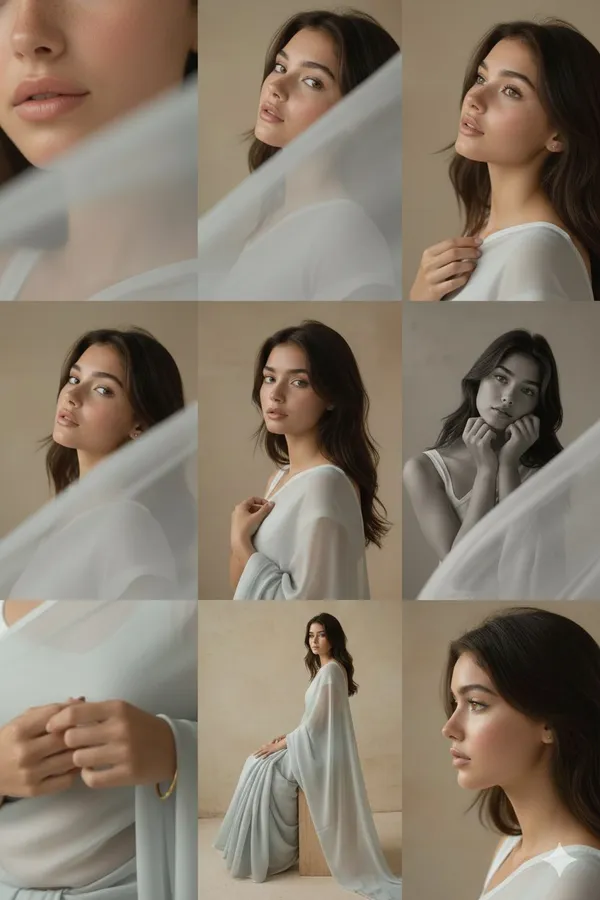
orial 3x3 grid in soft golden-beige studio. Character (face characteristics 100% same as uploaded image) wearing a glossy silk saree with minimal jewelry. Lighting: warm soft key from right, reflector fill left. Shots match original structure: extreme lip/cheek macro with blurred silk, tight eye reflection crop, B&W chin-on-fist frame-fill, fabric-framed shoulder view, frontal close-up with hand-light pattern, angled portrait with loose strands, jawline-focused hand crop, half-body seated on cube, profile with rim slice. Same lens & aperture set. RAW, elegant tonal grade, smooth cinematic grain.
orial 3x3 grid in soft golden-beige studio. Character (face characteristics 100% same as uploaded image) wearing a glossy silk saree with minimal jewelry. Lighting: warm soft key from right, reflector fill left. Shots match original structure: extreme lip/cheek macro with blurred silk, tight eye reflection crop, B&W chin-on-fist frame-fill, fabric-framed shoulder view, frontal close-up with hand-light pattern, angled portrait with loose strands, jawline-focused hand crop, half-body seated on cube, profile with rim slice. Same lens & aperture set. RAW, elegant tonal grade, smooth cinematic grain.
Verified prompt
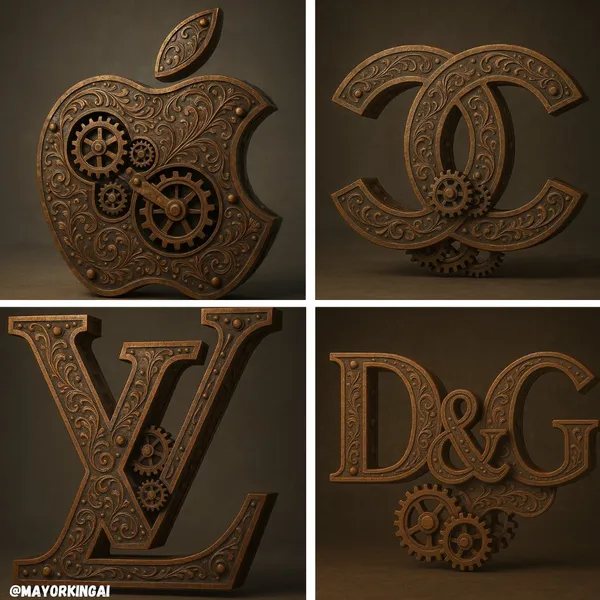
culpted logo of [LOGO NAME], in a steampunk style, made of aged brass and oxidized iron, with visible rivets, gears, and vintage mechanical elements, distressed and weathered surface, rich copper and bronze tones, engraved with Victorian-style filigree, retro-industrial design, soft spotlight lighting, neutral background, hyper-realistic render, ultra-high resolution, symmetrical composition
culpted logo of [LOGO NAME], in a steampunk style, made of aged brass and oxidized iron, with visible rivets, gears, and vintage mechanical elements, distressed and weathered surface, rich copper and bronze tones, engraved with Victorian-style filigree, retro-industrial design, soft spotlight lighting, neutral background, hyper-realistic render, ultra-high resolution, symmetrical composition
Verified prompt
Explore Image Workflows
Explore the Nano Banana 2 workflow and compare it with the related image pages. The generator is the source of truth for current model access and settings. Use the prompt library to study published results and the model that created them.


Nano Banana 2 AI Image Generator
Write your Nano Banana 2 image brief around a subject, composition, lighting and intended style. Add a material or texture when it matters. For edits, state one precise change and explain which parts of the source should remain intact.
Write your Nano Banana 2 image brief around a subject, composition, lighting and intended style. Add a material or texture when it matters. For edits, state one precise change and explain which parts of the source should remain intact.
Explore Nano Banana 2Build Your Nano Banana 2 Image Brief
Choose only the resolution and aspect ratio shown for the selected model. Check framing, fine details and any text in the completed image. A larger output size does not guarantee a more accurate result.
Advanced AI Image Generation & Customization
Choose only the resolution and aspect ratio shown for the selected model. Check framing, fine details and any text in the completed image. A larger output size does not guarantee a more accurate result.
Write Precise Editing and Style Directions
Choose only the resolution and aspect ratio shown for the selected model. Check framing, fine details and any text in the completed image. A larger output size does not guarantee a more accurate result.
Describe the Changes and Details to Preserve
Explore the Nano Banana 2 workflow and compare it with the related image pages. The generator is the source of truth for current model access and settings. Use the prompt library to study published results and the model that created them.
Describe the Changes and Details to Preserve
Choose only the resolution and aspect ratio shown for the selected model. Check framing, fine details and any text in the completed image. A larger output size does not guarantee a more accurate result.
Review Usage Terms Before Sharing
Check the applicable model and platform terms before using a result commercially. You are responsible for the rights to uploaded images, identifiable people, logos and any other source material in your Nano Banana 2 image brief.
Keep Your Workflow Simple
Develop your Nano Banana 2 image brief around the result you need. Keep the main direction specific, check supported settings in the generator, and review the completed work before using it in your project.
A Clearer Creative Brief for Nano Banana 2

Diverse Styles & Effects for Every Vision
Develop your Nano Banana 2 image brief around the result you need. Keep the main direction specific, check supported settings in the generator, and review the completed work before using it in your project.
Write your Nano Banana 2 image brief around a subject, composition, lighting and intended style. Add a material or texture when it matters. For edits, state one precise change and explain which parts of the source should remain intact.
Versatile Nano Banana 2 AI Image Generator for Every Creator's Vision
Start your Nano Banana 2 image brief with a source image you have permission to use. Name the area to change and the colors, proportions or objects to preserve. Reference count and editing support depend on the selected model.


For Architects and Designers
Write your Nano Banana 2 image brief around a subject, composition, lighting and intended style. Add a material or texture when it matters. For edits, state one precise change and explain which parts of the source should remain intact.

For E-Commerce Professionals
List the details that matter in your Nano Banana 2 image brief: identity, shape, colors, clothing and background. Use supported references where appropriate and compare every result; exact consistency is not guaranteed.

For Content Publishers
Choose only the resolution and aspect ratio shown for the selected model. Check framing, fine details and any text in the completed image. A larger output size does not guarantee a more accurate result.

For Event Planners
Write your Nano Banana 2 image brief around a subject, composition, lighting and intended style. Add a material or texture when it matters. For edits, state one precise change and explain which parts of the source should remain intact.
From a Brief to a Reviewed Image: The Nano Banana 2 Workflow
Add Your Input
Start your Nano Banana 2 image brief with a source image you have permission to use. Name the area to change and the colors, proportions or objects to preserve. Reference count and editing support depend on the selected model.
Customize Your Options
The generator shows current model availability. When a model accepts requests, choose its supported settings and review the required credits before submitting. Review your selection and credit balance before generating.
Generate and Refine
Write your Nano Banana 2 image brief around a subject, composition, lighting and intended style. Add a material or texture when it matters. For edits, state one precise change and explain which parts of the source should remain intact.
Review and Download Completed Results
Start your Nano Banana 2 image brief with a source image you have permission to use. Name the area to change and the colors, proportions or objects to preserve. Reference count and editing support depend on the selected model.
Nano Banana 2 Image Ideas for Your Projects
Choose only the resolution and aspect ratio shown for the selected model. Check framing, fine details and any text in the completed image. A larger output size does not guarantee a more accurate result.
Digital Art & Illustration
Choose only the resolution and aspect ratio shown for the selected model. Check framing, fine details and any text in the completed image. A larger output size does not guarantee a more accurate result.
Marketing & E-Commerce Visuals
For a Nano Banana 2 product concept, specify the product shape, material, key detail and setting. Keep logos and claims accurate, allow room for your own typography, and review the result before using it in an advertisement.
Educational Content & Presentations
Use a Nano Banana 2 visual concept to support one teaching or presentation point. Check facts and labels yourself, and add final captions in your editing workflow rather than relying on generated text.
Game Development
List the details that matter in your Nano Banana 2 image brief: identity, shape, colors, clothing and background. Use supported references where appropriate and compare every result; exact consistency is not guaranteed.
Creative Notes for Your Nano Banana 2 Image Brief
Give the main subject one clear action. For a Nano Banana 2 concept, a precise brief is easier to assess than a list of competing effects.

Nano Banana 2 Image Workflow: Questions & Answers
This klingai.me page explains the Nano Banana 2 image workflow. It helps you write a focused brief and review the available inputs. Current access is shown in the generator; a model name on a guide does not mean it currently accepts requests.
Write your Nano Banana 2 image brief around a subject, composition, lighting and intended style. Add a material or texture when it matters. For edits, state one precise change and explain which parts of the source should remain intact.
This klingai.me page explains the Nano Banana 2 image workflow. It helps you write a focused brief and review the available inputs. Current access is shown in the generator; a model name on a guide does not mean it currently accepts requests.
Use only the input modes and controls offered by the selected model. Describe the intended image clearly and add supported references when useful. This page does not promise separate motion-brush, audio-upload, restoration or editing tools.
Use only the input modes and controls offered by the selected model. Describe the intended image clearly and add supported references when useful. This page does not promise separate motion-brush, audio-upload, restoration or editing tools.
Check the applicable model and platform terms before using a result commercially. You are responsible for the rights to uploaded images, identifiable people, logos and any other source material in your Nano Banana 2 image brief.
New accounts receive 10 registration credits. Review the credit cost of your selected model before submitting; those credits do not guarantee a free video. klingai.me subscriptions and credit packs are listed on the Pricing page and are separate from any official Kling service plans.
Develop your Nano Banana 2 image brief around the result you need. Keep the main direction specific, check supported settings in the generator, and review the completed work before using it in your project.
Explore Your Next Nano Banana 2 Image Idea
Explore the Nano Banana 2 workflow and compare it with the related image pages. The generator is the source of truth for current model access and settings. Use the prompt library to study published results and the model that created them.