Verified prompt
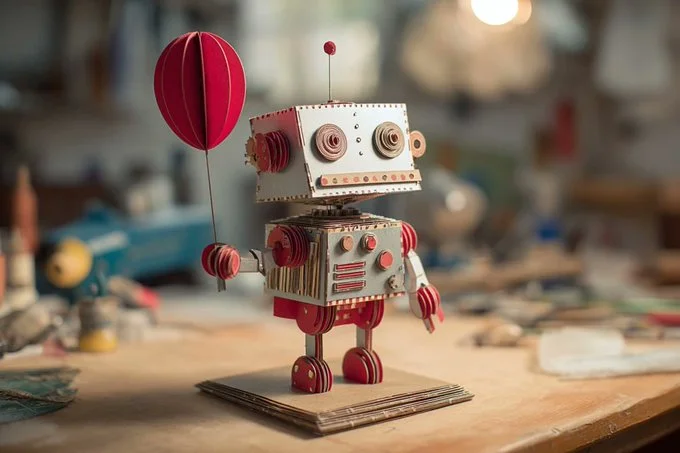
A 3D papercraft representation of [Subject], composed of layered paper cutouts, resting on a simple cardboard base. Highlights of [color 1] and [color 2] paper textures create depth and dimension. Set against a softly lit crafts room, realistic lighting, intricate paper edges, shallow depth of field
A 3D papercraft representation of [Subject], composed of layered paper cutouts, resting on a simple cardboard base. Highlights of [color 1] and [color 2] paper textures create depth and dimension. Set against a softly lit crafts room, realistic lighting, intricate paper edges, shallow depth of field
Verified prompt
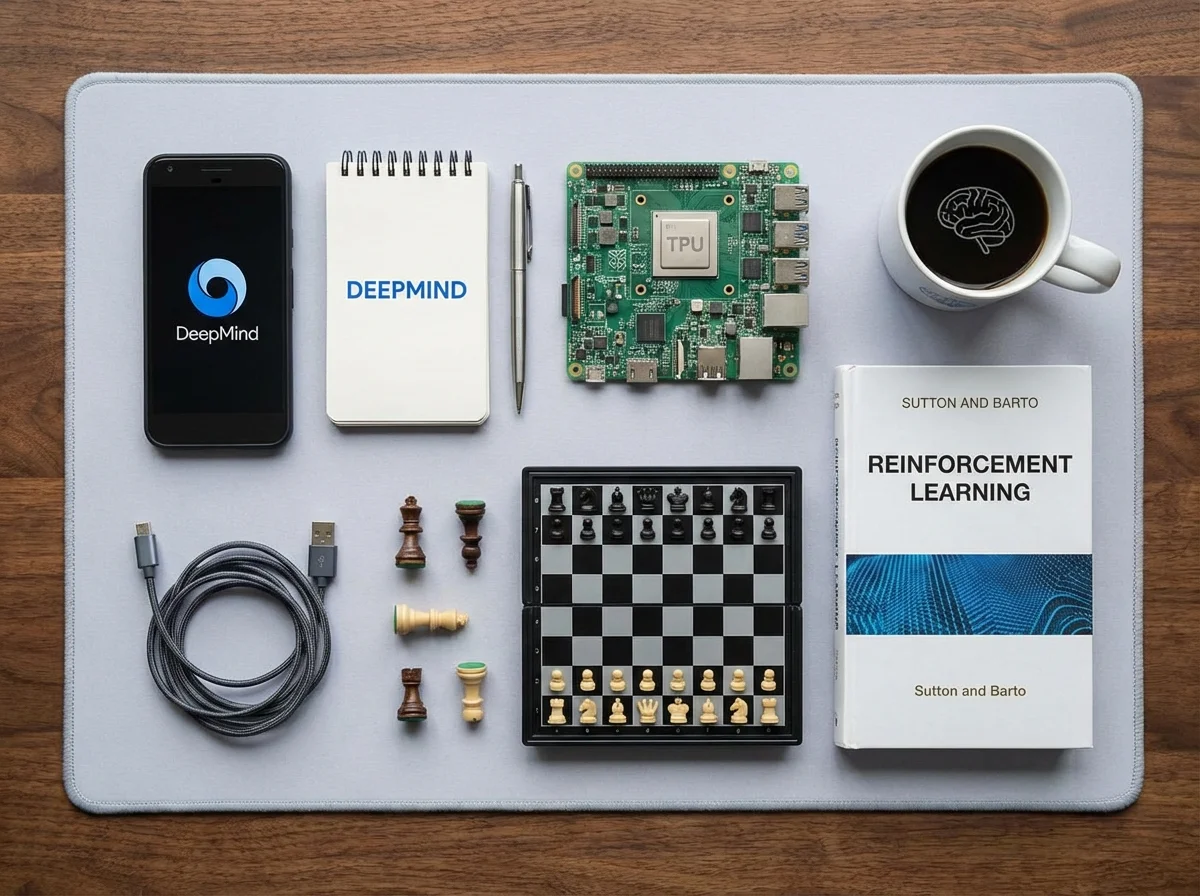
olling for Google DeepMind
olling for Google DeepMind
Verified prompt
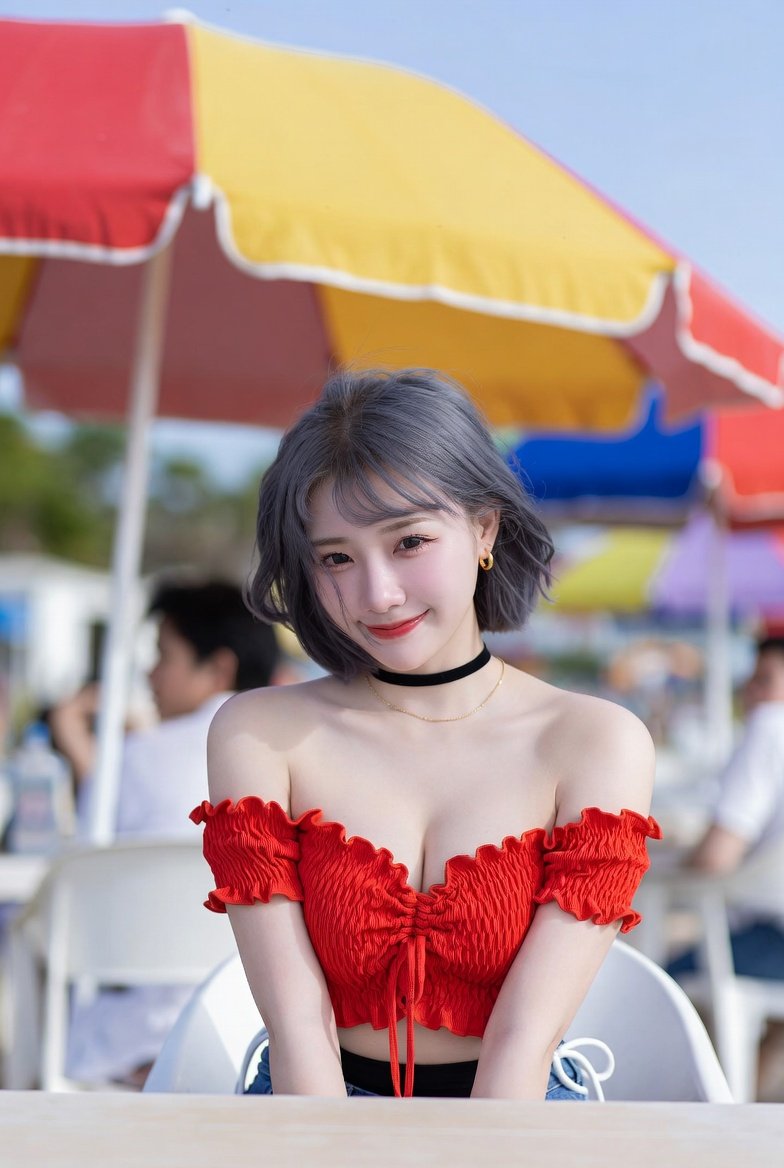
igh-quality vertical portrait photo with a 3:4 aspect ratio, depicting a bright, outdoor scene at a beachside cafe or patio during daytime under sunny, clear, warm, and breezy weather. The scene features a young woman seated in the foreground at the center, leaning slightly forward with a friendly expression, her face softly lit by natural overhead/diffused sunlight with a neutral/warm color temperature. She has ash-grey hair styled with bangs and soft waves, wearing a red off-the-shoulder crop top with ruched detailing and ruffled edges, a black choker necklace paired with a thin gold chain, small gold hoop earrings, blue jeans with white drawstrings visible on the waistband and a black undergarment/waistband peeking out above, and soft, natural makeup with a pinkish lip tint. Her pose shows her seated, arms straight down between knees. The background is blurred, filled with white outdoor furniture and large, colorful beach umbrellas (one red and yellow with white piping along the edges and a metal pole, another blue, red, and yellow, partially cropped out of frame), under a clear blue sky, creating a summery, cheerful atmosphere. The color palette includes dominant hex colors #C83C3C, #A8A5A3, #8FA8C4, #F4F4F0, and #E8B444, with accent colors vivid red, denim blue, mustard yellow, and ash grey, and medium contrast. The composition uses an eye-level camera angle, medium-shot framing, shallow depth of field focusing on the woman’s face, with a white chair and table edge (white/beige, smooth, out of focus) in the mid-ground and foreground respectively. Additional blurred background figures, including a male figure in profile wearing a white shirt and dark hair, seated at a distance, indicate a public social space.
igh-quality vertical portrait photo with a 3:4 aspect ratio, depicting a bright, outdoor scene at a beachside cafe or patio during daytime under sunny, clear, warm, and breezy weather. The scene features a young woman seated in the foreground at the center, leaning slightly forward with a friendly expression, her face softly lit by natural overhead/diffused sunlight with a neutral/warm color temperature. She has ash-grey hair styled with bangs and soft waves, wearing a red off-the-shoulder crop top with ruched detailing and ruffled edges, a black choker necklace paired with a thin gold chain, small gold hoop earrings, blue jeans with white drawstrings visible on the waistband and a black undergarment/waistband peeking out above, and soft, natural makeup with a pinkish lip tint. Her pose shows her seated, arms straight down between knees. The background is blurred, filled with white outdoor furniture and large, colorful beach umbrellas (one red and yellow with white piping along the edges and a metal pole, another blue, red, and yellow, partially cropped out of frame), under a clear blue sky, creating a summery, cheerful atmosphere. The color palette includes dominant hex colors #C83C3C, #A8A5A3, #8FA8C4, #F4F4F0, and #E8B444, with accent colors vivid red, denim blue, mustard yellow, and ash grey, and medium contrast. The composition uses an eye-level camera angle, medium-shot framing, shallow depth of field focusing on the woman’s face, with a white chair and table edge (white/beige, smooth, out of focus) in the mid-ground and foreground respectively. Additional blurred background figures, including a male figure in profile wearing a white shirt and dark hair, seated at a distance, indicate a public social space.
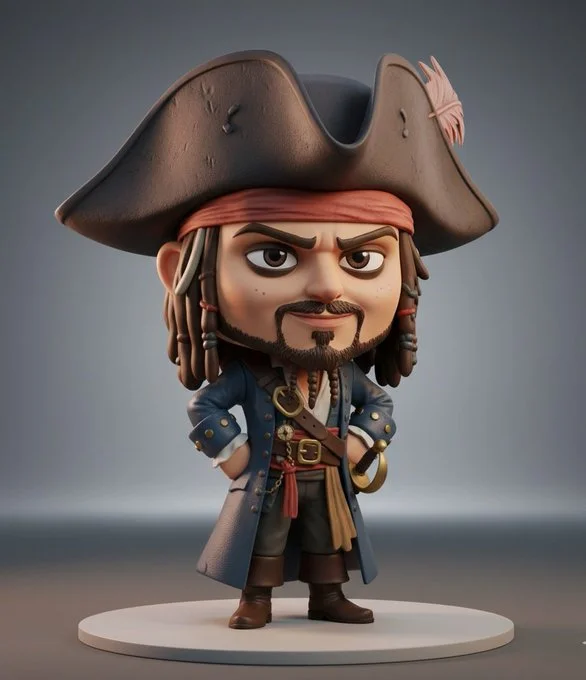
Verified prompt
3D collectible chibi-style figure of [insert celebrity or character name], ultra-detailed, stylized proportions (large head, small body), expressive face, cinematic lighting, soft shadows, Pixar-quality realism, glossy vinyl toy texture, standing pose, high detail clothing, character-accurate outfit, professional product photography, rendered in Unreal Engine 5, on a minimal studio background, toy display aesthetic, 8K ultra realistic
3D collectible chibi-style figure of [insert celebrity or character name], ultra-detailed, stylized proportions (large head, small body), expressive face, cinematic lighting, soft shadows, Pixar-quality realism, glossy vinyl toy texture, standing pose, high detail clothing, character-accurate outfit, professional product photography, rendered in Unreal Engine 5, on a minimal studio background, toy display aesthetic, 8K ultra realistic
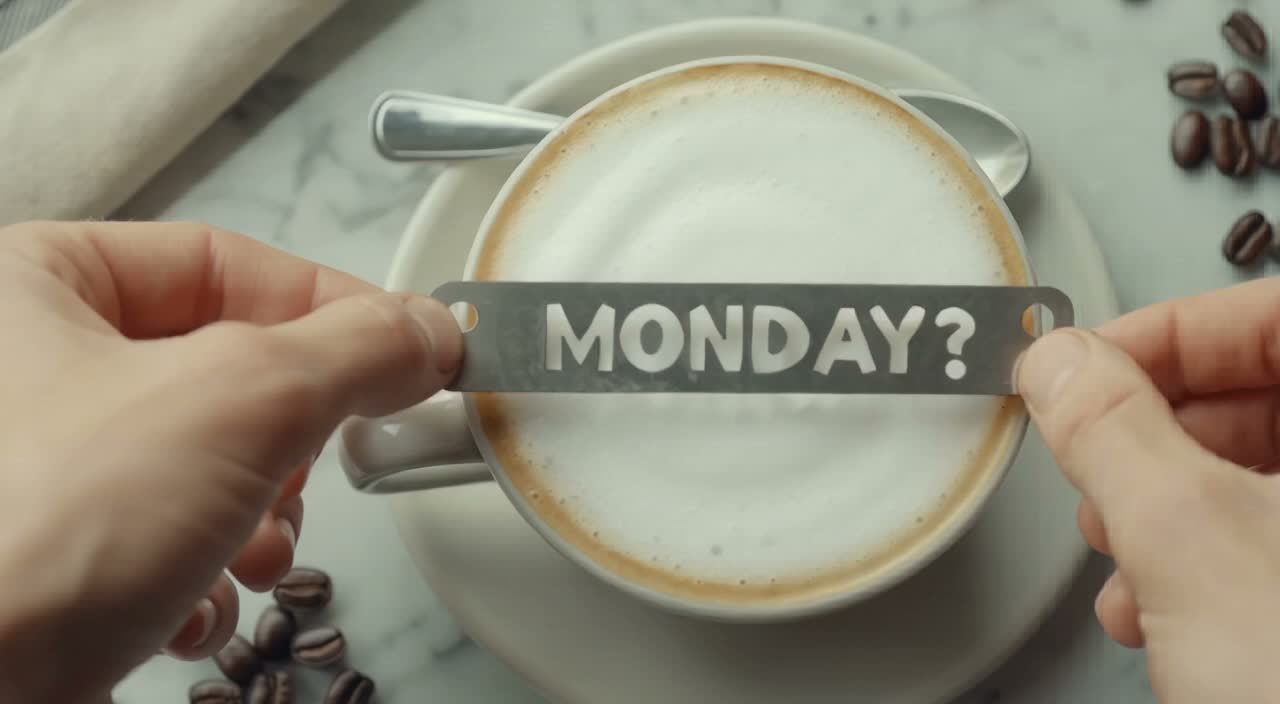
Verified prompt
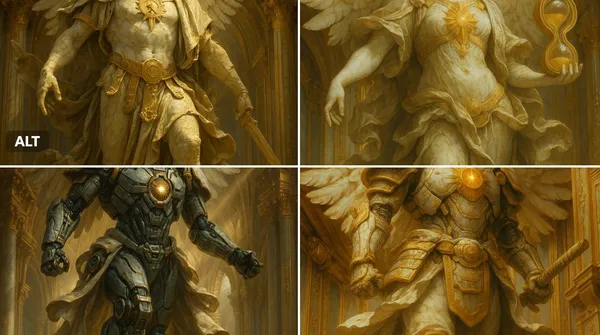
Verified prompt
ssal marble statue of [INSERT OBJECT OR CHARACTER HERE], wings (if applicable) spread in divine majesty, adorned with ornate golden armor and flowing baroque robes, cracked marble textures with soft patina, glowing sacred emblem on chest, standing within a celestial golden dome, surrounded by divine architecture, dramatic god rays from above, dynamic mid-action pose, ultra-detailed renaissance sculpture style, cinematic lighting, majestic and sacred atmosphere, 8k resolution
ssal marble statue of [INSERT OBJECT OR CHARACTER HERE], wings (if applicable) spread in divine majesty, adorned with ornate golden armor and flowing baroque robes, cracked marble textures with soft patina, glowing sacred emblem on chest, standing within a celestial golden dome, surrounded by divine architecture, dramatic god rays from above, dynamic mid-action pose, ultra-detailed renaissance sculpture style, cinematic lighting, majestic and sacred atmosphere, 8k resolution
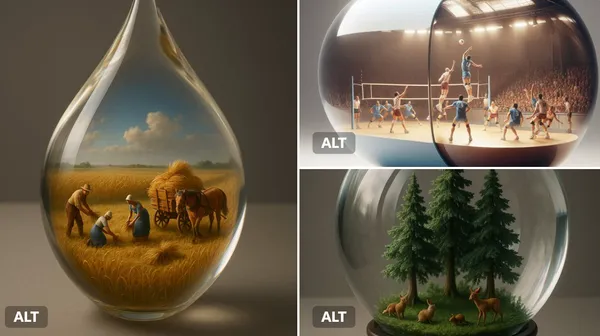
Verified prompt
ant [transparent or glossy] [object/container] with a miniature 3D diorama inside it, depicting [a symbolic or narrative scene], studio-lit with soft shadows, placed on a neutral matte surface. Emphasize visual contrast between the scale of the capsule and the detail within. Highlight texture, light refraction, and emotional tone (e.g., surreal, poetic, or sci-fi).
ant [transparent or glossy] [object/container] with a miniature 3D diorama inside it, depicting [a symbolic or narrative scene], studio-lit with soft shadows, placed on a neutral matte surface. Emphasize visual contrast between the scale of the capsule and the detail within. Highlight texture, light refraction, and emotional tone (e.g., surreal, poetic, or sci-fi).
Verified prompt
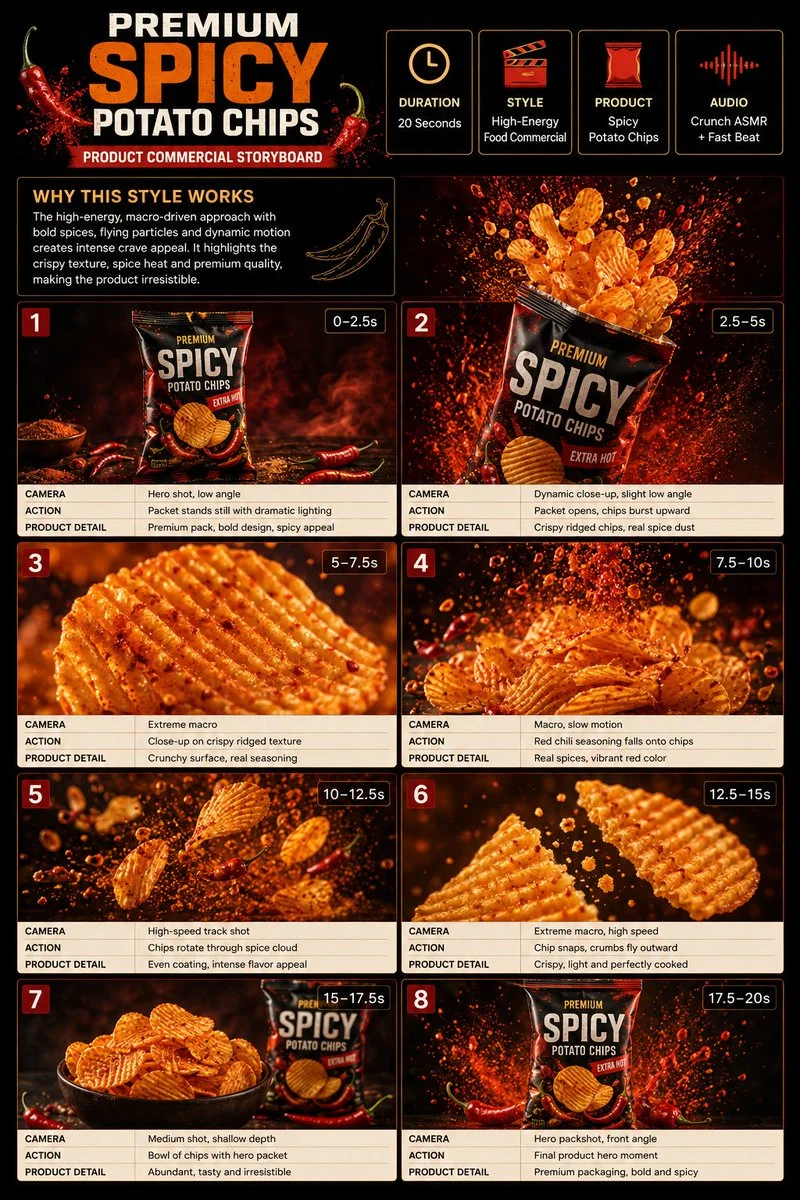
Premium 3:4 storyboard for 20s high-energy spicy potato chips commercial. Header: duration, snack style, chips product, crunch ASMR, red-orange-cream palette. Eight panels: packet dark surface, bursting open, extreme ridged macro, chili seasoning slow-mo, rotating spice cloud, snap crumbs, bowl beside packet, final packshot splash. Extreme macro, high-speed, slow-mo, dynamic push-in. Ultra-realistic crispy, seasoning particles, dramatic lighting, 8K, product hero.
Premium 3:4 storyboard for 20s high-energy spicy potato chips commercial. Header: duration, snack style, chips product, crunch ASMR, red-orange-cream palette. Eight panels: packet dark surface, bursting open, extreme ridged macro, chili seasoning slow-mo, rotating spice cloud, snap crumbs, bowl beside packet, final packshot splash. Extreme macro, high-speed, slow-mo, dynamic push-in. Ultra-realistic crispy, seasoning particles, dramatic lighting, 8K, product hero.
Verified prompt
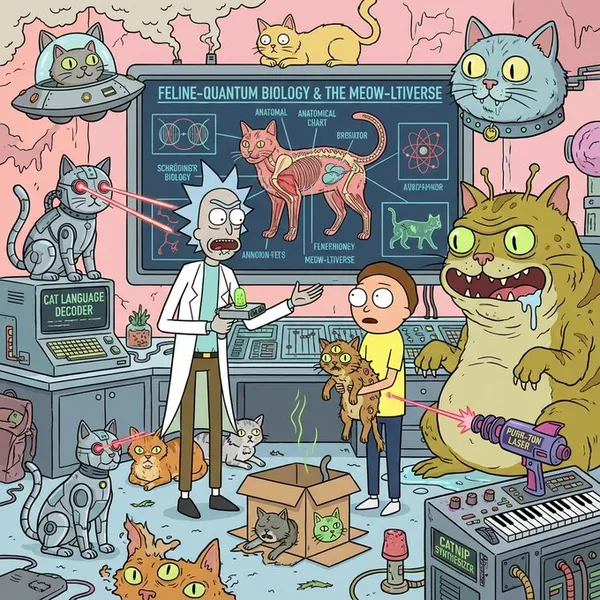
g the Rick and Morty art style, provide an extremely detailed introduction to xxxxx
g the Rick and Morty art style, provide an extremely detailed introduction to xxxxx
Verified prompt
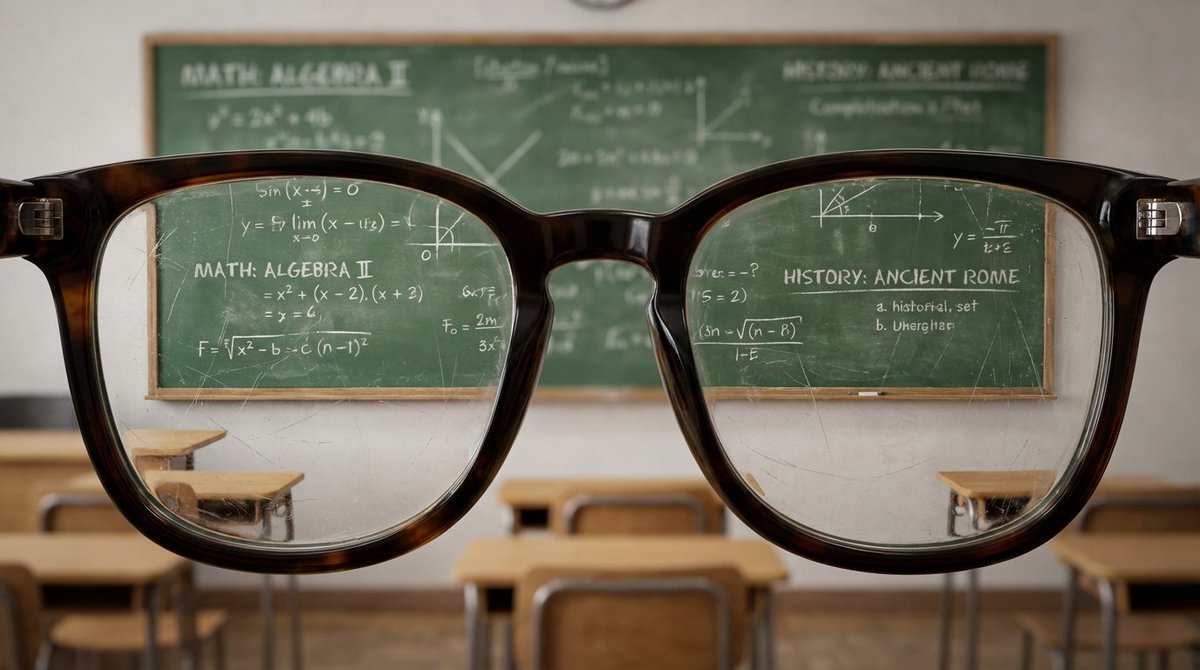
a hugging close-up view of with edges of glasses with the lenses almost touching the viewer's perspective, filling most of the view. The glasses reveal a detailed [VIEW] within the lenses, showcasing [VIEW] .The background is out of focus , enhancing the impression that the viewer is peering into the [VIEW]
a hugging close-up view of with edges of glasses with the lenses almost touching the viewer's perspective, filling most of the view. The glasses reveal a detailed [VIEW] within the lenses, showcasing [VIEW] .The background is out of focus , enhancing the impression that the viewer is peering into the [VIEW]
Verified prompt
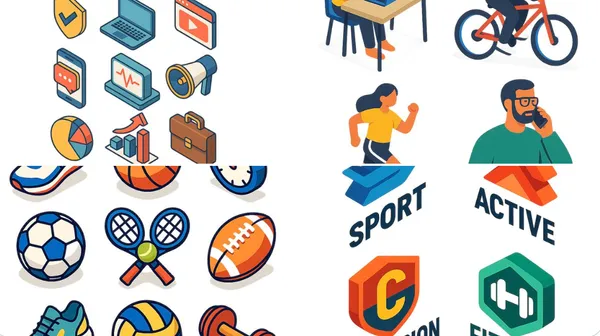
at isometric digital illustration of [describe the subject: e.g., a modern workspace, a city block, a group of app icons, a sports shop], clean lines and geometric forms, bright pastel colors, simplified perspective with 3D depth, minimal shading, white background or light gradient. Style resembles modern vector infographics, ideal for UI, app design or web visuals.
at isometric digital illustration of [describe the subject: e.g., a modern workspace, a city block, a group of app icons, a sports shop], clean lines and geometric forms, bright pastel colors, simplified perspective with 3D depth, minimal shading, white background or light gradient. Style resembles modern vector infographics, ideal for UI, app design or web visuals.
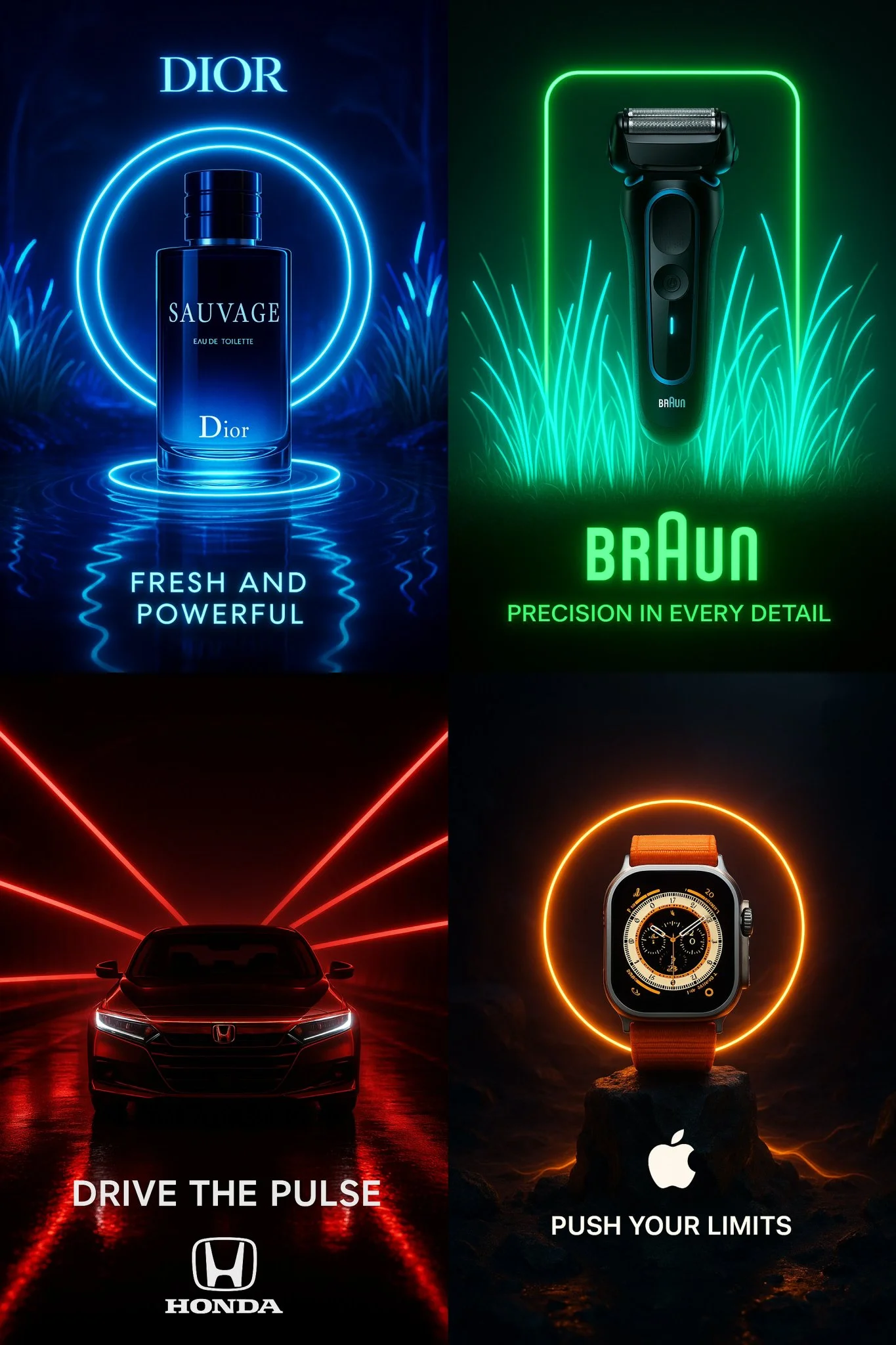
Verified prompt
Create a cinematic advertisement for “[PRODUCT NAME]” — use bioluminescent neon lighting that matches the brand’s visual identity — place the product at the center of the scene with surreal, minimalistic composition — automatically adapt the environment to reflect the product’s nature (e.g. tech, fragrance, luxury, automotive, beauty) — integrate the brand’s actual logo in high fidelity — generate a short, powerful 3-word tagline that fits the brand’s tone — long exposure lighting effects — dramatic shadows — ultra-sharp focus — dark or ambient background — aspect ratio 2:3 or 1:1 — ultra-HD resolution
Create a cinematic advertisement for “[PRODUCT NAME]” — use bioluminescent neon lighting that matches the brand’s visual identity — place the product at the center of the scene with surreal, minimalistic composition — automatically adapt the environment to reflect the product’s nature (e.g. tech, fragrance, luxury, automotive, beauty) — integrate the brand’s actual logo in high fidelity — generate a short, powerful 3-word tagline that fits the brand’s tone — long exposure lighting effects — dramatic shadows — ultra-sharp focus — dark or ambient background — aspect ratio 2:3 or 1:1 — ultra-HD resolution
Explore Image Workflows
Explore the Nano Banana 2 workflow and compare it with the related image pages. The generator is the source of truth for current model access and settings. Use the prompt library to study published results and the model that created them.


Nano Banana 2 AI Image Generator
Write your Nano Banana 2 image brief around a subject, composition, lighting and intended style. Add a material or texture when it matters. For edits, state one precise change and explain which parts of the source should remain intact.
Write your Nano Banana 2 image brief around a subject, composition, lighting and intended style. Add a material or texture when it matters. For edits, state one precise change and explain which parts of the source should remain intact.
Explore Nano Banana 2Build Your Nano Banana 2 Image Brief
Choose only the resolution and aspect ratio shown for the selected model. Check framing, fine details and any text in the completed image. A larger output size does not guarantee a more accurate result.
Advanced AI Image Generation & Customization
Choose only the resolution and aspect ratio shown for the selected model. Check framing, fine details and any text in the completed image. A larger output size does not guarantee a more accurate result.
Write Precise Editing and Style Directions
Choose only the resolution and aspect ratio shown for the selected model. Check framing, fine details and any text in the completed image. A larger output size does not guarantee a more accurate result.
Describe the Changes and Details to Preserve
Explore the Nano Banana 2 workflow and compare it with the related image pages. The generator is the source of truth for current model access and settings. Use the prompt library to study published results and the model that created them.
Describe the Changes and Details to Preserve
Choose only the resolution and aspect ratio shown for the selected model. Check framing, fine details and any text in the completed image. A larger output size does not guarantee a more accurate result.
Review Usage Terms Before Sharing
Check the applicable model and platform terms before using a result commercially. You are responsible for the rights to uploaded images, identifiable people, logos and any other source material in your Nano Banana 2 image brief.
Keep Your Workflow Simple
Develop your Nano Banana 2 image brief around the result you need. Keep the main direction specific, check supported settings in the generator, and review the completed work before using it in your project.
A Clearer Creative Brief for Nano Banana 2

Diverse Styles & Effects for Every Vision
Develop your Nano Banana 2 image brief around the result you need. Keep the main direction specific, check supported settings in the generator, and review the completed work before using it in your project.
Write your Nano Banana 2 image brief around a subject, composition, lighting and intended style. Add a material or texture when it matters. For edits, state one precise change and explain which parts of the source should remain intact.
Versatile Nano Banana 2 AI Image Generator for Every Creator's Vision
Start your Nano Banana 2 image brief with a source image you have permission to use. Name the area to change and the colors, proportions or objects to preserve. Reference count and editing support depend on the selected model.


For Architects and Designers
Write your Nano Banana 2 image brief around a subject, composition, lighting and intended style. Add a material or texture when it matters. For edits, state one precise change and explain which parts of the source should remain intact.

For E-Commerce Professionals
List the details that matter in your Nano Banana 2 image brief: identity, shape, colors, clothing and background. Use supported references where appropriate and compare every result; exact consistency is not guaranteed.

For Content Publishers
Choose only the resolution and aspect ratio shown for the selected model. Check framing, fine details and any text in the completed image. A larger output size does not guarantee a more accurate result.

For Event Planners
Write your Nano Banana 2 image brief around a subject, composition, lighting and intended style. Add a material or texture when it matters. For edits, state one precise change and explain which parts of the source should remain intact.
From a Brief to a Reviewed Image: The Nano Banana 2 Workflow
Add Your Input
Start your Nano Banana 2 image brief with a source image you have permission to use. Name the area to change and the colors, proportions or objects to preserve. Reference count and editing support depend on the selected model.
Customize Your Options
The generator shows current model availability. When a model accepts requests, choose its supported settings and review the required credits before submitting. Review your selection and credit balance before generating.
Generate and Refine
Write your Nano Banana 2 image brief around a subject, composition, lighting and intended style. Add a material or texture when it matters. For edits, state one precise change and explain which parts of the source should remain intact.
Review and Download Completed Results
Start your Nano Banana 2 image brief with a source image you have permission to use. Name the area to change and the colors, proportions or objects to preserve. Reference count and editing support depend on the selected model.
Nano Banana 2 Image Ideas for Your Projects
Choose only the resolution and aspect ratio shown for the selected model. Check framing, fine details and any text in the completed image. A larger output size does not guarantee a more accurate result.
Digital Art & Illustration
Choose only the resolution and aspect ratio shown for the selected model. Check framing, fine details and any text in the completed image. A larger output size does not guarantee a more accurate result.
Marketing & E-Commerce Visuals
For a Nano Banana 2 product concept, specify the product shape, material, key detail and setting. Keep logos and claims accurate, allow room for your own typography, and review the result before using it in an advertisement.
Educational Content & Presentations
Use a Nano Banana 2 visual concept to support one teaching or presentation point. Check facts and labels yourself, and add final captions in your editing workflow rather than relying on generated text.
Game Development
List the details that matter in your Nano Banana 2 image brief: identity, shape, colors, clothing and background. Use supported references where appropriate and compare every result; exact consistency is not guaranteed.
Creative Notes for Your Nano Banana 2 Image Brief
Give the main subject one clear action. For a Nano Banana 2 concept, a precise brief is easier to assess than a list of competing effects.

Nano Banana 2 Image Workflow: Questions & Answers
This klingai.me page explains the Nano Banana 2 image workflow. It helps you write a focused brief and review the available inputs. Current access is shown in the generator; a model name on a guide does not mean it currently accepts requests.
Write your Nano Banana 2 image brief around a subject, composition, lighting and intended style. Add a material or texture when it matters. For edits, state one precise change and explain which parts of the source should remain intact.
This klingai.me page explains the Nano Banana 2 image workflow. It helps you write a focused brief and review the available inputs. Current access is shown in the generator; a model name on a guide does not mean it currently accepts requests.
Use only the input modes and controls offered by the selected model. Describe the intended image clearly and add supported references when useful. This page does not promise separate motion-brush, audio-upload, restoration or editing tools.
Use only the input modes and controls offered by the selected model. Describe the intended image clearly and add supported references when useful. This page does not promise separate motion-brush, audio-upload, restoration or editing tools.
Check the applicable model and platform terms before using a result commercially. You are responsible for the rights to uploaded images, identifiable people, logos and any other source material in your Nano Banana 2 image brief.
New accounts receive 10 registration credits. Review the credit cost of your selected model before submitting; those credits do not guarantee a free video. klingai.me subscriptions and credit packs are listed on the Pricing page and are separate from any official Kling service plans.
Develop your Nano Banana 2 image brief around the result you need. Keep the main direction specific, check supported settings in the generator, and review the completed work before using it in your project.
Explore Your Next Nano Banana 2 Image Idea
Explore the Nano Banana 2 workflow and compare it with the related image pages. The generator is the source of truth for current model access and settings. Use the prompt library to study published results and the model that created them.