
Explora ilustración y conceptos visuales con Grok
Explora ideas de imágenes Grok con klingai.me
Elige solo la resolución y la relación de aspecto que se muestran para el modelo seleccionado. Revisa el encuadre, los detalles finos y cualquier texto en la imagen completada. Un tamaño de salida más grande no garantiza un resultado más preciso.

Prompt verificado
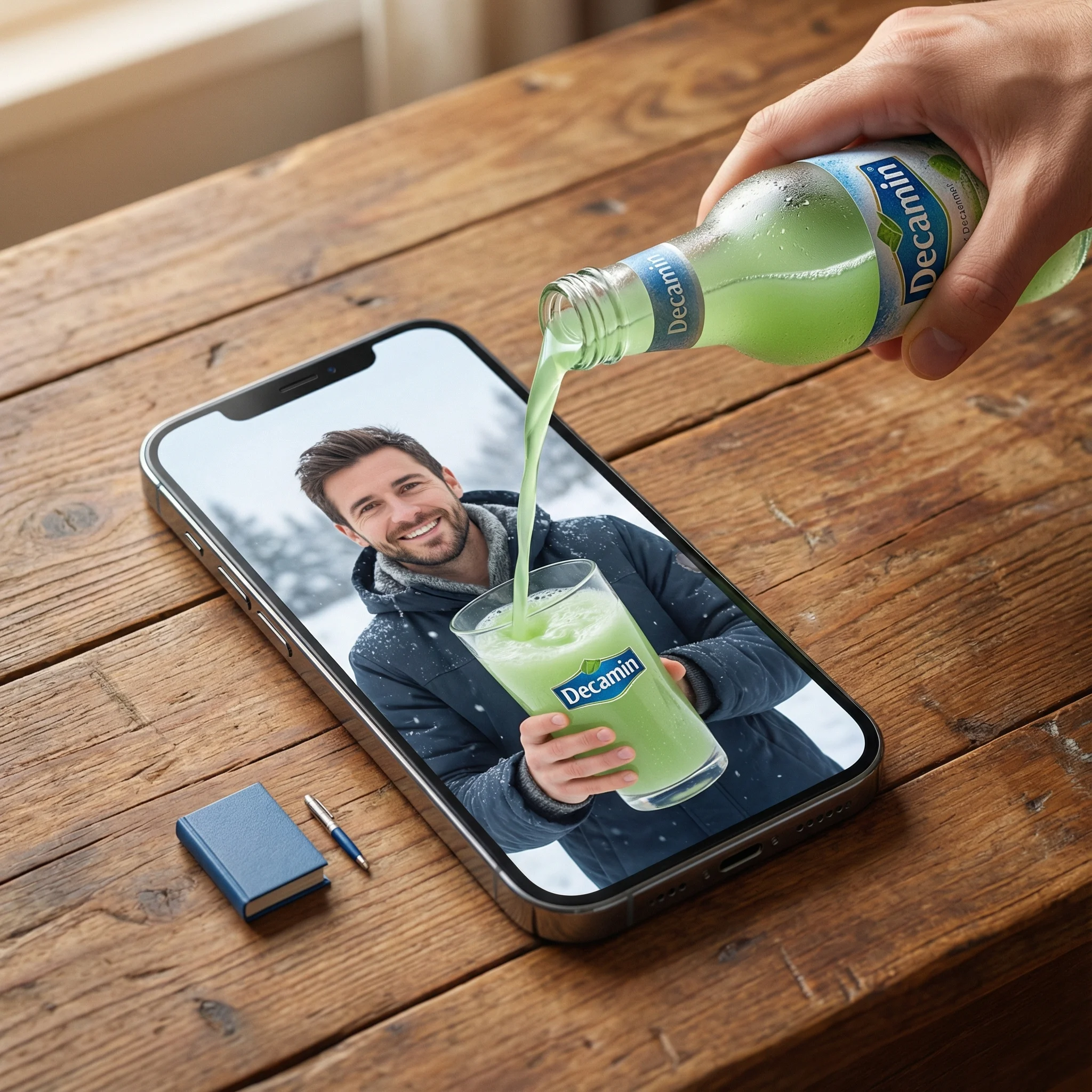
a] Type: Creative Brief. Genre: Hyper-realistic Surrealism. Composition Style: Composite Portrait. Aspect Ratio: Portrait (implied by 'portrait' description). [Scene Architecture] Viewpoint: [Type] Photographic. [Angle] High-angle / Looking down. [Framing] Tight on central subject.. Dimensional Hierarchy: [Rule] Scale disparity for surreal effect. [Dominant Element] iPhone 17 Pro Max (Super-scaled). [Subordinate Elements] Blue Book (Miniature), Pen (Miniature).. [Realm Physical] Description: The real-world environment surrounding the device.. Environment: [Surface] Wooden table. [Texture Attributes] rich grain, tactile, worn.. Lighting Global: [Source] Natural light. [Temperature] Warm. [Shadow Quality] Soft, diffused, volumetric.. Active Agent: [Identity] Human Hand (Real). [Action] Pouring. [Position] Entering frame laterally.. Held Object: [Item] Bottle. [State] Chilled (visible condensation). [Branding] Logo Text: Decamin. Placement: Visible on label. [Contents] Substance: Water. Color: Light Green. State: Liquid flow.. Static Props: [Item] Book. [Color] Blue. [Scale Notes] Significantly smaller than phone., [Item] Pen. [Type] Ballpoint/Ink. [Scale Notes] Significantly smaller than phone.. [Realm Digital] Description: The content displayed on the screen.. Container Device: [Model] iPhone 17 Pro Max. [State] Screen ON. [Orientation] Flat on physical surface.. Screen Content: [Subject Identity] mqn (Reference ID). [Subject Scale] Close-up (filling screen). [Expression] Happy / Smiling. [Attire] Winter clothing (matching reference). [Setting] Winter landscape / snowy backdrop. [Held Object Digital] Item: Drinking Glass. Branding: [Logo Text] Decamin. [Visibility] Clear.. Initial State: Empty (waiting for pour).. [Surreal Bridge Event] Description: The interaction connecting the physical and digital realms.. Action Type: Trans-dimensional Fluid Dynamics. Source: realm_physical.held_object.contents (Light Green Water). Interaction Point: realm_digital.container_device.screen_surface. Destination: realm_digital.screen_content.held_object_digital (The Glass). Physics Violation Rules: [Rule 1] Liquid does not splash off the glass screen surface.. [Rule 2] Screen surface acts as a permeable membrane solely for this liquid.. [Rule 3] Physical liquid transitions seamlessly into digital representation upon contact... Visual Details: Sharp liquid simulation, No surface tension on screen glass, Fluid physically filling digital cup. [Rendering Specifications] Visual Fidelity: Hyper-realistic. Texture Focus: Sharp fluid details, Glass pixels, Wood grain, Skin texture (hand and subject). Mood: Cinematic, warm, magical. Resolution Target: 8K / Highly detailed.
a] Type: Creative Brief. Genre: Hyper-realistic Surrealism. Composition Style: Composite Portrait. Aspect Ratio: Portrait (implied by 'portrait' description). [Scene Architecture] Viewpoint: [Type] Photographic. [Angle] High-angle / Looking down. [Framing] Tight on central subject.. Dimensional Hierarchy: [Rule] Scale disparity for surreal effect. [Dominant Element] iPhone 17 Pro Max (Super-scaled). [Subordinate Elements] Blue Book (Miniature), Pen (Miniature).. [Realm Physical] Description: The real-world environment surrounding the device.. Environment: [Surface] Wooden table. [Texture Attributes] rich grain, tactile, worn.. Lighting Global: [Source] Natural light. [Temperature] Warm. [Shadow Quality] Soft, diffused, volumetric.. Active Agent: [Identity] Human Hand (Real). [Action] Pouring. [Position] Entering frame laterally.. Held Object: [Item] Bottle. [State] Chilled (visible condensation). [Branding] Logo Text: Decamin. Placement: Visible on label. [Contents] Substance: Water. Color: Light Green. State: Liquid flow.. Static Props: [Item] Book. [Color] Blue. [Scale Notes] Significantly smaller than phone., [Item] Pen. [Type] Ballpoint/Ink. [Scale Notes] Significantly smaller than phone.. [Realm Digital] Description: The content displayed on the screen.. Container Device: [Model] iPhone 17 Pro Max. [State] Screen ON. [Orientation] Flat on physical surface.. Screen Content: [Subject Identity] mqn (Reference ID). [Subject Scale] Close-up (filling screen). [Expression] Happy / Smiling. [Attire] Winter clothing (matching reference). [Setting] Winter landscape / snowy backdrop. [Held Object Digital] Item: Drinking Glass. Branding: [Logo Text] Decamin. [Visibility] Clear.. Initial State: Empty (waiting for pour).. [Surreal Bridge Event] Description: The interaction connecting the physical and digital realms.. Action Type: Trans-dimensional Fluid Dynamics. Source: realm_physical.held_object.contents (Light Green Water). Interaction Point: realm_digital.container_device.screen_surface. Destination: realm_digital.screen_content.held_object_digital (The Glass). Physics Violation Rules: [Rule 1] Liquid does not splash off the glass screen surface.. [Rule 2] Screen surface acts as a permeable membrane solely for this liquid.. [Rule 3] Physical liquid transitions seamlessly into digital representation upon contact... Visual Details: Sharp liquid simulation, No surface tension on screen glass, Fluid physically filling digital cup. [Rendering Specifications] Visual Fidelity: Hyper-realistic. Texture Focus: Sharp fluid details, Glass pixels, Wood grain, Skin texture (hand and subject). Mood: Cinematic, warm, magical. Resolution Target: 8K / Highly detailed.
Prompt verificado
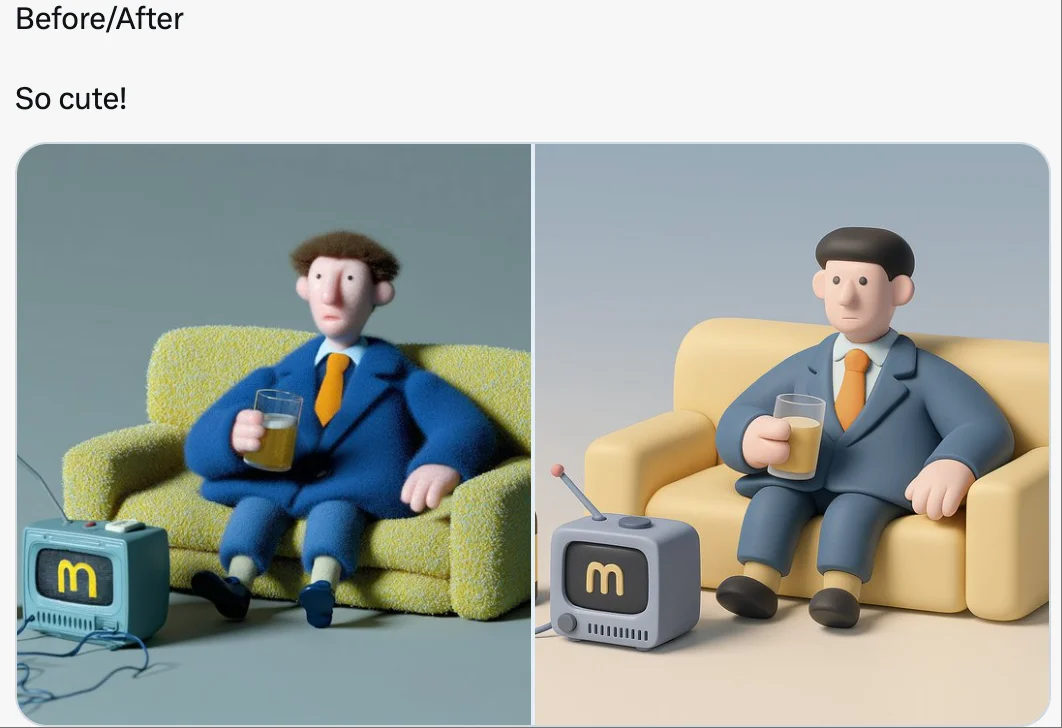
retexture the image attached based on the json below: { "style_name": "Soft Minimal 3D Plastic", "retexture_mode": "shape_lock", "object_analysis": { "preserve_silhouette": true, "geometry_sensitive_mapping": true, "detail_retention": "flatten complex details into simplified geometry blocks" }, "material_properties": { "base_material": [ "smooth matte plastic", "metallic edge trim with satin finish", "semi-reflective black screen surface" ], "surface_details": [ "subtle color gradient", "rounded bevels and corners", "soft transition between surfaces" ] }, "lighting": { "type": "soft gradient ambient light", "shadows": "minimal, soft-edged shadows", "highlights": "diffused, low-intensity reflections" }, "background": { "color": "pastel gradient (blue to cream)", "texture": "smooth and untextured", "elements": "clean background with no added geometry" }, "rendering": { "style": "isometric 3D render", "resolution": "high, with slight bloom", "focus": "central object, no depth blur" }, "color_palette": { "primary": ["cool grey", "steel blue", "soft charcoal"], "accents": ["light lavender", "pastel yellow"] } }
retexture the image attached based on the json below: { "style_name": "Soft Minimal 3D Plastic", "retexture_mode": "shape_lock", "object_analysis": { "preserve_silhouette": true, "geometry_sensitive_mapping": true, "detail_retention": "flatten complex details into simplified geometry blocks" }, "material_properties": { "base_material": [ "smooth matte plastic", "metallic edge trim with satin finish", "semi-reflective black screen surface" ], "surface_details": [ "subtle color gradient", "rounded bevels and corners", "soft transition between surfaces" ] }, "lighting": { "type": "soft gradient ambient light", "shadows": "minimal, soft-edged shadows", "highlights": "diffused, low-intensity reflections" }, "background": { "color": "pastel gradient (blue to cream)", "texture": "smooth and untextured", "elements": "clean background with no added geometry" }, "rendering": { "style": "isometric 3D render", "resolution": "high, with slight bloom", "focus": "central object, no depth blur" }, "color_palette": { "primary": ["cool grey", "steel blue", "soft charcoal"], "accents": ["light lavender", "pastel yellow"] } }
Prompt verificado
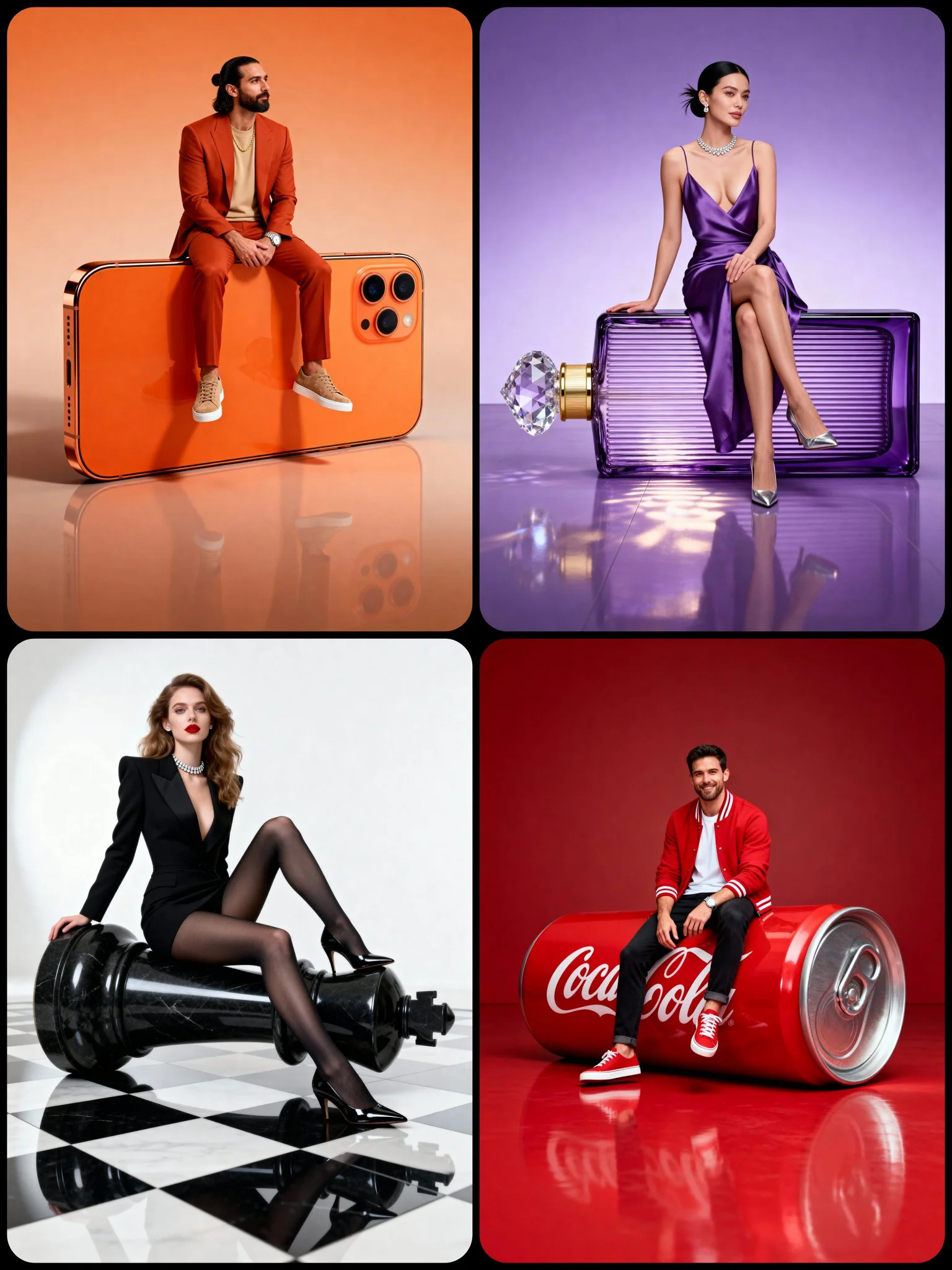
A full-body hyper-realistic studio portrait of [CHARACTER DESCRIPTION] in a [POSE TYPE] pose, sitting gracefully on a large [OBJECT] positioned [ORIENTATION: horizontal / vertical] on a smooth [BACKGROUND COLOR] floor. The object appears oversized and realistic, perfectly integrated with the subject — not floating. Its surface shows accurate texture, reflections, and material depth. The pose defines the subject’s attitude and interaction with the object — natural, stylish, and expressive. The character is balanced and confident, matching the object’s tone and style. Background is seamless, same color for wall and floor, slightly lighter below with soft reflections. Lighting: clean professional studio setup — diffused key from front-left, mild fill from right, subtle rim for separation, evenly balanced exposure. Mood: cinematic luxury editorial with minimal composition and photorealistic realism.
A full-body hyper-realistic studio portrait of [CHARACTER DESCRIPTION] in a [POSE TYPE] pose, sitting gracefully on a large [OBJECT] positioned [ORIENTATION: horizontal / vertical] on a smooth [BACKGROUND COLOR] floor. The object appears oversized and realistic, perfectly integrated with the subject — not floating. Its surface shows accurate texture, reflections, and material depth. The pose defines the subject’s attitude and interaction with the object — natural, stylish, and expressive. The character is balanced and confident, matching the object’s tone and style. Background is seamless, same color for wall and floor, slightly lighter below with soft reflections. Lighting: clean professional studio setup — diffused key from front-left, mild fill from right, subtle rim for separation, evenly balanced exposure. Mood: cinematic luxury editorial with minimal composition and photorealistic realism.
Prompt verificado
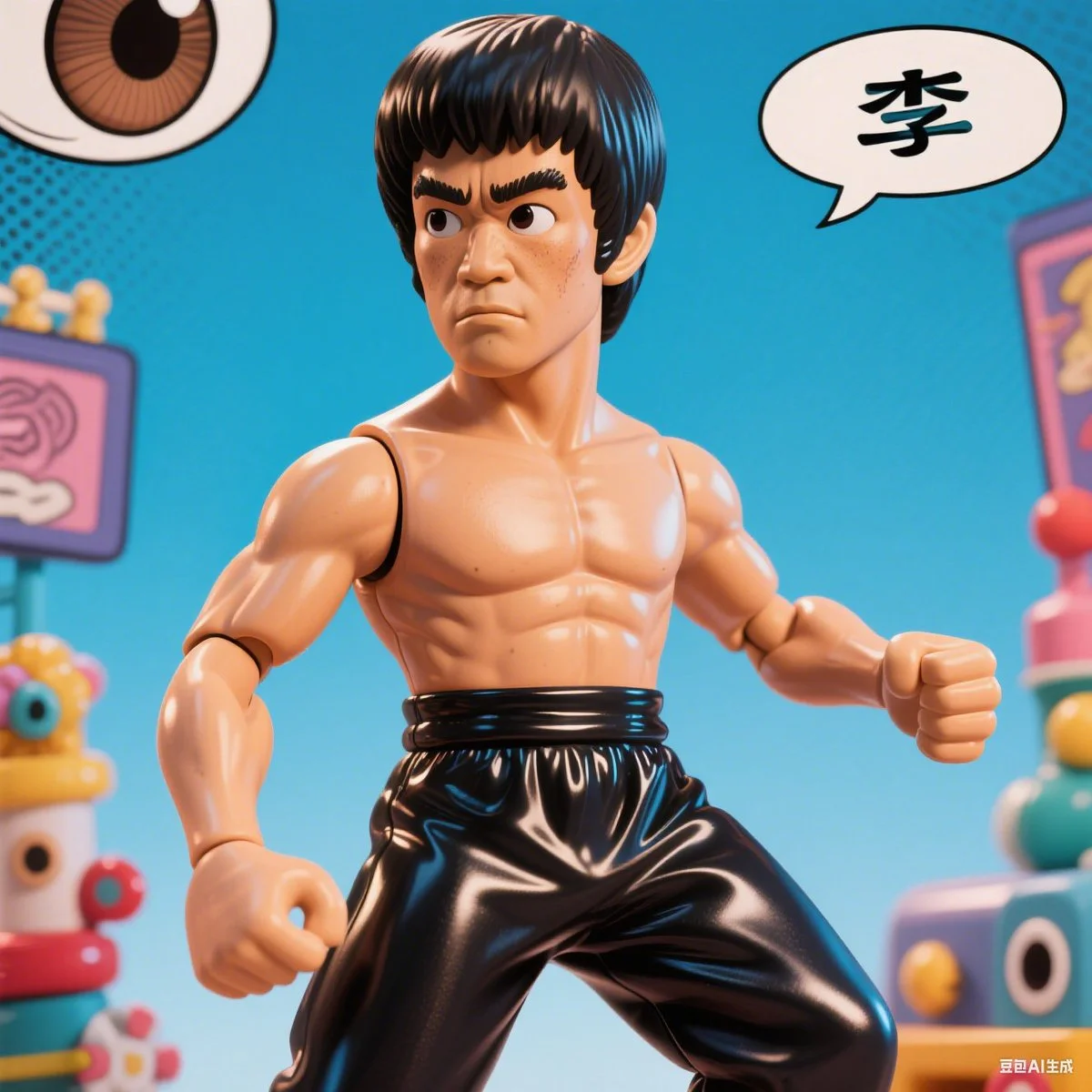
A comic-style caricature illustration of [subject], with an oversized head and expressive eyes, rendered in a hyper-realistic vinyl toy aesthetic. The character features exaggerated proportions, glossy textures, and playful details, blending caricature art with collectible figure charm.
A comic-style caricature illustration of [subject], with an oversized head and expressive eyes, rendered in a hyper-realistic vinyl toy aesthetic. The character features exaggerated proportions, glossy textures, and playful details, blending caricature art with collectible figure charm.
Prompt verificado
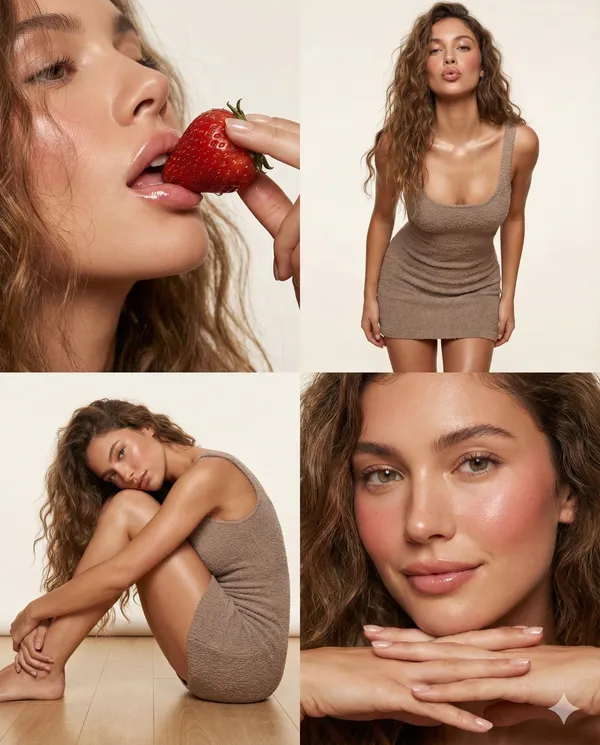
"project_specifications": { "format": "2x2 Grid Collage", "aspect_ratio": "4:5", "aesthetic_style": "High-end Beauty Editorial", "rendering_engine_hints": { "realism_level": "Ultra-photorealistic", "texture_quality": "8k", "lighting_simulation": "Ray-traced studio lighting" } }, "global_assets": { "subject_definition": { "hair": { "style": "Long, loosely wavy, voluminous", "texture": "Natural, individual strands defined", "behavior": "Messy but styled, framing face and shoulders" }, "complexion": { "skin_texture": "Porous, hyper-realistic", "finish": "Dewy, glass-skin effect", "makeup": { "cheeks": "Heavy flush/blush", "lips": "High-gloss, plump, natural pink", "eyes": "Clean, defined lashes, natural brows" } }, "wardrobe": { "item": "Mini dress", "fit": "Bodycon / Tight", "fabric": { "material": "Soft textured knit / Boucle", "tactility": "Fuzzy, light-catching fibers", "color": "Soft mauve or neutral taupe" }, "details": "Spaghetti straps, mid-thigh length" } }, "environment_definition": { "studio_setup": { "background": "Seamless paper, soft off-white/beige", "atmosphere": "Clean, warm, intimate" }, "lighting_rig": { "key_light": "Large diffuse softbox (Front-Left)", "fill_light": "Reflector (Right)", "highlights": "Specular highlights on lips, cheekbones, and shoulders" } } }, "panel_architecture": [ { "position": "Top-Left (1)", "shot_type": "Extreme Close-Up (Macro)", "composition": { "angle": "Low angle, looking up slightly", "focus": "Mouth and nose area", "depth_of_field": "Shallow" }, "action": { "primary": "Eating a strawberry", "nuance": "Delicate finger hold, lips slightly parted" }, "visual_anchors": [ "Moisture on strawberry surface", "Gloss reflection on lips", "Baby hairs at temple" ] }, { "position": "Top-Right (2)", "shot_type": "Medium Shot (Thigh-up)", "composition": { "angle": "Eye level", "pose_dynamic": "Leaning forward slightly towards lens" }, "action": { "stance": "Standing straight on", "arms": "Relaxed at sides", "expression": "Direct gaze, alluring pout" }, "visual_anchors": [ "Texture of knit dress", "Collarbone shadows", "Curvature of waist" ] }, { "position": "Bottom-Left (3)", "shot_type": "Full Body (Seated)", "composition": { "angle": "Side profile", "framing": "Subject compacted on floor" }, "action": { "pose": "Knees to chest (fetal position variation)", "interaction": "Cheek resting on knee, arms embracing legs", "hair_flow": "Cascading onto the floor" }, "visual_anchors": [ "Smooth leg definition", "Dress stretching over thigh", "Dreamy gaze" ] }, { "position": "Bottom-Right (4)", "shot_type": "Beauty Portrait (Head & Hands)", "composition": { "angle": "Frontal close-up", "framing": "Chin to hairline" }, "action": { "gesture": "Chin resting on interlaced fingers", "expression": "Soft smile, looking off-camera" }, "visual_anchors": [ "Hand detail and manicure", "Eye clarity", "Flush on cheeks" ] } ] }
"project_specifications": { "format": "2x2 Grid Collage", "aspect_ratio": "4:5", "aesthetic_style": "High-end Beauty Editorial", "rendering_engine_hints": { "realism_level": "Ultra-photorealistic", "texture_quality": "8k", "lighting_simulation": "Ray-traced studio lighting" } }, "global_assets": { "subject_definition": { "hair": { "style": "Long, loosely wavy, voluminous", "texture": "Natural, individual strands defined", "behavior": "Messy but styled, framing face and shoulders" }, "complexion": { "skin_texture": "Porous, hyper-realistic", "finish": "Dewy, glass-skin effect", "makeup": { "cheeks": "Heavy flush/blush", "lips": "High-gloss, plump, natural pink", "eyes": "Clean, defined lashes, natural brows" } }, "wardrobe": { "item": "Mini dress", "fit": "Bodycon / Tight", "fabric": { "material": "Soft textured knit / Boucle", "tactility": "Fuzzy, light-catching fibers", "color": "Soft mauve or neutral taupe" }, "details": "Spaghetti straps, mid-thigh length" } }, "environment_definition": { "studio_setup": { "background": "Seamless paper, soft off-white/beige", "atmosphere": "Clean, warm, intimate" }, "lighting_rig": { "key_light": "Large diffuse softbox (Front-Left)", "fill_light": "Reflector (Right)", "highlights": "Specular highlights on lips, cheekbones, and shoulders" } } }, "panel_architecture": [ { "position": "Top-Left (1)", "shot_type": "Extreme Close-Up (Macro)", "composition": { "angle": "Low angle, looking up slightly", "focus": "Mouth and nose area", "depth_of_field": "Shallow" }, "action": { "primary": "Eating a strawberry", "nuance": "Delicate finger hold, lips slightly parted" }, "visual_anchors": [ "Moisture on strawberry surface", "Gloss reflection on lips", "Baby hairs at temple" ] }, { "position": "Top-Right (2)", "shot_type": "Medium Shot (Thigh-up)", "composition": { "angle": "Eye level", "pose_dynamic": "Leaning forward slightly towards lens" }, "action": { "stance": "Standing straight on", "arms": "Relaxed at sides", "expression": "Direct gaze, alluring pout" }, "visual_anchors": [ "Texture of knit dress", "Collarbone shadows", "Curvature of waist" ] }, { "position": "Bottom-Left (3)", "shot_type": "Full Body (Seated)", "composition": { "angle": "Side profile", "framing": "Subject compacted on floor" }, "action": { "pose": "Knees to chest (fetal position variation)", "interaction": "Cheek resting on knee, arms embracing legs", "hair_flow": "Cascading onto the floor" }, "visual_anchors": [ "Smooth leg definition", "Dress stretching over thigh", "Dreamy gaze" ] }, { "position": "Bottom-Right (4)", "shot_type": "Beauty Portrait (Head & Hands)", "composition": { "angle": "Frontal close-up", "framing": "Chin to hairline" }, "action": { "gesture": "Chin resting on interlaced fingers", "expression": "Soft smile, looking off-camera" }, "visual_anchors": [ "Hand detail and manicure", "Eye clarity", "Flush on cheeks" ] } ] }
Prompt verificado
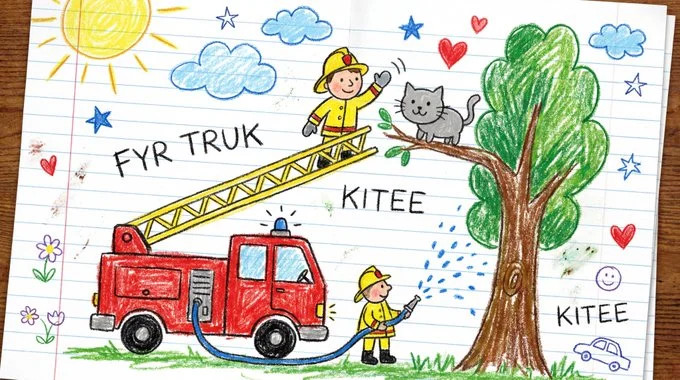
Draw [VISUAL] as if created by a cheerful 6-year-old on white notebook paper. Use chunky wax-crayon strokes, wobbly outlines, and simple flat shapes. Colors should be bright, bold, and slightly outside the lines, with visible pressure marks and small smudges. Perspective is innocent: objects can float, and size is based on importance, not realism. Faces are dots with curved smiles; hands are mitten blobs; animals are round and friendly. Add playful extras like a sun in a corner, puffy clouds, stars, and hearts. Include uneven scribble shading, a few tiny doodles in the margins, and one or two hand-written labels in childlike spelling.
Draw [VISUAL] as if created by a cheerful 6-year-old on white notebook paper. Use chunky wax-crayon strokes, wobbly outlines, and simple flat shapes. Colors should be bright, bold, and slightly outside the lines, with visible pressure marks and small smudges. Perspective is innocent: objects can float, and size is based on importance, not realism. Faces are dots with curved smiles; hands are mitten blobs; animals are round and friendly. Add playful extras like a sun in a corner, puffy clouds, stars, and hearts. Include uneven scribble shading, a few tiny doodles in the margins, and one or two hand-written labels in childlike spelling.
Prompt verificado
Prompt verificado
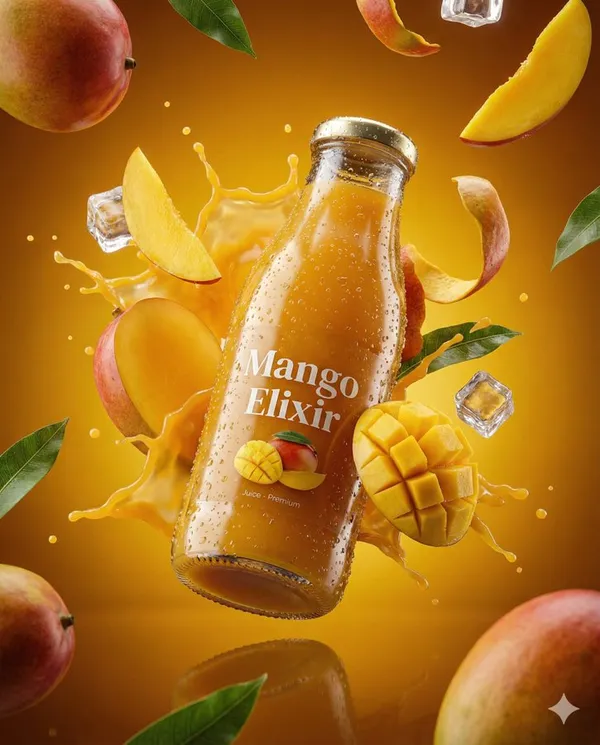
te an ultra-realistic 3D commercial-style product shot of a premium cherry juice bottle, suspended mid-air with intricate condensation droplets on its surface. The bottle should appear fresh and vibrant, with each condensation bead reflecting ambient light to enhance photorealism. Surround the product with dynamic elements like splashing droplets of cherry juice, whole cherries, and ice cubes, frozen in high-speed motion, each element sharply defined with vibrant clarity. Floating cherry stems and leaves should also be included to enhance the sense of freshness and energy. Set the background against a rich, deep red and burgundy gradient, which complements the rich color of the cherry juice and evokes a sense of indulgence and premium quality. The product should be centrally placed, slightly tilted to convey a sense of movement and sophistication. Use cinematic, studio-style lighting with bright highlights reflecting off the bottle, crisp shadows, and high contrast to create a luxurious, polished look. Ensure the bottle’s label is clearly visible, with subtle reflections beneath it, adding depth and realism to the scene. The overall aesthetic must evoke indulgence, freshness, and premium quality, with all elements contributing to a high-end, visually striking image. The scene should feel rich, fresh, and full of vitality,with a focus on the vibrant color and fresh nature of the cherry juice. Technical Specifications: Aspect Ratio: 4:5 Resolution: Ultra-HD quality Lighting: Studio-style, cinematic with bright highlights, subtle reflections, and high contrast Detailing: Extreme attention to condensation, droplets, and high-speed motion of elements
te an ultra-realistic 3D commercial-style product shot of a premium cherry juice bottle, suspended mid-air with intricate condensation droplets on its surface. The bottle should appear fresh and vibrant, with each condensation bead reflecting ambient light to enhance photorealism. Surround the product with dynamic elements like splashing droplets of cherry juice, whole cherries, and ice cubes, frozen in high-speed motion, each element sharply defined with vibrant clarity. Floating cherry stems and leaves should also be included to enhance the sense of freshness and energy. Set the background against a rich, deep red and burgundy gradient, which complements the rich color of the cherry juice and evokes a sense of indulgence and premium quality. The product should be centrally placed, slightly tilted to convey a sense of movement and sophistication. Use cinematic, studio-style lighting with bright highlights reflecting off the bottle, crisp shadows, and high contrast to create a luxurious, polished look. Ensure the bottle’s label is clearly visible, with subtle reflections beneath it, adding depth and realism to the scene. The overall aesthetic must evoke indulgence, freshness, and premium quality, with all elements contributing to a high-end, visually striking image. The scene should feel rich, fresh, and full of vitality,with a focus on the vibrant color and fresh nature of the cherry juice. Technical Specifications: Aspect Ratio: 4:5 Resolution: Ultra-HD quality Lighting: Studio-style, cinematic with bright highlights, subtle reflections, and high contrast Detailing: Extreme attention to condensation, droplets, and high-speed motion of elements
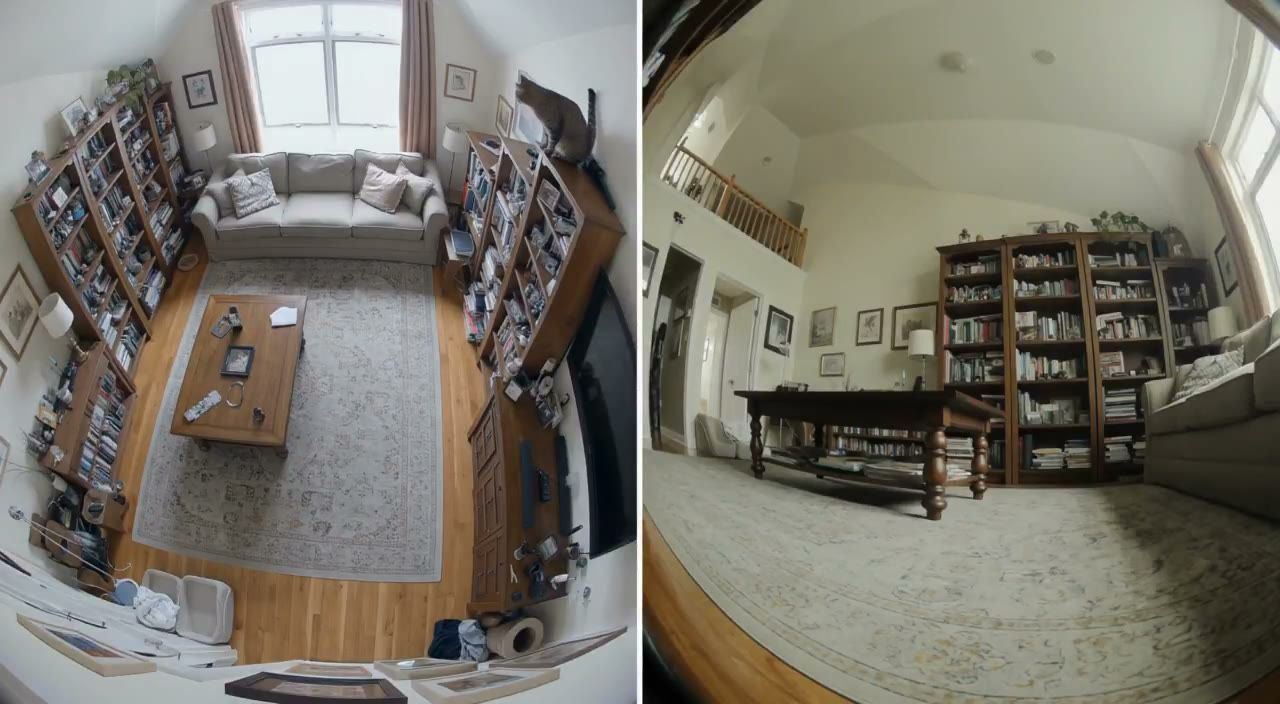
Prompt verificado
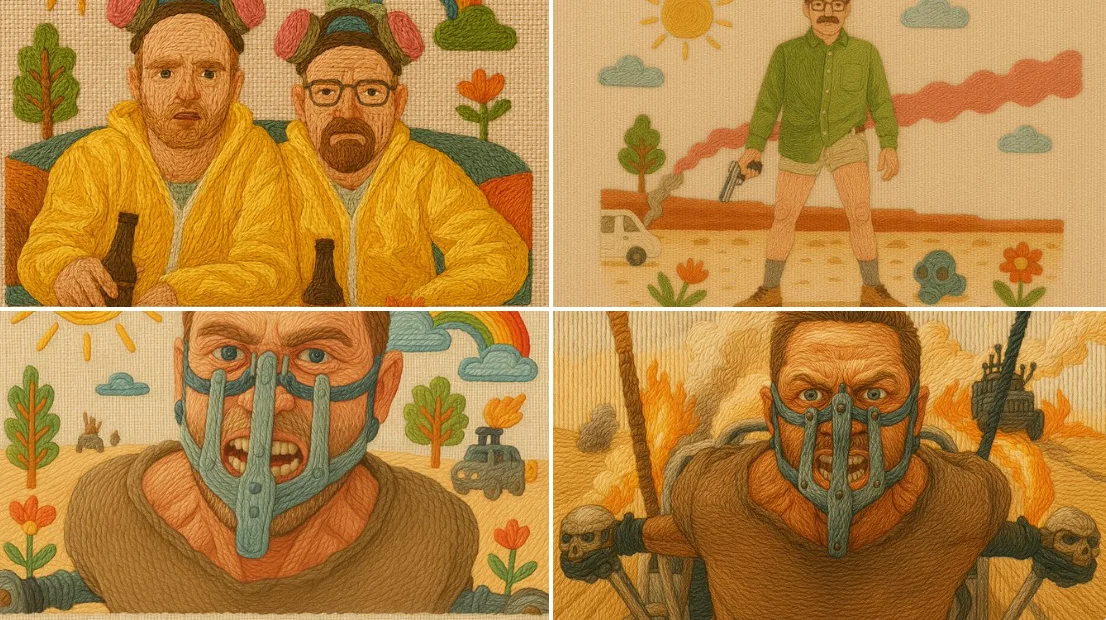
Prompt verificado
A handcrafted illustration that simulates traditional embroidery using colorful threads on linen fabric. All elements are “stitched” with visible yarn textures, using techniques like satin stitch, backstitch, and French knots. Raised contours and directional thread flow create a tactile, cozy appearance. The background is made of woven linen, with gentle pastel or folk-inspired colors. The composition is friendly and magical, evoking a storybook charm. Include decorative details such as flowers, suns, clouds, trees or symbols to enhance the folk embroidery style.
A handcrafted illustration that simulates traditional embroidery using colorful threads on linen fabric. All elements are “stitched” with visible yarn textures, using techniques like satin stitch, backstitch, and French knots. Raised contours and directional thread flow create a tactile, cozy appearance. The background is made of woven linen, with gentle pastel or folk-inspired colors. The composition is friendly and magical, evoking a storybook charm. Include decorative details such as flowers, suns, clouds, trees or symbols to enhance the folk embroidery style.
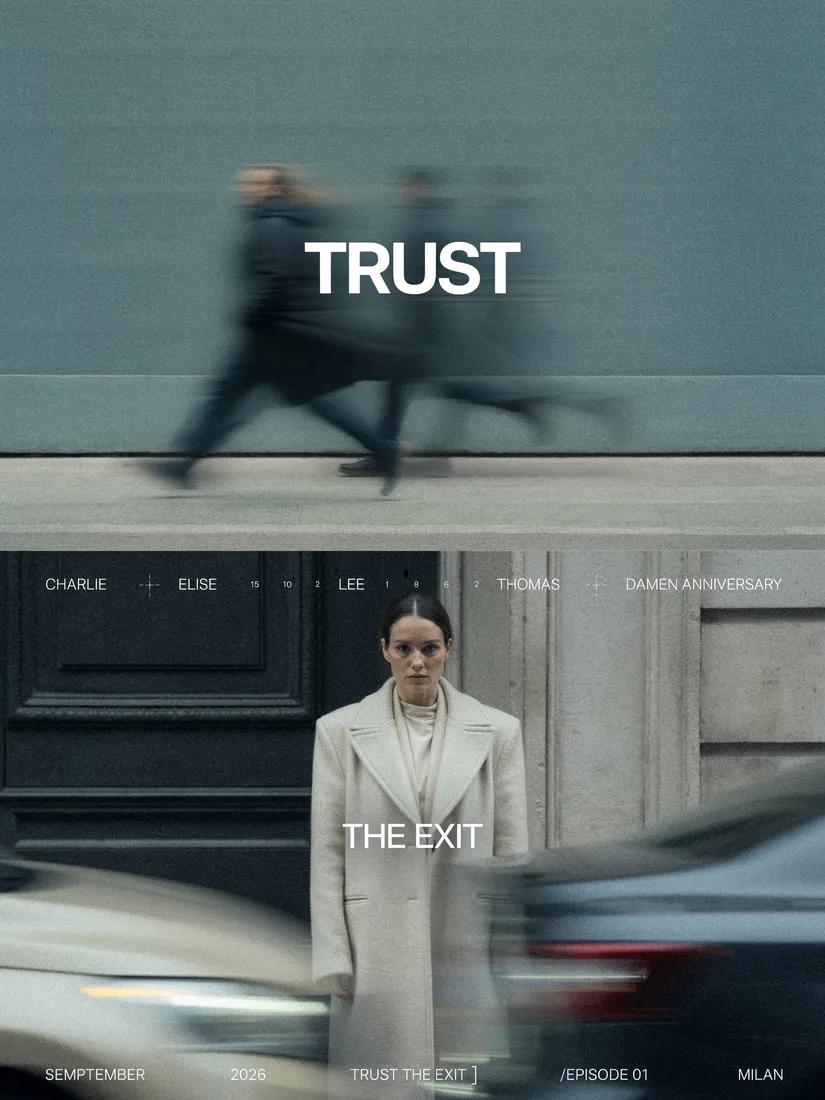
Prompt verificado
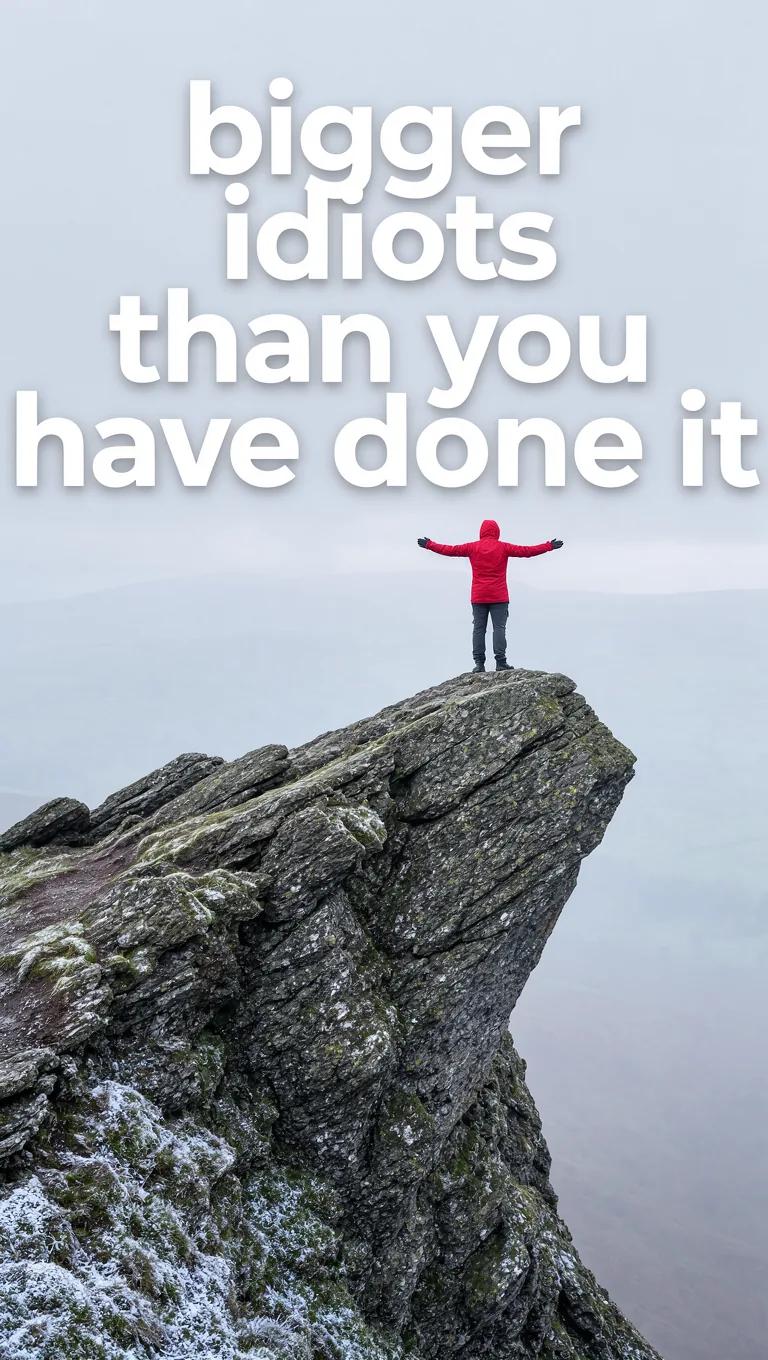
Prompt verificado
Explora flujos de trabajo de imágenes
Explora el flujo de trabajo de Grok y compáralo con las páginas de imágenes relacionadas. El generador es la fuente de verdad para el acceso y la configuración actuales del modelo. Usa la biblioteca de prompts para estudiar los resultados publicados y el modelo que los creó.


Libera tu creatividad con Grok
Explora el flujo de trabajo de Grok y compáralo con las páginas de imágenes relacionadas. El generador es la fuente de verdad para el acceso y la configuración actuales del modelo. Usa la biblioteca de prompts para estudiar los resultados publicados y el modelo que los creó.
Deja tiempo para inspeccionar cada resultado de imagen y refinar tu brief. El tiempo de procesamiento varía según el modelo, la solicitud y la carga del servicio. Cambia una dirección a la vez para poder juzgar qué edición mejora el resultado.
Explorar Grok
De un brief a una imagen revisada: el flujo de trabajo de Grok
Comienza tu brief de imagen de Grok con una imagen de origen que tengas permiso de usar. Nombra el área a cambiar y los colores, proporciones u objetos a preservar. La cantidad de referencias y la compatibilidad de edición dependen del modelo seleccionado.

Ingrese el mensaje o cargue la referencia
Comienza tu brief de imagen de Grok con una imagen de origen que tengas permiso de usar. Nombra el área a cambiar y los colores, proporciones u objetos a preservar. La cantidad de referencias y la compatibilidad de edición dependen del modelo seleccionado.

Revisa disponibilidad, configuración y créditos
Deja tiempo para inspeccionar cada resultado de imagen y refinar tu brief. El tiempo de procesamiento varía según el modelo, la solicitud y la carga del servicio. Cambia una dirección a la vez para poder juzgar qué edición mejora el resultado.

Revisa y descarga los resultados completados
Cuando se complete una solicitud, inspecciona la imagen en Historial y descarga el resultado que quieras conservar. Revisa la composición y cualquier detalle no intencionado antes de compartirlo con tu equipo o publicarlo.
Crea tu brief de imagen de Grok
Escribe tu brief de imagen de Grok en torno a un sujeto, composición, iluminación y estilo previsto. Agrega un material o textura cuando sea importante. Para ediciones, indica un cambio preciso y explica qué partes del origen deben permanecer intactas.

Creación de texto a imagen
Escribe tu brief de imagen de Grok en torno a un sujeto, composición, iluminación y estilo previsto. Agrega un material o textura cuando sea importante. Para ediciones, indica un cambio preciso y explica qué partes del origen deben permanecer intactas.
- Utilice elgenerador de imágenes grok aiEscribe tu brief de imagen de Grok en torno a un sujeto, composición, iluminación y estilo previsto. Agrega un material o textura cuando sea importante. Para ediciones, indica un cambio preciso y explica qué partes del origen deben permanecer intactas.
- elasimilar imaginaEscribe tu brief de imagen de Grok en torno a un sujeto, composición, iluminación y estilo previsto. Agrega un material o textura cuando sea importante. Para ediciones, indica un cambio preciso y explica qué partes del origen deben permanecer intactas.generador de texto a imagen grok.
- Elige solo la resolución y la relación de aspecto que se muestran para el modelo seleccionado. Revisa el encuadre, los detalles finos y cualquier texto en la imagen completada. Un tamaño de salida más grande no garantiza un resultado más preciso.generador de fotos grok ai.
- confía en estogenerador de mensajes de imagen grokExplora el flujo de trabajo de Grok y compáralo con las páginas de imágenes relacionadas. El generador es la fuente de verdad para el acceso y la configuración actuales del modelo. Usa la biblioteca de prompts para estudiar los resultados publicados y el modelo que los creó.

Escribe indicaciones precisas de edición y estilo
Explora el flujo de trabajo de Grok y compáralo con las páginas de imágenes relacionadas. El generador es la fuente de verdad para el acceso y la configuración actuales del modelo. Usa la biblioteca de prompts para estudiar los resultados publicados y el modelo que los creó.
- Comienza tu brief de imagen de Grok con una imagen de origen que tengas permiso de usar. Nombra el área a cambiar y los colores, proporciones u objetos a preservar. La cantidad de referencias y la compatibilidad de edición dependen del modelo seleccionado.generador de imágenes grok aiDesarrolla tu brief de imagen de Grok en torno al resultado que necesitas. Mantén la dirección principal específica, revisa la configuración compatible en el generador y examina el trabajo completado antes de usarlo en tu proyecto.
- elasimilar imaginaLa plataforma actúa como un sofisticadoeditor de imágenes grok aiPara un concepto de producto con Grok, especifica la forma del producto, el material, el detalle clave y el entorno. Mantén los logotipos y las afirmaciones precisos, deja espacio para tu propia tipografía y revisa el resultado antes de usarlo en un anuncio.
- Utilice eledición de imágenes grok aiEnumera los detalles que importan en tu brief de imagen de Grok: identidad, forma, colores, vestimenta y fondo. Usa referencias compatibles cuando corresponda y compara cada resultado; no se garantiza una consistencia exacta.
- estogenerador de fotos grok aiDesarrolla tu brief de imagen de Grok en torno al resultado que necesitas. Mantén la dirección principal específica, revisa la configuración compatible en el generador y examina el trabajo completado antes de usarlo en tu proyecto.

Usa referencias para explicar el resultado previsto
Comienza tu brief de imagen de Grok con una imagen de origen que tengas permiso de usar. Nombra el área a cambiar y los colores, proporciones u objetos a preservar. La cantidad de referencias y la compatibilidad de edición dependen del modelo seleccionado.
- elgenerador de imágenes grok aiEnumera los detalles que importan en tu brief de imagen de Grok: identidad, forma, colores, vestimenta y fondo. Usa referencias compatibles cuando corresponda y compara cada resultado; no se garantiza una consistencia exacta.
- conasimilar imagina, no dejas las cosas al azar; elgenerador de imágenes de referencia grokminimiza la aleatoriedad.
- Garantice la coherencia de su marca dejando que elgenerador de fotos grok aicoincida con la estética exacta de las referencias proporcionadas.
- creatividad para mantener una apariencia cohesiva al usar el Grok para visuales de marketing.

Explica tu sujeto, cambios y referencias
Explora el flujo de trabajo de Grok y compáralo con las páginas de imágenes relacionadas. El generador es la fuente de verdad para el acceso y la configuración actuales del modelo. Usa la biblioteca de prompts para estudiar los resultados publicados y el modelo que los creó.
- elgenerador de imágenes grok aiDeja tiempo para inspeccionar cada resultado de imagen y refinar tu brief. El tiempo de procesamiento varía según el modelo, la solicitud y la carga del servicio. Cambia una dirección a la vez para poder juzgar qué edición mejora el resultado.
- usoasimilar imaginaPara un concepto de producto con Grok, especifica la forma del producto, el material, el detalle clave y el entorno. Mantén los logotipos y las afirmaciones precisos, deja espacio para tu propia tipografía y revisa el resultado antes de usarlo en un anuncio.
- elgenerador de fotos grok aile ofrece una variedad de opciones, lo que lo convierte en el idealGrok para redes sociales.
- Desarrolla tu brief de imagen de Grok en torno al resultado que necesitas. Mantén la dirección principal específica, revisa la configuración compatible en el generador y examina el trabajo completado antes de usarlo en tu proyecto.grok imagine ai generador de imágenes.
Un brief creativo más claro para Grok
Deja tiempo para inspeccionar cada resultado de imagen y refinar tu brief. El tiempo de procesamiento varía según el modelo, la solicitud y la carga del servicio. Cambia una dirección a la vez para poder juzgar qué edición mejora el resultado.

Saltar software complejo
Dedica tiempo a inspeccionar cada resultado de imagen y refinar tu brief. El tiempo de procesamiento varía según el modelo, la solicitud y la carga del servicio. Cambia una dirección a la vez para que puedas juzgar qué edición mejora el resultado.

Convierta ideas en imágenes
Elige solo la resolución y la relación de aspecto mostradas para el modelo seleccionado. Revisa el encuadre, los detalles finos y cualquier texto en la imagen completada. Un tamaño de salida mayor no garantiza un resultado más preciso.

Verifica los detalles en cada resultado
Comienza tu brief de imagen de Grok con una imagen de origen que tengas permiso de usar. Nombra el área a cambiar y los colores, proporciones u objetos a preservar. La cantidad de referencias y la compatibilidad de edición dependen del modelo seleccionado.

Creado para marketing y redes sociales
Para un concepto de producto con Grok, especifica la forma del producto, el material, el detalle clave y el entorno. Mantén los logotipos y las afirmaciones precisos, deja espacio para tu propia tipografía y revisa el resultado antes de usarlo en un anuncio.

Edición sencilla en lenguaje natural
Dedica tiempo a inspeccionar cada resultado de imagen y refinar tu brief. El tiempo de procesamiento varía según el modelo, la solicitud y la carga del servicio. Cambia una dirección a la vez para que puedas juzgar qué edición mejora el resultado.

Iteración visual rápida
Dedica tiempo a inspeccionar cada resultado de imagen y refinar tu brief. El tiempo de procesamiento varía según el modelo, la solicitud y la carga del servicio. Cambia una dirección a la vez para que puedas juzgar qué edición mejora el resultado.
Notas creativas para tu brief de imagen de Grok
Dale al sujeto principal una acción clara. Para un concepto de Grok, un brief preciso es más fácil de evaluar que una lista de efectos en competencia.

Flujo de trabajo de imágenes de Grok: preguntas y respuestas
Desarrolla tu brief de imagen de Grok en torno al resultado que necesitas. Mantén la dirección principal específica, revisa la configuración compatible en el generador y examina el trabajo completado antes de usarlo en tu proyecto.
Esta página de klingai.me explica el flujo de trabajo de imágenes Grok. Te ayuda a escribir un brief enfocado y revisar las entradas disponibles. El acceso actual se muestra en el generador; un nombre de modelo en una guía no significa que actualmente acepte solicitudes.
Esta página de klingai.me explica el flujo de trabajo de imágenes Grok. Te ayuda a escribir un brief enfocado y revisar las entradas disponibles. El acceso actual se muestra en el generador; un nombre de modelo en una guía no significa que actualmente acepte solicitudes.
Desarrolla tu brief de imagen de Grok en torno al resultado que necesitas. Mantén la dirección principal específica, revisa la configuración compatible en el generador y examina el trabajo completado antes de usarlo en tu proyecto.
Escribe tu brief de imagen de Grok en torno a un sujeto, composición, iluminación y estilo previsto. Agrega un material o textura cuando sea importante. Para ediciones, indica un cambio preciso y explica qué partes del origen deben permanecer intactas.
Usa solo los modos de entrada y controles que ofrece el modelo seleccionado. Describe la imagen deseada con claridad y añade referencias compatibles cuando sea útil. Esta página no promete herramientas separadas de pincel de movimiento, carga de audio, restauración o edición.
Desarrolla tu brief de imagen de Grok en torno al resultado que necesitas. Mantén la dirección principal específica, revisa la configuración compatible en el generador y examina el trabajo completado antes de usarlo en tu proyecto.
Para un concepto de producto con Grok, especifica la forma del producto, el material, el detalle clave y el entorno. Mantén los logotipos y las afirmaciones precisos, deja espacio para tu propia tipografía y revisa el resultado antes de usarlo en un anuncio.
Elige solo la resolución y la relación de aspecto que se muestran para el modelo seleccionado. Revisa el encuadre, los detalles finos y cualquier texto en la imagen completada. Un tamaño de salida más grande no garantiza un resultado más preciso.
Explora tu próxima idea de imagen con Grok
Deja tiempo para inspeccionar cada resultado de imagen y refinar tu brief. El tiempo de procesamiento varía según el modelo, la solicitud y la carga del servicio. Cambia una dirección a la vez para poder juzgar qué edición mejora el resultado.