Desarrolla productos y diseña visuales con Flux
Flux para fotos realistas, anuncios, pósteres y visuales de producto
Para un concepto de producto con Flux, especifica la forma del producto, el material, el detalle clave y el entorno. Mantén los logotipos y las afirmaciones precisos, deja espacio para tu propia tipografía y revisa el resultado antes de usarlo en un anuncio.

Prompt verificado
Prompt verificado
Prompt verificado
Prompt verificado
Prompt verificado
Prompt verificado
Prompt verificado
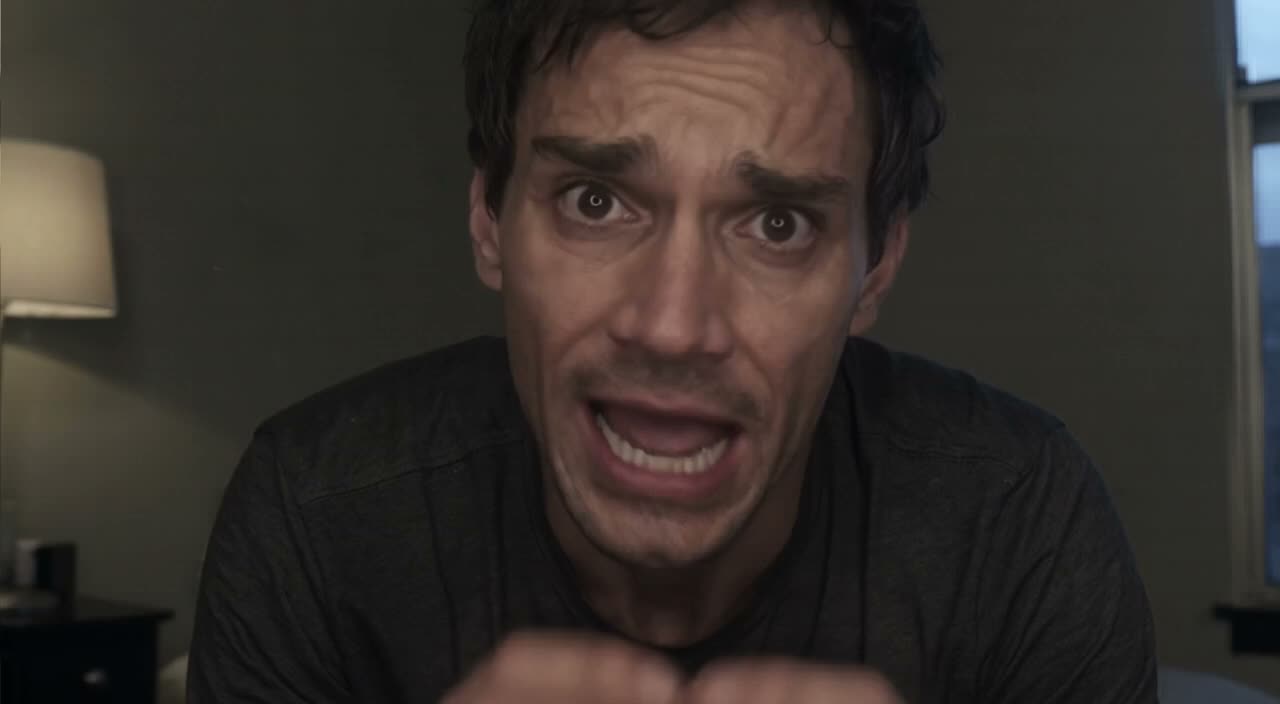
Prompt verificado
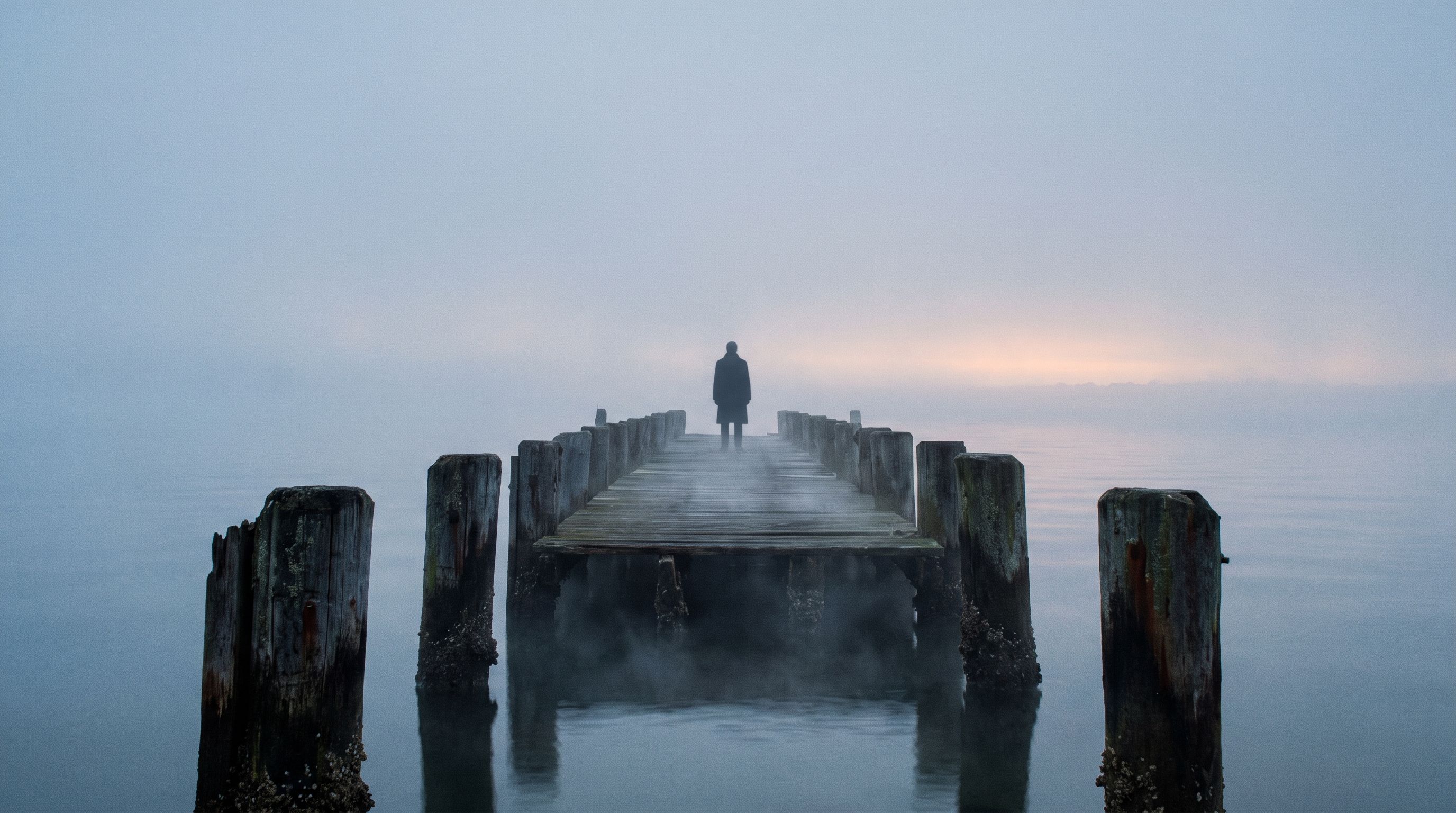
Prompt verificado
Prompt verificado
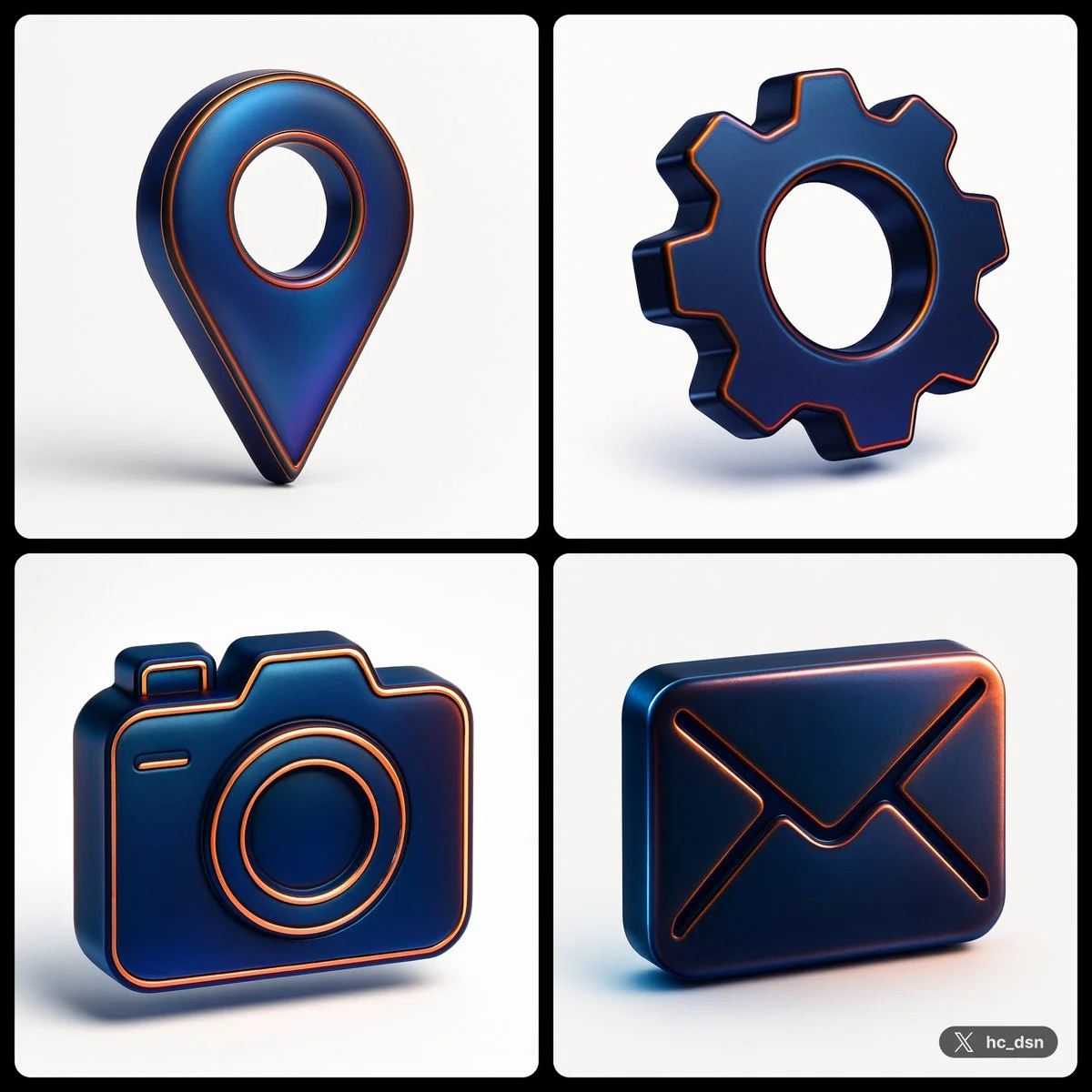
create image with 1: 1 ratio turn a vector [ type ] icon with the following json style { "object": "icon", "material": { "primary_surface": "smooth matted translucent metallic", "finish": "iridescent sheen", "color_profile": { "base_color": "deep blue", "secondary_tones": [ "black", "violet", "copper-orange highlights" ] }, "panel_lines": { "material": "metallic copper", "visual_treatment": "glowing edge with subtle bevel" }, }, "lighting": { "type": "studio", "key_light": { "position": "top-left", "effect": "smooth gradient highlight across the surface" }, "rim_light": { "position": "right side", "effect": "sharp metallic edge glow" }, "reflections": { "character": "diffused but iridescent, hinting at a highly polished or lacquered surface" }, "shadows": "soft edge, minimal ground contact due to floating presentation" }, "background": { "color": "#FFF", "style": "solid matte", }, "composition": { "camera_angle": "centered, eye-level", "depth_of_field": "none (sharp focus throughout)", "presentation": "floating, isolated subject" "angle": "isometric style" }, "visual_style": { "tone": "modern, high-impact", "inspiration": "sports branding meets futuristic product design", "aesthetic": "bold contrast, tech-luxury fusion" } }
create image with 1: 1 ratio turn a vector [ type ] icon with the following json style { "object": "icon", "material": { "primary_surface": "smooth matted translucent metallic", "finish": "iridescent sheen", "color_profile": { "base_color": "deep blue", "secondary_tones": [ "black", "violet", "copper-orange highlights" ] }, "panel_lines": { "material": "metallic copper", "visual_treatment": "glowing edge with subtle bevel" }, }, "lighting": { "type": "studio", "key_light": { "position": "top-left", "effect": "smooth gradient highlight across the surface" }, "rim_light": { "position": "right side", "effect": "sharp metallic edge glow" }, "reflections": { "character": "diffused but iridescent, hinting at a highly polished or lacquered surface" }, "shadows": "soft edge, minimal ground contact due to floating presentation" }, "background": { "color": "#FFF", "style": "solid matte", }, "composition": { "camera_angle": "centered, eye-level", "depth_of_field": "none (sharp focus throughout)", "presentation": "floating, isolated subject" "angle": "isometric style" }, "visual_style": { "tone": "modern, high-impact", "inspiration": "sports branding meets futuristic product design", "aesthetic": "bold contrast, tech-luxury fusion" } }
Prompt verificado
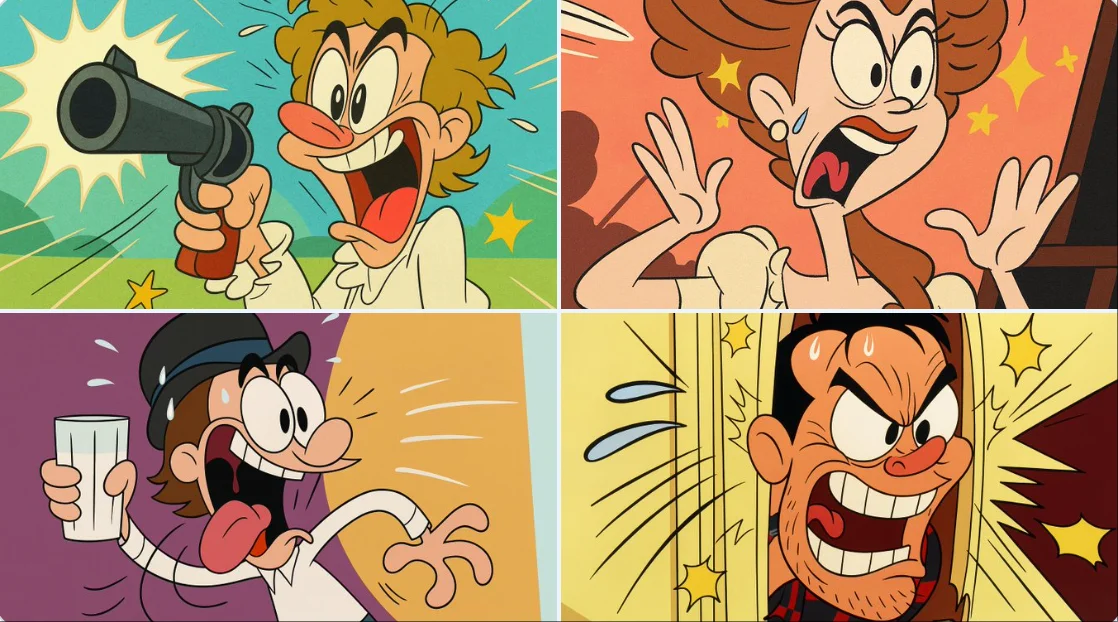
Transform this image into a classic Tex Avery / Looney Tunes cartoon style. Use bold, clean outlines and exaggerated character features — huge eyes, stretched limbs, and over-the-top facial expressions. Emphasize slapstick comedy and visual humor. Colors should be vibrant and flat, with high contrast. Backgrounds should be simple, painted with soft gradients or flat colors, keeping focus on the character's action. Add motion lines, expressive effects (like sweat drops, stars, impact bursts), and a dynamic pose typical of 1940s Warner Bros. animation. The final result should look like a freeze frame from a mid-century animated short — full of cartoon energy and absurd charm.
Transform this image into a classic Tex Avery / Looney Tunes cartoon style. Use bold, clean outlines and exaggerated character features — huge eyes, stretched limbs, and over-the-top facial expressions. Emphasize slapstick comedy and visual humor. Colors should be vibrant and flat, with high contrast. Backgrounds should be simple, painted with soft gradients or flat colors, keeping focus on the character's action. Add motion lines, expressive effects (like sweat drops, stars, impact bursts), and a dynamic pose typical of 1940s Warner Bros. animation. The final result should look like a freeze frame from a mid-century animated short — full of cartoon energy and absurd charm.
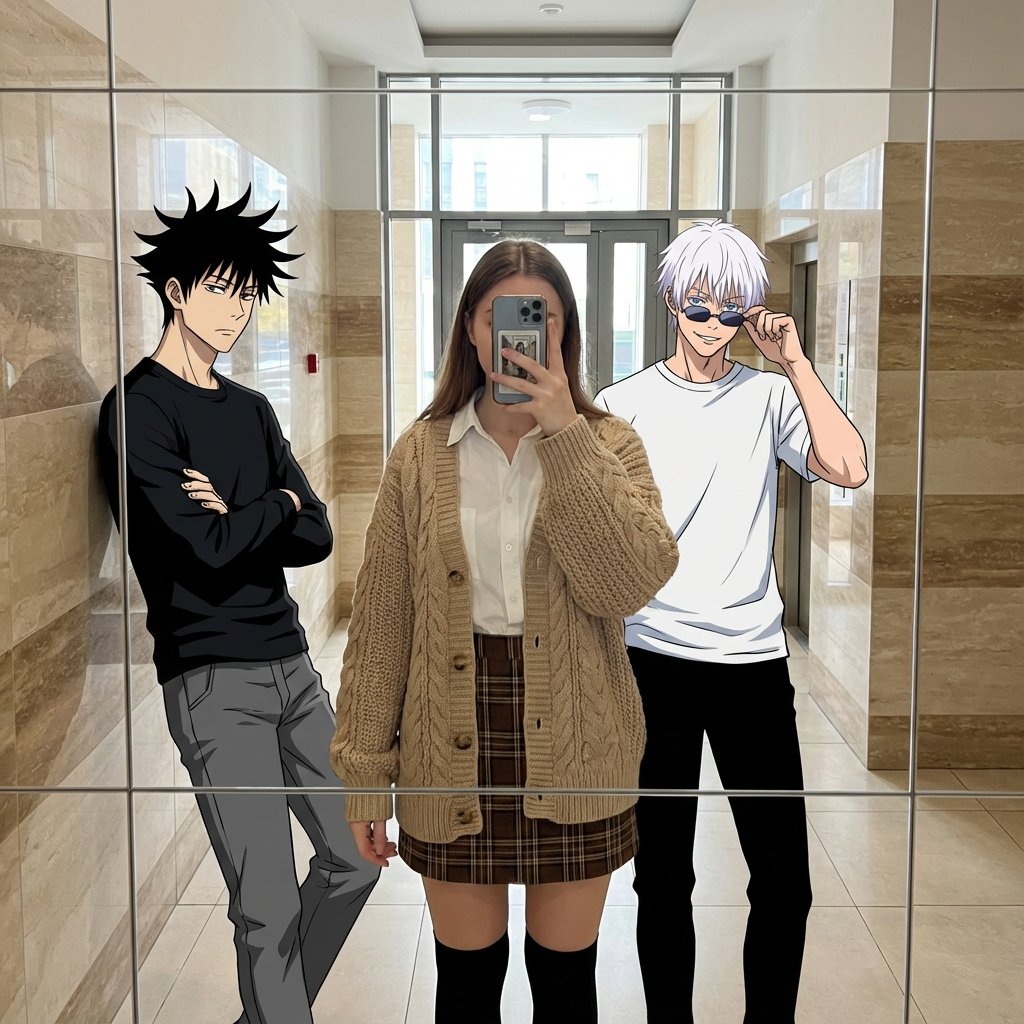
Prompt verificado
te a mixed-media reality-bending mirror selfie / blending 2D anime characters into a 3D real-world photo / cozy autumn academia fashion meets otaku dream. Best Quality, Photorealistic Center Subject, Sharp Anime Lines, Mixed Dimensionality. A playful fusion of dimensions where 2D anime characters seamlessly occupy a real-world space. The photorealistic central figure wears a cozy 'Autumn Academia' outfit, contrasting with the flat, cel-shaded anime characters. The vibe is a casual, dream-like hangout caught in a mirror reflection. Anime meets reality / Autumn Academia Fashion / Mirror selfie with fictional characters. Cozy, stylish, playful, surreal, dimensional barrier breaking. mixed media. mirror selfie. anime in real life. autumn academia. cable knit texture. cel-shaded. photorealistic fashion. hallway reflection. 3 (1 human female, 2 anime males). Center subject is a photorealistic human wearing the specific autumn outfit. Side subjects retain distinct 2D anime art style. Maintain clear stylistic distinction: Highly detailed texture on the cardigan/skirt vs. bold anime lines for the boys. Young adults. Human: Natural texture, soft lighting. Anime: Flat cel-shaded tones. Human: White cotton poplin shirt worn under a loose, oversized beige wool cable-knit cardigan. Left Anime: Black long-sleeve shirt. Right Anime: White t-shirt. Human: Brown plaid/tartan flannel mini skirt and black knee-high socks. Left Anime: Grey pants. Right Anime: Black pants. Human: Smartphone (taking the photo). Right Anime: Sunglasses. Emphasize the high-depth weave of the beige cardigan and the flannel texture of the skirt on the human subject. Human: Obscured by phone or neutral/soft smile. Left Anime: Cool, stoic, arms crossed. Right Anime: Confident, smirk, adjusting glasses. Human: Natural styling suitable for an academic look. Left Anime: Spiky energetic black hair. Right Anime: White hair with bangs down. Casual group mirror selfie. Center subject stands straight taking the photo holding phone. Left subject leans casually against the mirror frame. Right subject stands tall. Standing, full body visible in mirror reflection to show the skirt and knee-high socks. Center: Holding phone. Left: Arms crossed. Right: Touching sunglasses/face. Indoor hallway or lobby with high ceilings and reflective surfaces (matches original scene to keep the context). Modern building interior with marble/tiled walls and glass elements. Natural daylight filtering in, highlighting the texture of the wool cardigan. Clean, bright, casual everyday hangout. Beige, tan, brown (marble stripes) - compliments the beige/brown outfit. Reflected in mirror, showing a tiled floor and a glass door leading to the outside. Windows/Doors behind the subjects (reflected). Soft, even. Creates soft shadows on the cable-knit texture. Warm neutral. Eye-level mirror reflection. Vertical portrait shot capturing full bodies. Mirror frame visible with geometric grid lines overlaying the reflection. Deep depth of field. Digital composite look. Ensure the lighting on the photorealistic cardigan matches the environment, while anime characters remain 2D. 3D render of anime characters, messy drawing, bad anatomy, low resolution. distorted faces, extra limbs, human subject looking like a drawing, anime characters looking too realistic. Focus on the material contrast: Real wool and flannel vs. Anime flat colors. Fan edit, OOTD (Outfit of the Day).
te a mixed-media reality-bending mirror selfie / blending 2D anime characters into a 3D real-world photo / cozy autumn academia fashion meets otaku dream. Best Quality, Photorealistic Center Subject, Sharp Anime Lines, Mixed Dimensionality. A playful fusion of dimensions where 2D anime characters seamlessly occupy a real-world space. The photorealistic central figure wears a cozy 'Autumn Academia' outfit, contrasting with the flat, cel-shaded anime characters. The vibe is a casual, dream-like hangout caught in a mirror reflection. Anime meets reality / Autumn Academia Fashion / Mirror selfie with fictional characters. Cozy, stylish, playful, surreal, dimensional barrier breaking. mixed media. mirror selfie. anime in real life. autumn academia. cable knit texture. cel-shaded. photorealistic fashion. hallway reflection. 3 (1 human female, 2 anime males). Center subject is a photorealistic human wearing the specific autumn outfit. Side subjects retain distinct 2D anime art style. Maintain clear stylistic distinction: Highly detailed texture on the cardigan/skirt vs. bold anime lines for the boys. Young adults. Human: Natural texture, soft lighting. Anime: Flat cel-shaded tones. Human: White cotton poplin shirt worn under a loose, oversized beige wool cable-knit cardigan. Left Anime: Black long-sleeve shirt. Right Anime: White t-shirt. Human: Brown plaid/tartan flannel mini skirt and black knee-high socks. Left Anime: Grey pants. Right Anime: Black pants. Human: Smartphone (taking the photo). Right Anime: Sunglasses. Emphasize the high-depth weave of the beige cardigan and the flannel texture of the skirt on the human subject. Human: Obscured by phone or neutral/soft smile. Left Anime: Cool, stoic, arms crossed. Right Anime: Confident, smirk, adjusting glasses. Human: Natural styling suitable for an academic look. Left Anime: Spiky energetic black hair. Right Anime: White hair with bangs down. Casual group mirror selfie. Center subject stands straight taking the photo holding phone. Left subject leans casually against the mirror frame. Right subject stands tall. Standing, full body visible in mirror reflection to show the skirt and knee-high socks. Center: Holding phone. Left: Arms crossed. Right: Touching sunglasses/face. Indoor hallway or lobby with high ceilings and reflective surfaces (matches original scene to keep the context). Modern building interior with marble/tiled walls and glass elements. Natural daylight filtering in, highlighting the texture of the wool cardigan. Clean, bright, casual everyday hangout. Beige, tan, brown (marble stripes) - compliments the beige/brown outfit. Reflected in mirror, showing a tiled floor and a glass door leading to the outside. Windows/Doors behind the subjects (reflected). Soft, even. Creates soft shadows on the cable-knit texture. Warm neutral. Eye-level mirror reflection. Vertical portrait shot capturing full bodies. Mirror frame visible with geometric grid lines overlaying the reflection. Deep depth of field. Digital composite look. Ensure the lighting on the photorealistic cardigan matches the environment, while anime characters remain 2D. 3D render of anime characters, messy drawing, bad anatomy, low resolution. distorted faces, extra limbs, human subject looking like a drawing, anime characters looking too realistic. Focus on the material contrast: Real wool and flannel vs. Anime flat colors. Fan edit, OOTD (Outfit of the Day).
Explora flujos de trabajo de imágenes
Explora el flujo de trabajo de Flux y compáralo con las páginas de imágenes relacionadas. El generador es la fuente de verdad para el acceso y la configuración actuales del modelo. Usa la biblioteca de prompts para estudiar los resultados publicados y el modelo que los creó.


Flux: Crea y edita visuales profesionales
Comienza tu brief de imagen de Flux con una imagen de origen que tengas permiso de usar. Nombra el área a cambiar y los colores, proporciones u objetos a preservar. La cantidad de referencias y la compatibilidad de edición dependen del modelo seleccionado.
Elige solo la resolución y la relación de aspecto que se muestran para el modelo seleccionado. Revisa el encuadre, los detalles finos y cualquier texto en la imagen completada. Un tamaño de salida más grande no garantiza un resultado más preciso.
Explorar Flux
De un brief a una imagen revisada: el flujo de trabajo de Flux
Deja tiempo para inspeccionar cada resultado de imagen y refinar tu brief. El tiempo de procesamiento varía según el modelo, la solicitud y la carga del servicio. Cambia una dirección a la vez para poder juzgar qué edición mejora el resultado.

Ingrese el mensaje o cargue la imagen
Comienza tu brief de imagen de Flux con una imagen de origen que tengas permiso de usar. Nombra el área a cambiar y los colores, proporciones u objetos a preservar. La cantidad de referencias y la compatibilidad de edición dependen del modelo seleccionado.

Revisa disponibilidad, configuración y créditos
Deja tiempo para inspeccionar cada resultado de imagen y refinar tu brief. El tiempo de procesamiento varía según el modelo, la solicitud y la carga del servicio. Cambia una dirección a la vez para poder juzgar qué edición mejora el resultado.

Revisa y descarga los resultados completados
Cuando se complete una solicitud, inspecciona la imagen en Historial y descarga el resultado que quieras conservar. Revisa la composición y cualquier detalle no intencionado antes de compartirlo con tu equipo o publicarlo.
Crea tu brief de imagen de Flux
Para un concepto de producto con Flux, especifica la forma del producto, el material, el detalle clave y el entorno. Mantén los logotipos y las afirmaciones precisos, deja espacio para tu propia tipografía y revisa el resultado antes de usarlo en un anuncio.

Genere y edite imágenes en el flujo de trabajo One Flux AI
Elige solo la resolución y la relación de aspecto que se muestran para el modelo seleccionado. Revisa el encuadre, los detalles finos y cualquier texto en la imagen completada. Un tamaño de salida más grande no garantiza un resultado más preciso.

Usa referencias para explicar el resultado previsto
Enumera los detalles que importan en tu brief de imagen de Flux: identidad, forma, colores, vestimenta y fondo. Usa referencias compatibles cuando corresponda y compara cada resultado; no se garantiza una consistencia exacta.

Verifica los detalles en cada resultado
Enumera los detalles que importan en tu brief de imagen de Flux: identidad, forma, colores, vestimenta y fondo. Usa referencias compatibles cuando corresponda y compara cada resultado; no se garantiza una consistencia exacta.

Texto claro, carteles, anuncios y elementos visuales de marca
Comienza tu brief de imagen de Flux con una imagen de origen que tengas permiso de usar. Nombra el área a cambiar y los colores, proporciones u objetos a preservar. La cantidad de referencias y la compatibilidad de edición dependen del modelo seleccionado.
Un brief creativo más claro para Flux
Deja tiempo para inspeccionar cada resultado de imagen y refinar tu brief. El tiempo de procesamiento varía según el modelo, la solicitud y la carga del servicio. Cambia una dirección a la vez para poder juzgar qué edición mejora el resultado.

Edición controlada y de alta calidad
Elige solo la resolución y la relación de aspecto que se muestran para el modelo seleccionado. Revisa el encuadre, los detalles finos y cualquier texto en la imagen completada. Un tamaño de salida más grande no garantiza un resultado más preciso.

Redes sociales y publicidad
Para un concepto de producto con Flux, especifica la forma del producto, el material, el detalle clave y el entorno. Mantén los logotipos y las afirmaciones precisos, deja espacio para tu propia tipografía y revisa el resultado antes de usarlo en un anuncio.

Verifica los detalles en cada resultado
Enumera los detalles que importan en tu brief de imagen de Flux: identidad, forma, colores, vestimenta y fondo. Usa referencias compatibles cuando corresponda y compara cada resultado; no se garantiza una consistencia exacta.
Flujo de trabajo de producción eficiente
Para un concepto de producto con Flux, especifica la forma del producto, el material, el detalle clave y el entorno. Mantén los logotipos y las afirmaciones precisos, deja espacio para tu propia tipografía y revisa el resultado antes de usarlo en un anuncio.
Notas creativas para tu brief de imagen de Flux
Dale al sujeto principal una acción clara. Para un concepto de Flux, un brief preciso es más fácil de evaluar que una lista de efectos en competencia.

Flujo de trabajo de imágenes de Flux: preguntas y respuestas
Para un concepto de producto con Flux, especifica la forma del producto, el material, el detalle clave y el entorno. Mantén los logotipos y las afirmaciones precisos, deja espacio para tu propia tipografía y revisa el resultado antes de usarlo en un anuncio.
Esta página de klingai.me explica el flujo de trabajo de imágenes Flux. Te ayuda a escribir un brief enfocado y revisar las entradas disponibles. El acceso actual se muestra en el generador; un nombre de modelo en una guía no significa que actualmente acepte solicitudes.
Escribe tu brief de imagen de Flux en torno a un sujeto, composición, iluminación y estilo previsto. Agrega un material o textura cuando sea importante. Para ediciones, indica un cambio preciso y explica qué partes del origen deben permanecer intactas.
Comienza tu brief de imagen de Flux con una imagen de origen que tengas permiso de usar. Nombra el área a cambiar y los colores, proporciones u objetos a preservar. La cantidad de referencias y la compatibilidad de edición dependen del modelo seleccionado.
Esta página de klingai.me explica el flujo de trabajo de imágenes Flux. Te ayuda a escribir un brief enfocado y revisar las entradas disponibles. El acceso actual se muestra en el generador; un nombre de modelo en una guía no significa que actualmente acepte solicitudes.
Usa solo los modos de entrada y controles que ofrece el modelo seleccionado. Describe la imagen deseada con claridad y añade referencias compatibles cuando sea útil. Esta página no promete herramientas separadas de pincel de movimiento, carga de audio, restauración o edición.
Enumera los detalles que importan en tu brief de imagen de Flux: identidad, forma, colores, vestimenta y fondo. Usa referencias compatibles cuando corresponda y compara cada resultado; no se garantiza una consistencia exacta.
Explora tu próxima idea de imagen con Flux
Elige solo la resolución y la relación de aspecto que se muestran para el modelo seleccionado. Revisa el encuadre, los detalles finos y cualquier texto en la imagen completada. Un tamaño de salida más grande no garantiza un resultado más preciso.