
Explorez l'illustration et les concepts visuels avec Grok
Explorez les idées d'images Grok avec klingai.me
Choisissez uniquement la résolution et le ratio d'aspect affichés pour le modèle sélectionné. Vérifiez le cadrage, les détails fins et tout texte dans l'image terminée. Une taille de sortie plus grande ne garantit pas un résultat plus précis.

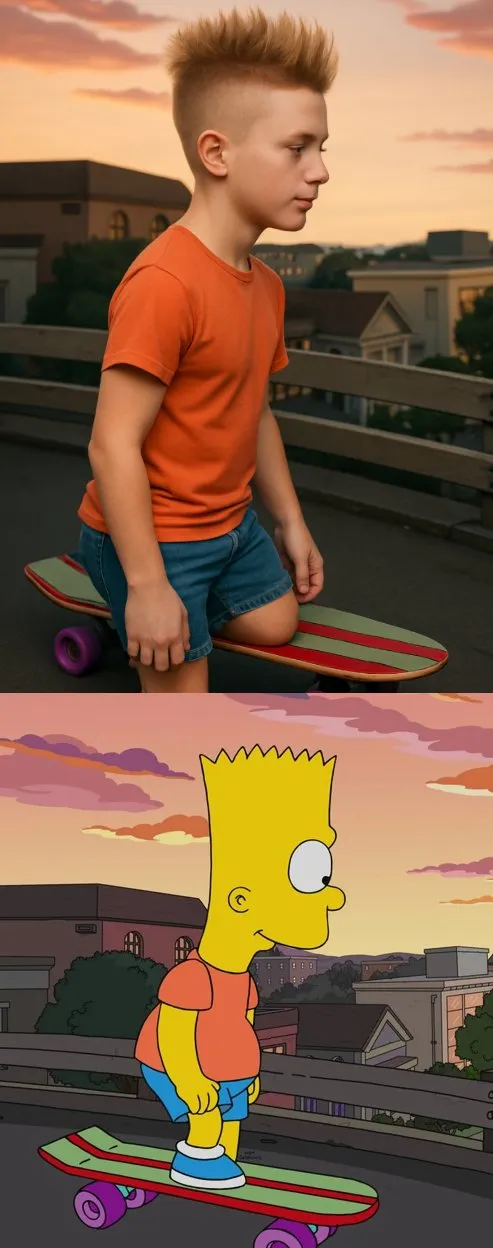
Invite vérifiée
sform the cartoon character from the reference image into a hyper-realistic human while maintaining their core attributes (clothing, hairstyle, facial expression, accessories, and proportions, age and so on). Create a photorealistic portrait
sform the cartoon character from the reference image into a hyper-realistic human while maintaining their core attributes (clothing, hairstyle, facial expression, accessories, and proportions, age and so on). Create a photorealistic portrait
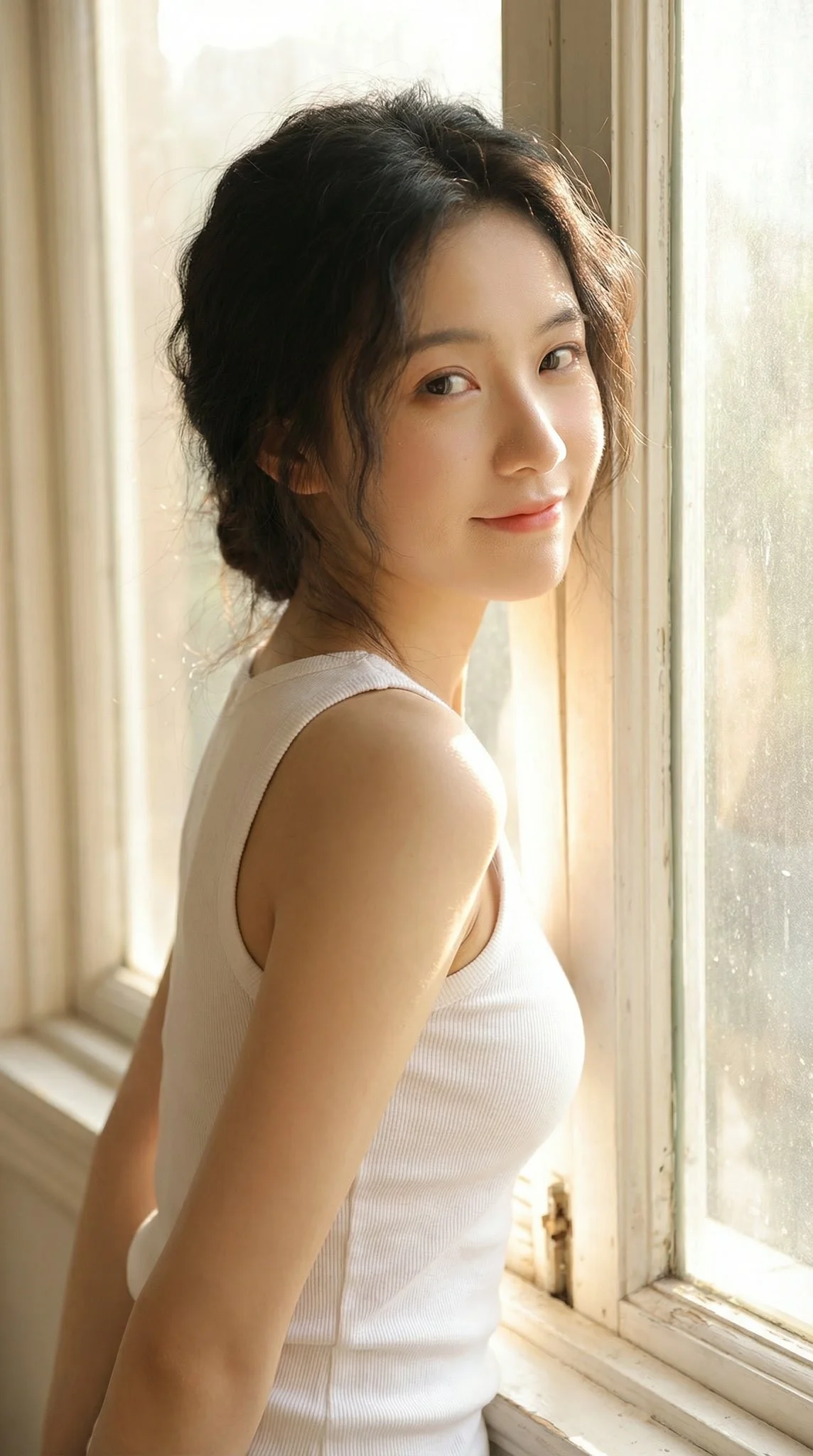
Invite vérifiée
A cinematic, intimate portrait, taken in front of a large, bright window. A beautiful East Asian woman, with the visual appeal of a K-pop girl group member, 175cm tall and weighing 50kg, possesses a perfectly proportioned figure. She leans against the window frame in an innocent profile, glancing back at the camera with a gentle, shy smile. She wears a white cotton low-cut tank top. Strong sunlight streams down from behind her, penetrating her loosely styled hair and creating a dazzling halo around her shoulders. The image is sharply focused, clearly showing the fine downy hair on her cheeks and nose under the backlight.
A cinematic, intimate portrait, taken in front of a large, bright window. A beautiful East Asian woman, with the visual appeal of a K-pop girl group member, 175cm tall and weighing 50kg, possesses a perfectly proportioned figure. She leans against the window frame in an innocent profile, glancing back at the camera with a gentle, shy smile. She wears a white cotton low-cut tank top. Strong sunlight streams down from behind her, penetrating her loosely styled hair and creating a dazzling halo around her shoulders. The image is sharply focused, clearly showing the fine downy hair on her cheeks and nose under the backlight.
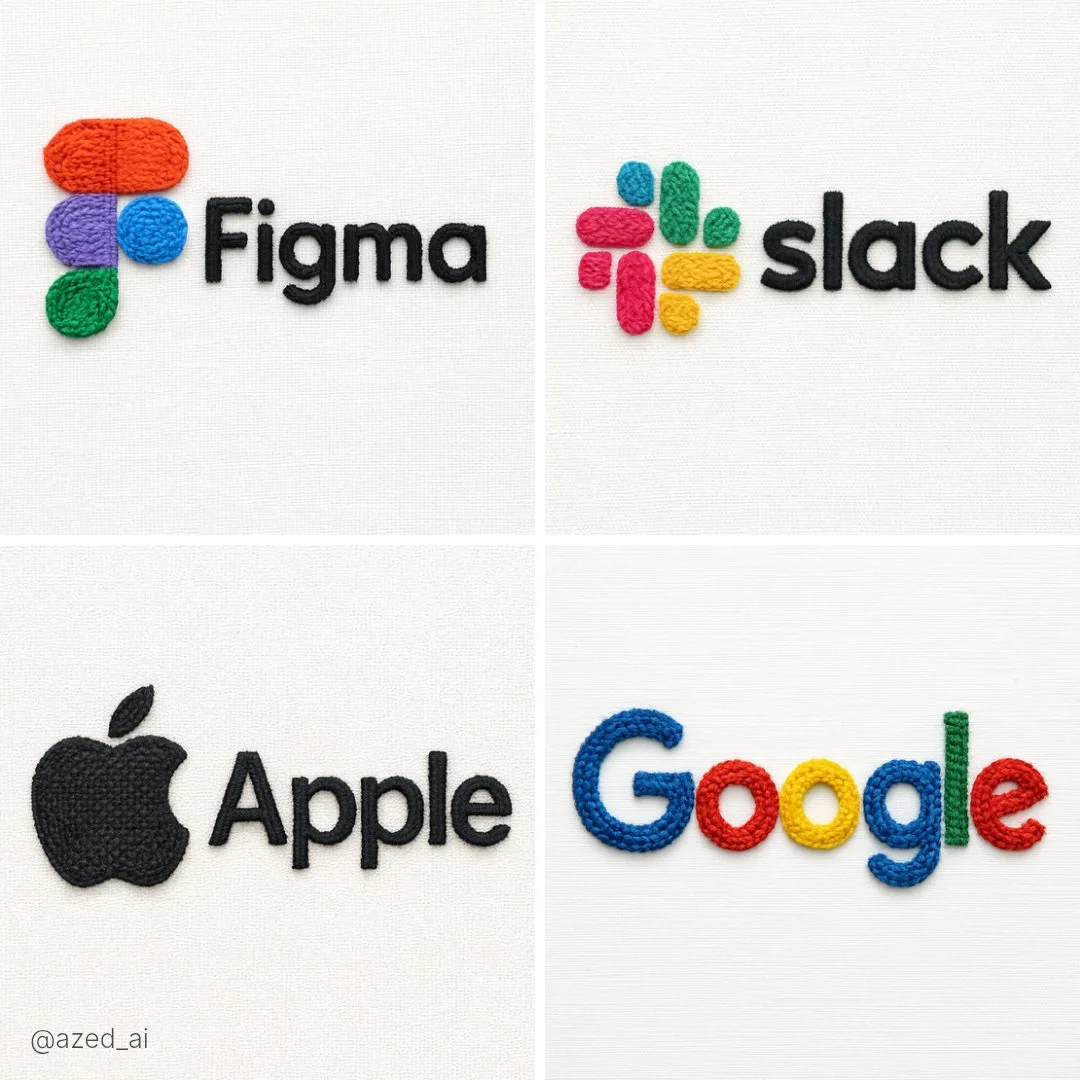
Invite vérifiée
A hyperrealistic embroidered textile artwork of the [SUBJECT], created with colored thread and soft fabric textures. The design features dense, tactile stitching and raised embroidery that mimics the actual form and branding. Set against a plain, off-white fabric background, with clean studio lighting and a sharp close-up view. Emphasize threadwork, texture, and handmade imperfections for a realistic soft sculpture look.
A hyperrealistic embroidered textile artwork of the [SUBJECT], created with colored thread and soft fabric textures. The design features dense, tactile stitching and raised embroidery that mimics the actual form and branding. Set against a plain, off-white fabric background, with clean studio lighting and a sharp close-up view. Emphasize threadwork, texture, and handmade imperfections for a realistic soft sculpture look.
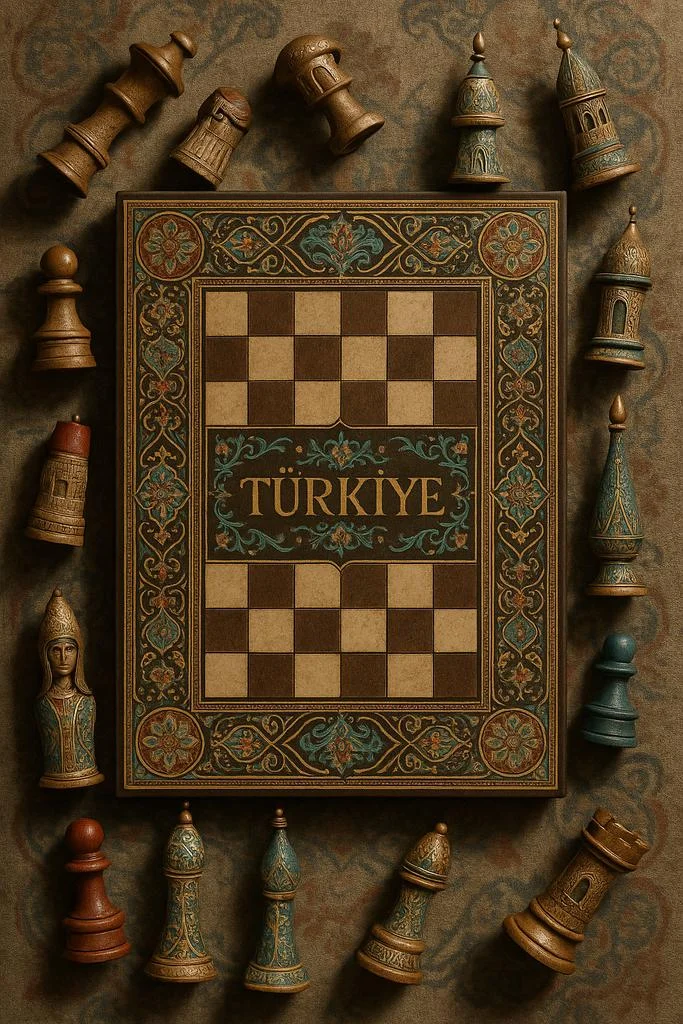
Invite vérifiée
A highly realistic vertical photograph of a traditional chessboard viewed from above, set against a textured surface inspired by [COUNTRY]’s artistic heritage. The chessboard features intricate patterns and national motifs, with the word “[COUNTRY]” written across the board in elegant golden calligraphy. All the chess pieces are off the board, arranged around it on the fabric — some lying on their side, others upright — as if waiting to be placed. Each piece is uniquely reimagined in shape, ornament, and texture, reflecting the architecture, cultural symbols, and color palette of [COUNTRY]. Rich materials, soft directional light, cinematic shadows, ultra-detailed editorial still life style, symmetrical top-down framing, 9:16 format.
A highly realistic vertical photograph of a traditional chessboard viewed from above, set against a textured surface inspired by [COUNTRY]’s artistic heritage. The chessboard features intricate patterns and national motifs, with the word “[COUNTRY]” written across the board in elegant golden calligraphy. All the chess pieces are off the board, arranged around it on the fabric — some lying on their side, others upright — as if waiting to be placed. Each piece is uniquely reimagined in shape, ornament, and texture, reflecting the architecture, cultural symbols, and color palette of [COUNTRY]. Rich materials, soft directional light, cinematic shadows, ultra-detailed editorial still life style, symmetrical top-down framing, 9:16 format.
Invite vérifiée
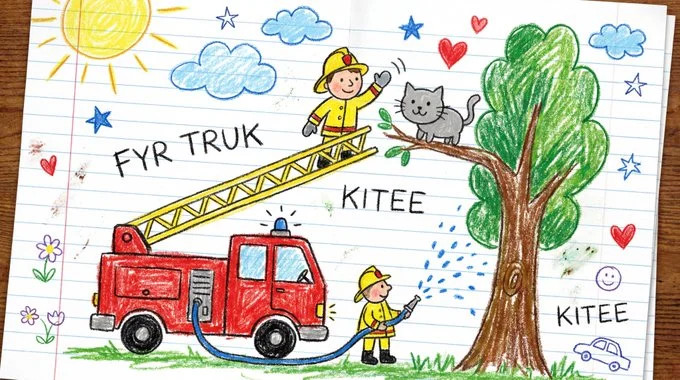
Draw [VISUAL] as if created by a cheerful 6-year-old on white notebook paper. Use chunky wax-crayon strokes, wobbly outlines, and simple flat shapes. Colors should be bright, bold, and slightly outside the lines, with visible pressure marks and small smudges. Perspective is innocent: objects can float, and size is based on importance, not realism. Faces are dots with curved smiles; hands are mitten blobs; animals are round and friendly. Add playful extras like a sun in a corner, puffy clouds, stars, and hearts. Include uneven scribble shading, a few tiny doodles in the margins, and one or two hand-written labels in childlike spelling.
Draw [VISUAL] as if created by a cheerful 6-year-old on white notebook paper. Use chunky wax-crayon strokes, wobbly outlines, and simple flat shapes. Colors should be bright, bold, and slightly outside the lines, with visible pressure marks and small smudges. Perspective is innocent: objects can float, and size is based on importance, not realism. Faces are dots with curved smiles; hands are mitten blobs; animals are round and friendly. Add playful extras like a sun in a corner, puffy clouds, stars, and hearts. Include uneven scribble shading, a few tiny doodles in the margins, and one or two hand-written labels in childlike spelling.
Invite vérifiée
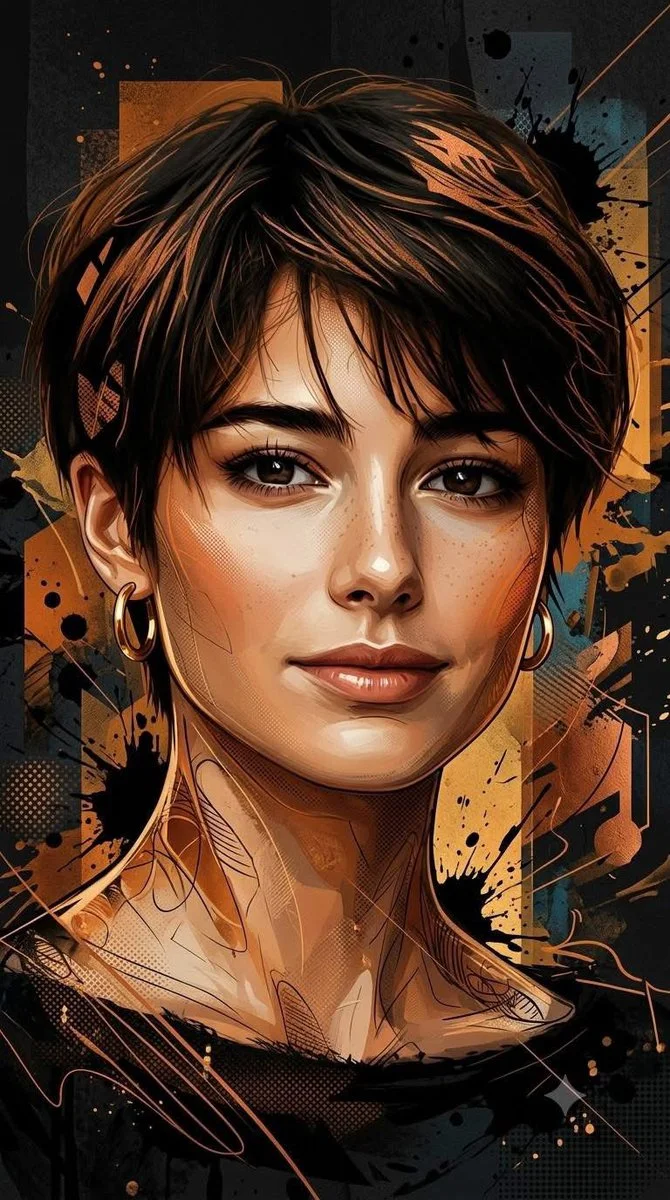
Using an uploaded portrait as the subject reference, create a vertical 9:16 image. Transform the subject into a dramatic mixed-media editorial illustration. Combine semi-realistic painted facial features with crisp graphic shapes, ink lines, paint splashes and subtle halftone texture. Use burnt orange, amber and copper against charcoal black, with a few muted teal accents. Arrange abstract geometric layers behind the portrait to add depth without obscuring the face. Keep the expression and recognizable proportions of the reference. Use directional light, selective sharp details and a strong vertical composition for a polished contemporary poster.
Using an uploaded portrait as the subject reference, create a vertical 9:16 image. Transform the subject into a dramatic mixed-media editorial illustration. Combine semi-realistic painted facial features with crisp graphic shapes, ink lines, paint splashes and subtle halftone texture. Use burnt orange, amber and copper against charcoal black, with a few muted teal accents. Arrange abstract geometric layers behind the portrait to add depth without obscuring the face. Keep the expression and recognizable proportions of the reference. Use directional light, selective sharp details and a strong vertical composition for a polished contemporary poster.
Invite vérifiée
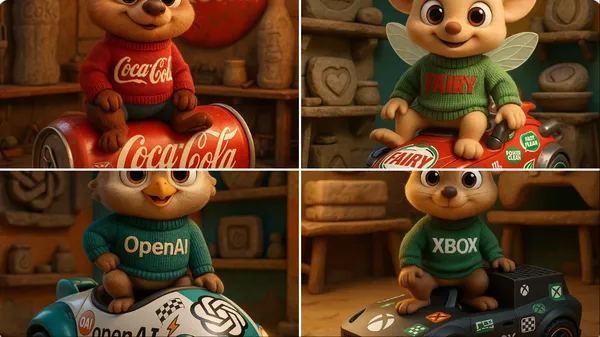
gh-quality 3D cartoon animal character inspired by [Brand Name], with large round eyes and an innocent, friendly expression. The character wears a knitted sweater featuring the brand name in bold letters. It sits confidently atop a futuristic vehicle shaped like a product from the brand, fully inspired by the brand’s design language and covered in racing stickers and symbolic brand logos. The scene is set inside a maintenance workshop that showcases Stone Age-era versions of the brand's products. The background blends the brand’s visual identity colors. The design must be highly detailed, with Pixar-style lighting and realistic textures for the character, fabric, and vehicle. Format: full-body, in a dynamic pose, rendered in 4K CGI.
gh-quality 3D cartoon animal character inspired by [Brand Name], with large round eyes and an innocent, friendly expression. The character wears a knitted sweater featuring the brand name in bold letters. It sits confidently atop a futuristic vehicle shaped like a product from the brand, fully inspired by the brand’s design language and covered in racing stickers and symbolic brand logos. The scene is set inside a maintenance workshop that showcases Stone Age-era versions of the brand's products. The background blends the brand’s visual identity colors. The design must be highly detailed, with Pixar-style lighting and realistic textures for the character, fabric, and vehicle. Format: full-body, in a dynamic pose, rendered in 4K CGI.
Invite vérifiée
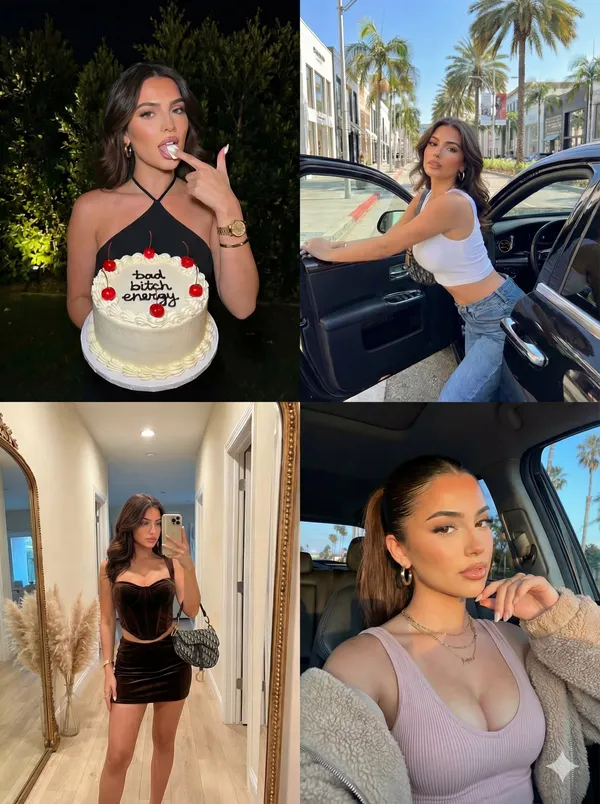
"image_layout": "2x2 grid collage featuring four distinct photographs of the same female subject.", "subject_general": { "gender": "Female", "hair_color": "Dark brown/black", "hair_style": "Long, styled in loose waves in three panels; sleek high ponytail in one panel", "aesthetic": "Glamorous, influencer, trendy, luxury lifestyle" }, "panels": [ { "position": "top_left", "setting": "Outdoors at night, dark background with illuminated green foliage", "action": "Subject is holding a cake with one hand and licking frosting off the index finger of the other hand", "outfit": { "top": "Black halter-neck sleeveless top", "jewelry": "Gold wristwatch, gold bangle bracelet, ring, small hoop earrings" }, "props": { "item": "Round white frosted cake", "details": [ "Red cherries on top", "Decorative white piping along edges", "Black icing text reading 'bad bitch energy'" ] } }, { "position": "top_right", "setting": "Daytime city street, likely an upscale shopping district (e.g., Rodeo Drive) with palm trees and storefronts visible", "action": "Subject is leaning out of the open door of a black luxury car, looking at the camera", "outfit": { "top": "White sleeveless ribbed crop top", "bottom": "Blue denim jeans", "accessories": "Shoulder bag (strap visible), gold hoop earrings" }, "lighting": "Bright natural sunlight casting shadows" }, { "position": "bottom_left", "setting": "Indoor hallway, beige walls, wooden floor", "action": "Full-body mirror selfie", "outfit": { "style": "Matching two-piece set", "color": "Dark brown/chocolate", "top": "Velvet/suede corset-style bustier top", "bottom": "Mini skirt", "accessories": "Patterned designer handbag (resembling Dior Saddle bag), stack of gold bracelets" }, "background_details": [ "Large rectangular mirror with gold frame leaning against wall", "Vase with pampas grass in the corner", "Doorway visible in reflection" ] }, { "position": "bottom_right", "setting": "Inside a vehicle or outdoors, golden hour sunlight", "action": "Close-up selfie, hand raised near mouth/chin", "outfit": { "top": "Light pink/mauve ribbed tank top", "outerwear": "Beige fuzzy/sherpa jacket worn off-the-shoulder", "jewelry": "Layered gold necklaces with pendants, hoop earrings" }, "hair_styling": "Sleeked back high ponytail", "background_details": "Car window frame, palm trees and blue sky visible in background" } ] }
"image_layout": "2x2 grid collage featuring four distinct photographs of the same female subject.", "subject_general": { "gender": "Female", "hair_color": "Dark brown/black", "hair_style": "Long, styled in loose waves in three panels; sleek high ponytail in one panel", "aesthetic": "Glamorous, influencer, trendy, luxury lifestyle" }, "panels": [ { "position": "top_left", "setting": "Outdoors at night, dark background with illuminated green foliage", "action": "Subject is holding a cake with one hand and licking frosting off the index finger of the other hand", "outfit": { "top": "Black halter-neck sleeveless top", "jewelry": "Gold wristwatch, gold bangle bracelet, ring, small hoop earrings" }, "props": { "item": "Round white frosted cake", "details": [ "Red cherries on top", "Decorative white piping along edges", "Black icing text reading 'bad bitch energy'" ] } }, { "position": "top_right", "setting": "Daytime city street, likely an upscale shopping district (e.g., Rodeo Drive) with palm trees and storefronts visible", "action": "Subject is leaning out of the open door of a black luxury car, looking at the camera", "outfit": { "top": "White sleeveless ribbed crop top", "bottom": "Blue denim jeans", "accessories": "Shoulder bag (strap visible), gold hoop earrings" }, "lighting": "Bright natural sunlight casting shadows" }, { "position": "bottom_left", "setting": "Indoor hallway, beige walls, wooden floor", "action": "Full-body mirror selfie", "outfit": { "style": "Matching two-piece set", "color": "Dark brown/chocolate", "top": "Velvet/suede corset-style bustier top", "bottom": "Mini skirt", "accessories": "Patterned designer handbag (resembling Dior Saddle bag), stack of gold bracelets" }, "background_details": [ "Large rectangular mirror with gold frame leaning against wall", "Vase with pampas grass in the corner", "Doorway visible in reflection" ] }, { "position": "bottom_right", "setting": "Inside a vehicle or outdoors, golden hour sunlight", "action": "Close-up selfie, hand raised near mouth/chin", "outfit": { "top": "Light pink/mauve ribbed tank top", "outerwear": "Beige fuzzy/sherpa jacket worn off-the-shoulder", "jewelry": "Layered gold necklaces with pendants, hoop earrings" }, "hair_styling": "Sleeked back high ponytail", "background_details": "Car window frame, palm trees and blue sky visible in background" } ] }
Invite vérifiée
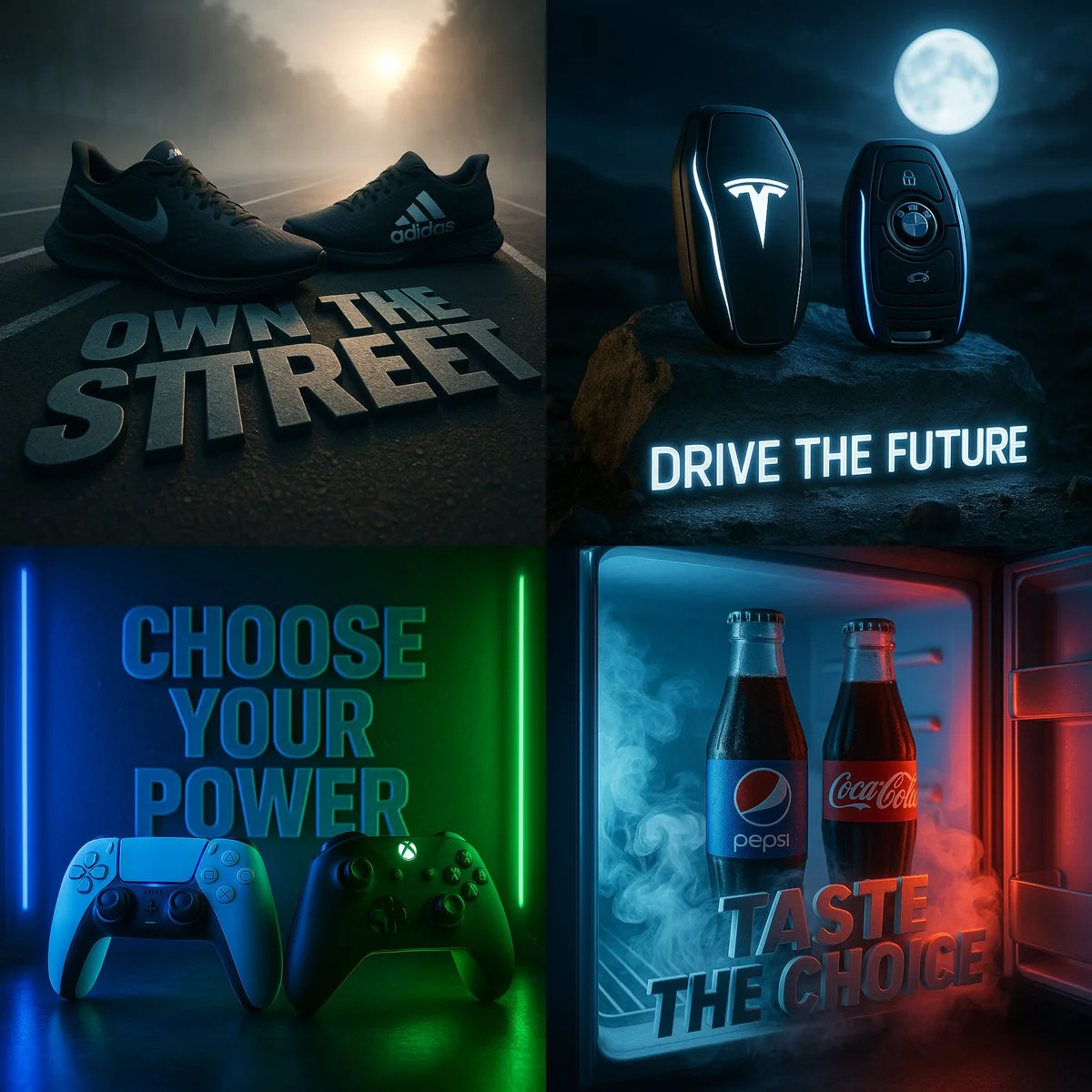
A dramatic cinematic scene featuring two rival products placed side by side in a custom-designed environment that visually reflects their identities. The composition should include high contrast lighting, atmospheric effects like mist, fog, or neon glow, and hyper-detailed textures. Incorporate a powerful 3D slogan below or behind the products in bold stylized typography that fits the scene’s mood. The products must reflect the essence of [Brand A] and [Brand B] through color, lighting, and placement. Ultra-realistic, moody tones, 1:1 square format, with sharp depth of field and high resolution.
A dramatic cinematic scene featuring two rival products placed side by side in a custom-designed environment that visually reflects their identities. The composition should include high contrast lighting, atmospheric effects like mist, fog, or neon glow, and hyper-detailed textures. Incorporate a powerful 3D slogan below or behind the products in bold stylized typography that fits the scene’s mood. The products must reflect the essence of [Brand A] and [Brand B] through color, lighting, and placement. Ultra-realistic, moody tones, 1:1 square format, with sharp depth of field and high resolution.
Invite vérifiée
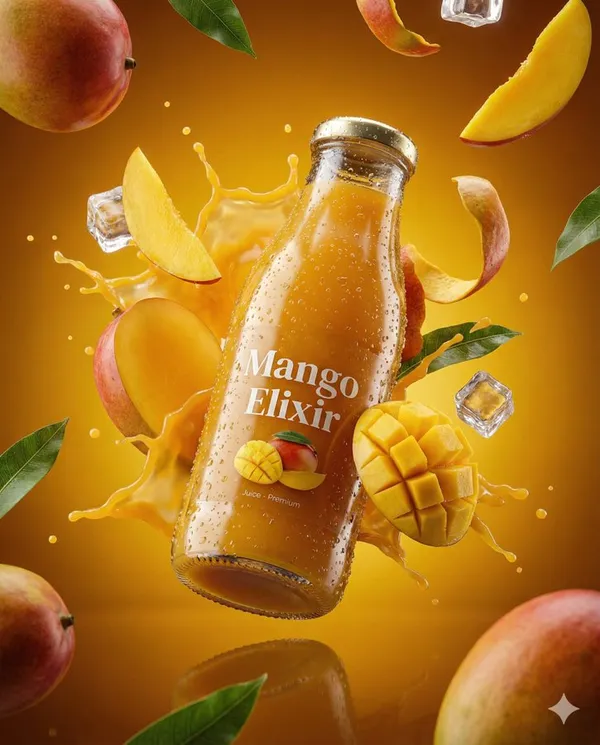
te an ultra-realistic 3D commercial-style product shot of a premium cherry juice bottle, suspended mid-air with intricate condensation droplets on its surface. The bottle should appear fresh and vibrant, with each condensation bead reflecting ambient light to enhance photorealism. Surround the product with dynamic elements like splashing droplets of cherry juice, whole cherries, and ice cubes, frozen in high-speed motion, each element sharply defined with vibrant clarity. Floating cherry stems and leaves should also be included to enhance the sense of freshness and energy. Set the background against a rich, deep red and burgundy gradient, which complements the rich color of the cherry juice and evokes a sense of indulgence and premium quality. The product should be centrally placed, slightly tilted to convey a sense of movement and sophistication. Use cinematic, studio-style lighting with bright highlights reflecting off the bottle, crisp shadows, and high contrast to create a luxurious, polished look. Ensure the bottle’s label is clearly visible, with subtle reflections beneath it, adding depth and realism to the scene. The overall aesthetic must evoke indulgence, freshness, and premium quality, with all elements contributing to a high-end, visually striking image. The scene should feel rich, fresh, and full of vitality,with a focus on the vibrant color and fresh nature of the cherry juice. Technical Specifications: Aspect Ratio: 4:5 Resolution: Ultra-HD quality Lighting: Studio-style, cinematic with bright highlights, subtle reflections, and high contrast Detailing: Extreme attention to condensation, droplets, and high-speed motion of elements
te an ultra-realistic 3D commercial-style product shot of a premium cherry juice bottle, suspended mid-air with intricate condensation droplets on its surface. The bottle should appear fresh and vibrant, with each condensation bead reflecting ambient light to enhance photorealism. Surround the product with dynamic elements like splashing droplets of cherry juice, whole cherries, and ice cubes, frozen in high-speed motion, each element sharply defined with vibrant clarity. Floating cherry stems and leaves should also be included to enhance the sense of freshness and energy. Set the background against a rich, deep red and burgundy gradient, which complements the rich color of the cherry juice and evokes a sense of indulgence and premium quality. The product should be centrally placed, slightly tilted to convey a sense of movement and sophistication. Use cinematic, studio-style lighting with bright highlights reflecting off the bottle, crisp shadows, and high contrast to create a luxurious, polished look. Ensure the bottle’s label is clearly visible, with subtle reflections beneath it, adding depth and realism to the scene. The overall aesthetic must evoke indulgence, freshness, and premium quality, with all elements contributing to a high-end, visually striking image. The scene should feel rich, fresh, and full of vitality,with a focus on the vibrant color and fresh nature of the cherry juice. Technical Specifications: Aspect Ratio: 4:5 Resolution: Ultra-HD quality Lighting: Studio-style, cinematic with bright highlights, subtle reflections, and high contrast Detailing: Extreme attention to condensation, droplets, and high-speed motion of elements
Invite vérifiée
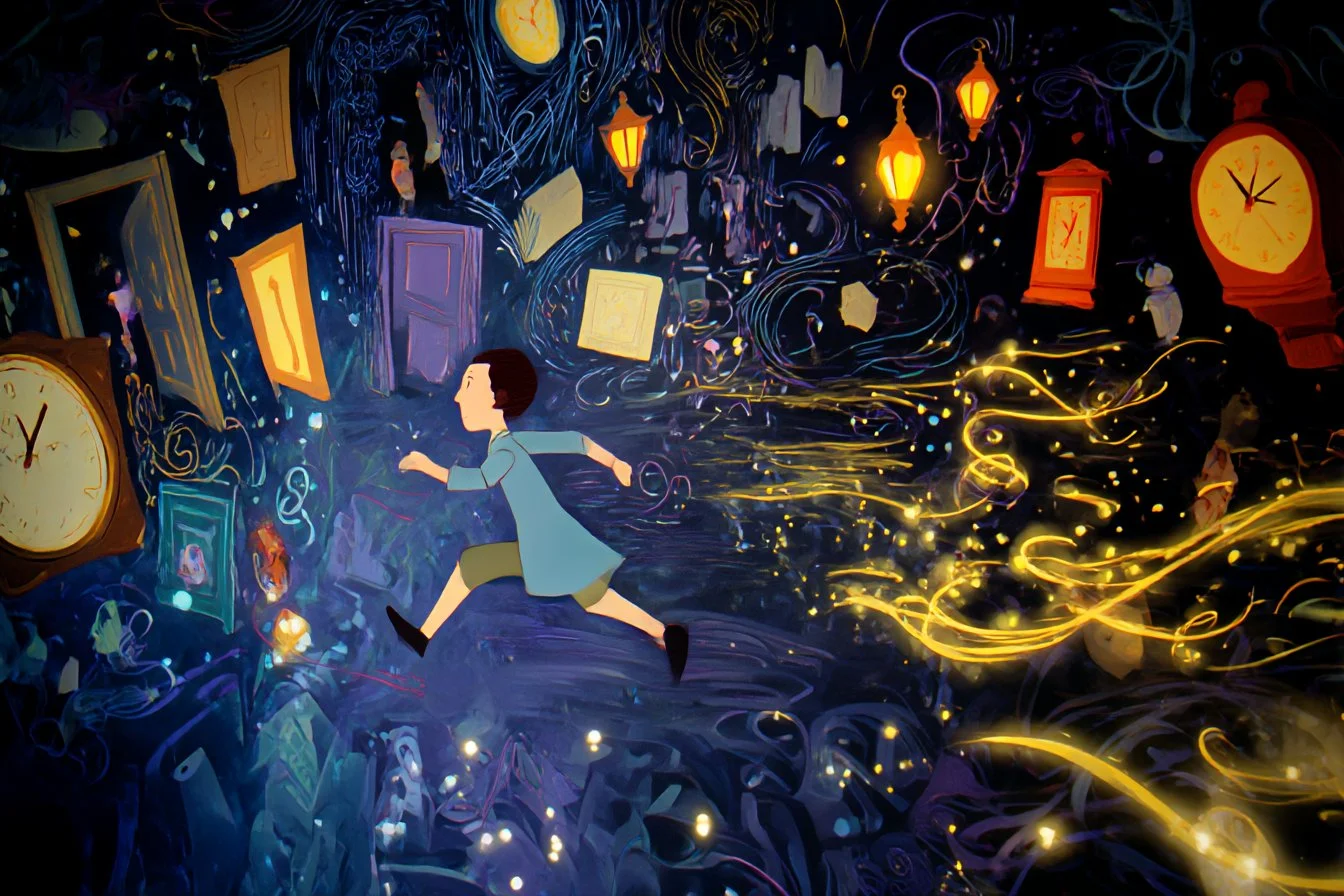
[Character] sprinting past dream elements, Storybook illustration, Maze of floating doors, clocks, and whispers, Lantern glow and ambient sparkle trails, [Color1] and [Color2], Whimsical and fast-paced, Follow-cam style with trailing POV
[Character] sprinting past dream elements, Storybook illustration, Maze of floating doors, clocks, and whispers, Lantern glow and ambient sparkle trails, [Color1] and [Color2], Whimsical and fast-paced, Follow-cam style with trailing POV
Invite vérifiée
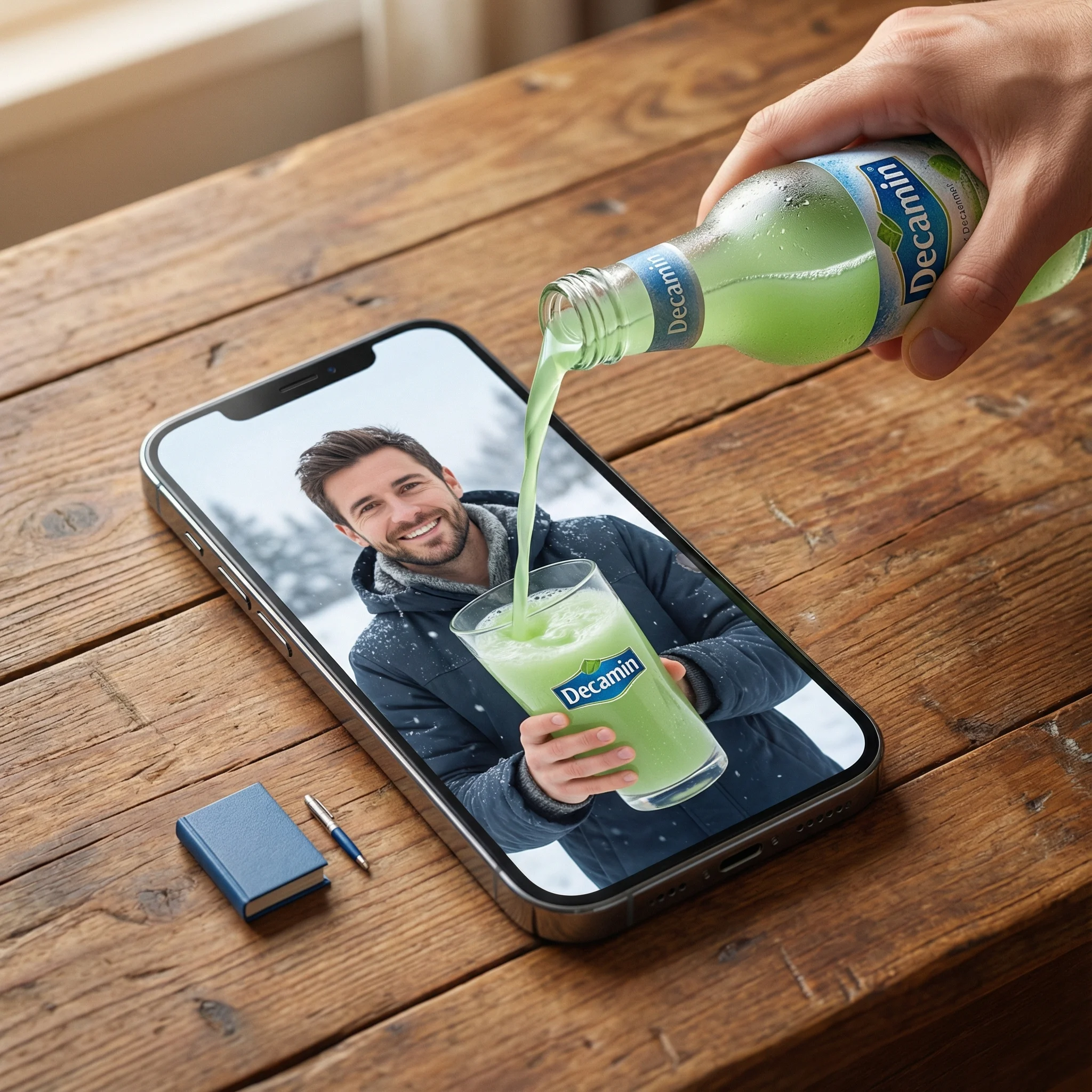
a] Type: Creative Brief. Genre: Hyper-realistic Surrealism. Composition Style: Composite Portrait. Aspect Ratio: Portrait (implied by 'portrait' description). [Scene Architecture] Viewpoint: [Type] Photographic. [Angle] High-angle / Looking down. [Framing] Tight on central subject.. Dimensional Hierarchy: [Rule] Scale disparity for surreal effect. [Dominant Element] iPhone 17 Pro Max (Super-scaled). [Subordinate Elements] Blue Book (Miniature), Pen (Miniature).. [Realm Physical] Description: The real-world environment surrounding the device.. Environment: [Surface] Wooden table. [Texture Attributes] rich grain, tactile, worn.. Lighting Global: [Source] Natural light. [Temperature] Warm. [Shadow Quality] Soft, diffused, volumetric.. Active Agent: [Identity] Human Hand (Real). [Action] Pouring. [Position] Entering frame laterally.. Held Object: [Item] Bottle. [State] Chilled (visible condensation). [Branding] Logo Text: Decamin. Placement: Visible on label. [Contents] Substance: Water. Color: Light Green. State: Liquid flow.. Static Props: [Item] Book. [Color] Blue. [Scale Notes] Significantly smaller than phone., [Item] Pen. [Type] Ballpoint/Ink. [Scale Notes] Significantly smaller than phone.. [Realm Digital] Description: The content displayed on the screen.. Container Device: [Model] iPhone 17 Pro Max. [State] Screen ON. [Orientation] Flat on physical surface.. Screen Content: [Subject Identity] mqn (Reference ID). [Subject Scale] Close-up (filling screen). [Expression] Happy / Smiling. [Attire] Winter clothing (matching reference). [Setting] Winter landscape / snowy backdrop. [Held Object Digital] Item: Drinking Glass. Branding: [Logo Text] Decamin. [Visibility] Clear.. Initial State: Empty (waiting for pour).. [Surreal Bridge Event] Description: The interaction connecting the physical and digital realms.. Action Type: Trans-dimensional Fluid Dynamics. Source: realm_physical.held_object.contents (Light Green Water). Interaction Point: realm_digital.container_device.screen_surface. Destination: realm_digital.screen_content.held_object_digital (The Glass). Physics Violation Rules: [Rule 1] Liquid does not splash off the glass screen surface.. [Rule 2] Screen surface acts as a permeable membrane solely for this liquid.. [Rule 3] Physical liquid transitions seamlessly into digital representation upon contact... Visual Details: Sharp liquid simulation, No surface tension on screen glass, Fluid physically filling digital cup. [Rendering Specifications] Visual Fidelity: Hyper-realistic. Texture Focus: Sharp fluid details, Glass pixels, Wood grain, Skin texture (hand and subject). Mood: Cinematic, warm, magical. Resolution Target: 8K / Highly detailed.
a] Type: Creative Brief. Genre: Hyper-realistic Surrealism. Composition Style: Composite Portrait. Aspect Ratio: Portrait (implied by 'portrait' description). [Scene Architecture] Viewpoint: [Type] Photographic. [Angle] High-angle / Looking down. [Framing] Tight on central subject.. Dimensional Hierarchy: [Rule] Scale disparity for surreal effect. [Dominant Element] iPhone 17 Pro Max (Super-scaled). [Subordinate Elements] Blue Book (Miniature), Pen (Miniature).. [Realm Physical] Description: The real-world environment surrounding the device.. Environment: [Surface] Wooden table. [Texture Attributes] rich grain, tactile, worn.. Lighting Global: [Source] Natural light. [Temperature] Warm. [Shadow Quality] Soft, diffused, volumetric.. Active Agent: [Identity] Human Hand (Real). [Action] Pouring. [Position] Entering frame laterally.. Held Object: [Item] Bottle. [State] Chilled (visible condensation). [Branding] Logo Text: Decamin. Placement: Visible on label. [Contents] Substance: Water. Color: Light Green. State: Liquid flow.. Static Props: [Item] Book. [Color] Blue. [Scale Notes] Significantly smaller than phone., [Item] Pen. [Type] Ballpoint/Ink. [Scale Notes] Significantly smaller than phone.. [Realm Digital] Description: The content displayed on the screen.. Container Device: [Model] iPhone 17 Pro Max. [State] Screen ON. [Orientation] Flat on physical surface.. Screen Content: [Subject Identity] mqn (Reference ID). [Subject Scale] Close-up (filling screen). [Expression] Happy / Smiling. [Attire] Winter clothing (matching reference). [Setting] Winter landscape / snowy backdrop. [Held Object Digital] Item: Drinking Glass. Branding: [Logo Text] Decamin. [Visibility] Clear.. Initial State: Empty (waiting for pour).. [Surreal Bridge Event] Description: The interaction connecting the physical and digital realms.. Action Type: Trans-dimensional Fluid Dynamics. Source: realm_physical.held_object.contents (Light Green Water). Interaction Point: realm_digital.container_device.screen_surface. Destination: realm_digital.screen_content.held_object_digital (The Glass). Physics Violation Rules: [Rule 1] Liquid does not splash off the glass screen surface.. [Rule 2] Screen surface acts as a permeable membrane solely for this liquid.. [Rule 3] Physical liquid transitions seamlessly into digital representation upon contact... Visual Details: Sharp liquid simulation, No surface tension on screen glass, Fluid physically filling digital cup. [Rendering Specifications] Visual Fidelity: Hyper-realistic. Texture Focus: Sharp fluid details, Glass pixels, Wood grain, Skin texture (hand and subject). Mood: Cinematic, warm, magical. Resolution Target: 8K / Highly detailed.
Explorer les workflows d'images
Explorez le flux de travail Grok et comparez-le avec les pages d'images associées. Le générateur est la source de vérité pour l'accès actuel aux modèles et les paramètres. Utilisez la bibliothèque de prompts pour étudier les résultats publiés et le modèle qui les a créés.


Libérez votre créativité avec Grok
Explorez le flux de travail Grok et comparez-le avec les pages d'images associées. Le générateur est la source de vérité pour l'accès actuel aux modèles et les paramètres. Utilisez la bibliothèque de prompts pour étudier les résultats publiés et le modèle qui les a créés.
Prévoyez du temps pour inspecter chaque résultat d'image et affiner votre brief. Le temps de traitement varie selon le modèle, la requête et la charge du service. Changez une direction à la fois afin de pouvoir juger quelle modification améliore le résultat.
Explorer Grok
D'un brief à une image vérifiée : le flux de travail Grok
Commencez votre brief d'image Grok avec une image source que vous avez le droit d'utiliser. Nommez la zone à modifier et les couleurs, proportions ou objets à préserver. Le nombre de références et la prise en charge des modifications dépendent du modèle sélectionné.

Entrez l'invite ou téléchargez la référence
Commencez votre brief d'image Grok avec une image source que vous avez le droit d'utiliser. Nommez la zone à modifier et les couleurs, proportions ou objets à préserver. Le nombre de références et la prise en charge des modifications dépendent du modèle sélectionné.

Vérifiez la disponibilité, les réglages et les crédits
Prévoyez du temps pour inspecter chaque résultat d'image et affiner votre brief. Le temps de traitement varie selon le modèle, la requête et la charge du service. Changez une direction à la fois afin de pouvoir juger quelle modification améliore le résultat.

Vérifiez et téléchargez les résultats terminés
Lorsqu'une requête est terminée, inspectez l'image dans l'Historique et téléchargez le résultat que vous souhaitez conserver. Vérifiez la composition et tout détail involontaire avant de la partager avec votre équipe ou de la publier.
Construisez votre brief d'image Grok
Rédigez votre brief d'image Grok autour d'un sujet, d'une composition, d'un éclairage et d'un style souhaité. Ajoutez un matériau ou une texture lorsque cela compte. Pour les modifications, indiquez un seul changement précis et expliquez quelles parties de la source doivent rester intactes.

Création de texte en image
Rédigez votre brief d'image Grok autour d'un sujet, d'une composition, d'un éclairage et d'un style souhaité. Ajoutez un matériau ou une texture lorsque cela compte. Pour les modifications, indiquez un seul changement précis et expliquez quelles parties de la source doivent rester intactes.
- Utilisez legénérateur d'images grok aiRédigez votre brief d'image Grok autour d'un sujet, d'une composition, d'un éclairage et d'un style souhaité. Ajoutez un matériau ou une texture lorsque cela compte. Pour les modifications, indiquez un seul changement précis et expliquez quelles parties de la source doivent rester intactes.
- Legrok imagineRédigez votre brief d'image Grok autour d'un sujet, d'une composition, d'un éclairage et d'un style souhaité. Ajoutez un matériau ou une texture lorsque cela compte. Pour les modifications, indiquez un seul changement précis et expliquez quelles parties de la source doivent rester intactes.générateur de texte en image grok.
- Choisissez uniquement la résolution et le ratio d'aspect affichés pour le modèle sélectionné. Vérifiez le cadrage, les détails fins et tout texte dans l'image terminée. Une taille de sortie plus grande ne garantit pas un résultat plus précis.générateur de photos grok ai.
- Fiez-vous à celagénérateur d'invite d'image grokExplorez le flux de travail Grok et comparez-le avec les pages d'images associées. Le générateur est la source de vérité pour l'accès actuel aux modèles et les paramètres. Utilisez la bibliothèque de prompts pour étudier les résultats publiés et le modèle qui les a créés.

Rédigez des directions précises d'édition et de style
Explorez le flux de travail Grok et comparez-le avec les pages d'images associées. Le générateur est la source de vérité pour l'accès actuel aux modèles et les paramètres. Utilisez la bibliothèque de prompts pour étudier les résultats publiés et le modèle qui les a créés.
- Commencez votre brief d'image Grok avec une image source que vous avez le droit d'utiliser. Nommez la zone à modifier et les couleurs, proportions ou objets à préserver. Le nombre de références et la prise en charge des modifications dépendent du modèle sélectionné.générateur d'images grok aiDéveloppez votre brief d'image Grok autour du résultat dont vous avez besoin. Gardez la direction principale précise, vérifiez les paramètres pris en charge dans le générateur, et examinez le travail terminé avant de l'utiliser dans votre projet.
- Legrok imaginela plate-forme agit comme un système sophistiquégrok ai éditeur d'imagesPour un concept produit Grok, précisez la forme du produit, le matériau, le détail clé et le cadre. Gardez les logos et les allégations exacts, laissez de la place pour votre propre typographie, et vérifiez le résultat avant de l'utiliser dans une publicité.
- Utilisez legrok retouche d'image aiListez les détails qui comptent dans votre brief d'image Grok : identité, forme, couleurs, vêtements et arrière-plan. Utilisez les références prises en charge lorsque c'est approprié et comparez chaque résultat ; une cohérence exacte n'est pas garantie.
- Cecigénérateur de photos grok aiDéveloppez votre brief d'image Grok autour du résultat dont vous avez besoin. Gardez la direction principale précise, vérifiez les paramètres pris en charge dans le générateur, et examinez le travail terminé avant de l'utiliser dans votre projet.

Utilisez des références pour expliquer le résultat souhaité
Commencez votre brief d'image Grok avec une image source que vous avez le droit d'utiliser. Nommez la zone à modifier et les couleurs, proportions ou objets à préserver. Le nombre de références et la prise en charge des modifications dépendent du modèle sélectionné.
- Legénérateur d'images grok aiListez les détails qui comptent dans votre brief d'image Grok : identité, forme, couleurs, vêtements et arrière-plan. Utilisez les références prises en charge lorsque c'est approprié et comparez chaque résultat ; une cohérence exacte n'est pas garantie.
- Avecgrok imagine, vous ne laissez pas les choses au hasard ; legénérateur d'images de référence grokminimise le caractère aléatoire.
- Assurez la cohérence de votre marque en laissant legénérateur de photos grok aicorrespondre à l’esthétique exacte de vos références fournies.
- créatif pour maintenir une apparence cohérente lors de l'utilisation de Grok pour les visuels marketing.

Expliquez votre sujet, vos modifications et vos références
Explorez le flux de travail Grok et comparez-le avec les pages d'images associées. Le générateur est la source de vérité pour l'accès actuel aux modèles et les paramètres. Utilisez la bibliothèque de prompts pour étudier les résultats publiés et le modèle qui les a créés.
- Legénérateur d'images grok aiPrévoyez du temps pour inspecter chaque résultat d'image et affiner votre brief. Le temps de traitement varie selon le modèle, la requête et la charge du service. Changez une direction à la fois afin de pouvoir juger quelle modification améliore le résultat.
- Utilisergrok imaginePour un concept produit Grok, précisez la forme du produit, le matériau, le détail clé et le cadre. Gardez les logos et les allégations exacts, laissez de la place pour votre propre typographie, et vérifiez le résultat avant de l'utiliser dans une publicité.
- Legénérateur de photos grok aivous offre une variété d'options, ce qui en fait l'idéalGrok pour les réseaux sociaux.
- Développez votre brief d'image Grok autour du résultat dont vous avez besoin. Gardez la direction principale précise, vérifiez les paramètres pris en charge dans le générateur, et examinez le travail terminé avant de l'utiliser dans votre projet.grok imagine le générateur d'images ai.
Un brief créatif plus clair pour Grok
Prévoyez du temps pour inspecter chaque résultat d'image et affiner votre brief. Le temps de traitement varie selon le modèle, la requête et la charge du service. Changez une direction à la fois afin de pouvoir juger quelle modification améliore le résultat.

Ignorer les logiciels complexes
Prévoyez du temps pour inspecter chaque résultat d'image et affiner votre brief. Le temps de traitement varie selon le modèle, la requête et la charge du service. Modifiez une direction à la fois afin que vous puissiez juger quelle modification améliore le résultat.

Transformez les idées en visuels
Choisissez uniquement la résolution et le rapport d'aspect affichés pour le modèle sélectionné. Vérifiez le cadrage, les détails fins et tout texte dans l'image terminée. Une taille de sortie plus grande ne garantit pas un résultat plus précis.

Vérifiez les détails sur chaque résultat
Commencez votre brief d'image Grok avec une image source que vous avez le droit d'utiliser. Nommez la zone à modifier et les couleurs, proportions ou objets à préserver. Le nombre de références et la prise en charge des modifications dépendent du modèle sélectionné.

Conçu pour le marketing et les réseaux sociaux
Pour un concept produit Grok, précisez la forme du produit, le matériau, le détail clé et le cadre. Gardez les logos et les allégations exacts, laissez de la place pour votre propre typographie, et vérifiez le résultat avant de l'utiliser dans une publicité.

Édition facile en langage naturel
Prévoyez du temps pour inspecter chaque résultat d'image et affiner votre brief. Le temps de traitement varie selon le modèle, la requête et la charge du service. Modifiez une direction à la fois afin que vous puissiez juger quelle modification améliore le résultat.

Itération visuelle rapide
Prévoyez du temps pour inspecter chaque résultat d'image et affiner votre brief. Le temps de traitement varie selon le modèle, la requête et la charge du service. Modifiez une direction à la fois afin que vous puissiez juger quelle modification améliore le résultat.
Notes créatives pour votre brief d'image Grok
Donnez au sujet principal une action claire. Pour un concept Grok, un brief précis est plus facile à évaluer qu'une liste d'effets concurrents.

Flux de travail d'image Grok : questions et réponses
Développez votre brief d'image Grok autour du résultat dont vous avez besoin. Gardez la direction principale précise, vérifiez les paramètres pris en charge dans le générateur, et examinez le travail terminé avant de l'utiliser dans votre projet.
Cette page klingai.me explique le flux de travail d'images Grok. Elle vous aide à rédiger un brief ciblé et à vérifier les entrées disponibles. L'accès actuel est indiqué dans le générateur ; un nom de modèle sur un guide ne signifie pas qu'il accepte actuellement des requêtes.
Cette page klingai.me explique le flux de travail d'images Grok. Elle vous aide à rédiger un brief ciblé et à vérifier les entrées disponibles. L'accès actuel est indiqué dans le générateur ; un nom de modèle sur un guide ne signifie pas qu'il accepte actuellement des requêtes.
Développez votre brief d'image Grok autour du résultat dont vous avez besoin. Gardez la direction principale précise, vérifiez les paramètres pris en charge dans le générateur, et examinez le travail terminé avant de l'utiliser dans votre projet.
Rédigez votre brief d'image Grok autour d'un sujet, d'une composition, d'un éclairage et d'un style souhaité. Ajoutez un matériau ou une texture lorsque cela compte. Pour les modifications, indiquez un seul changement précis et expliquez quelles parties de la source doivent rester intactes.
Utilisez uniquement les modes de saisie et les contrôles proposés par le modèle sélectionné. Décrivez clairement l'image souhaitée et ajoutez des références prises en charge lorsque c'est utile. Cette page ne promet pas d'outils distincts de pinceau animé, de téléversement audio, de restauration ou d'édition.
Développez votre brief d'image Grok autour du résultat dont vous avez besoin. Gardez la direction principale précise, vérifiez les paramètres pris en charge dans le générateur, et examinez le travail terminé avant de l'utiliser dans votre projet.
Pour un concept produit Grok, précisez la forme du produit, le matériau, le détail clé et le cadre. Gardez les logos et les allégations exacts, laissez de la place pour votre propre typographie, et vérifiez le résultat avant de l'utiliser dans une publicité.
Choisissez uniquement la résolution et le ratio d'aspect affichés pour le modèle sélectionné. Vérifiez le cadrage, les détails fins et tout texte dans l'image terminée. Une taille de sortie plus grande ne garantit pas un résultat plus précis.
Explorez votre prochaine idée d'image Grok
Prévoyez du temps pour inspecter chaque résultat d'image et affiner votre brief. Le temps de traitement varie selon le modèle, la requête et la charge du service. Changez une direction à la fois afin de pouvoir juger quelle modification améliore le résultat.