Pianifica modifiche mirate alle immagini con Nano Banana 2
Descrivi soggetto, modifiche e riferimenti
Elenca i dettagli che contano nel tuo brief immagine Nano Banana 2: identità, forma, colori, abbigliamento e sfondo. Usa i riferimenti supportati dove appropriato e confronta ogni risultato; la coerenza esatta non è garantita.

Prompt verificato
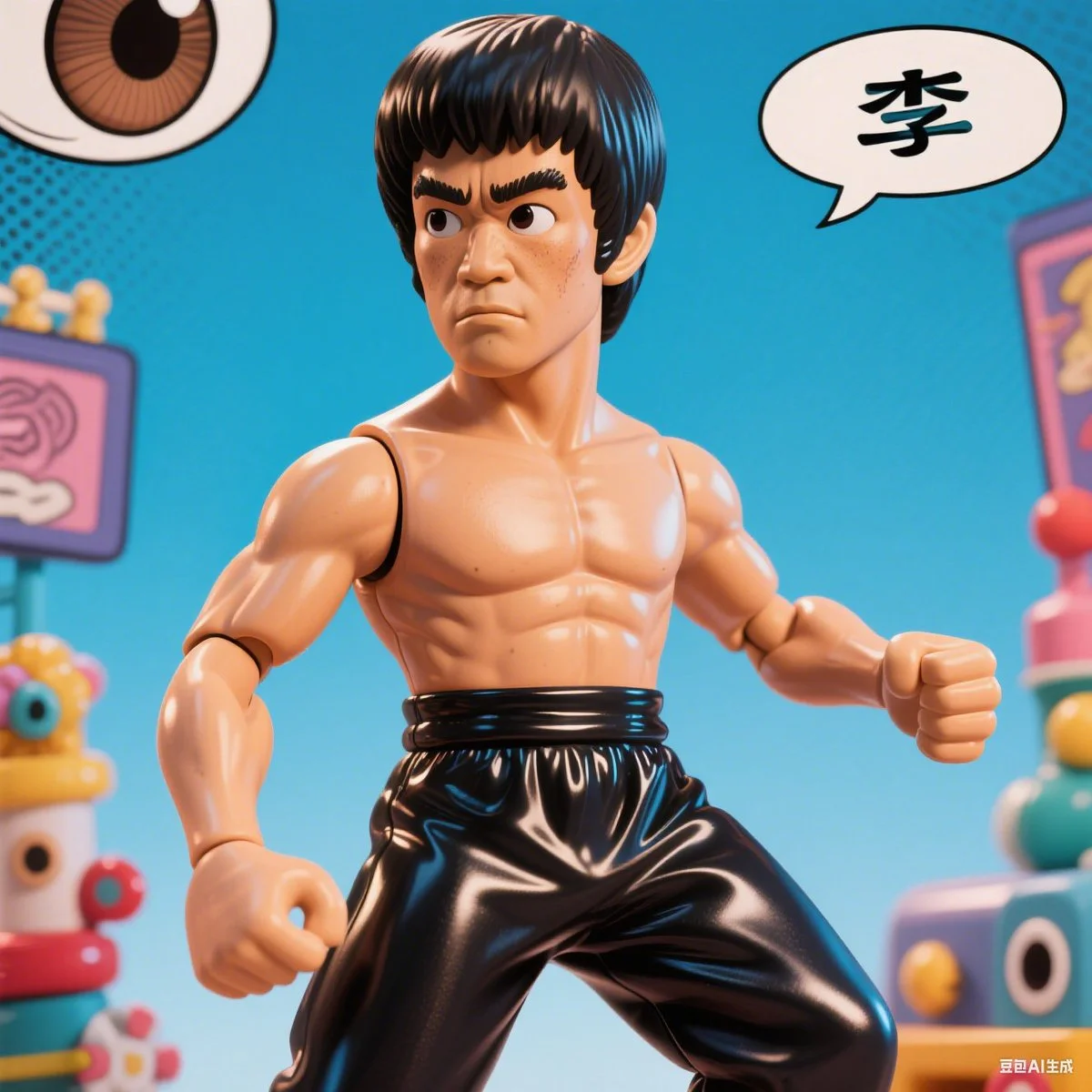
A comic-style caricature illustration of [subject], with an oversized head and expressive eyes, rendered in a hyper-realistic vinyl toy aesthetic. The character features exaggerated proportions, glossy textures, and playful details, blending caricature art with collectible figure charm.
A comic-style caricature illustration of [subject], with an oversized head and expressive eyes, rendered in a hyper-realistic vinyl toy aesthetic. The character features exaggerated proportions, glossy textures, and playful details, blending caricature art with collectible figure charm.
Prompt verificato
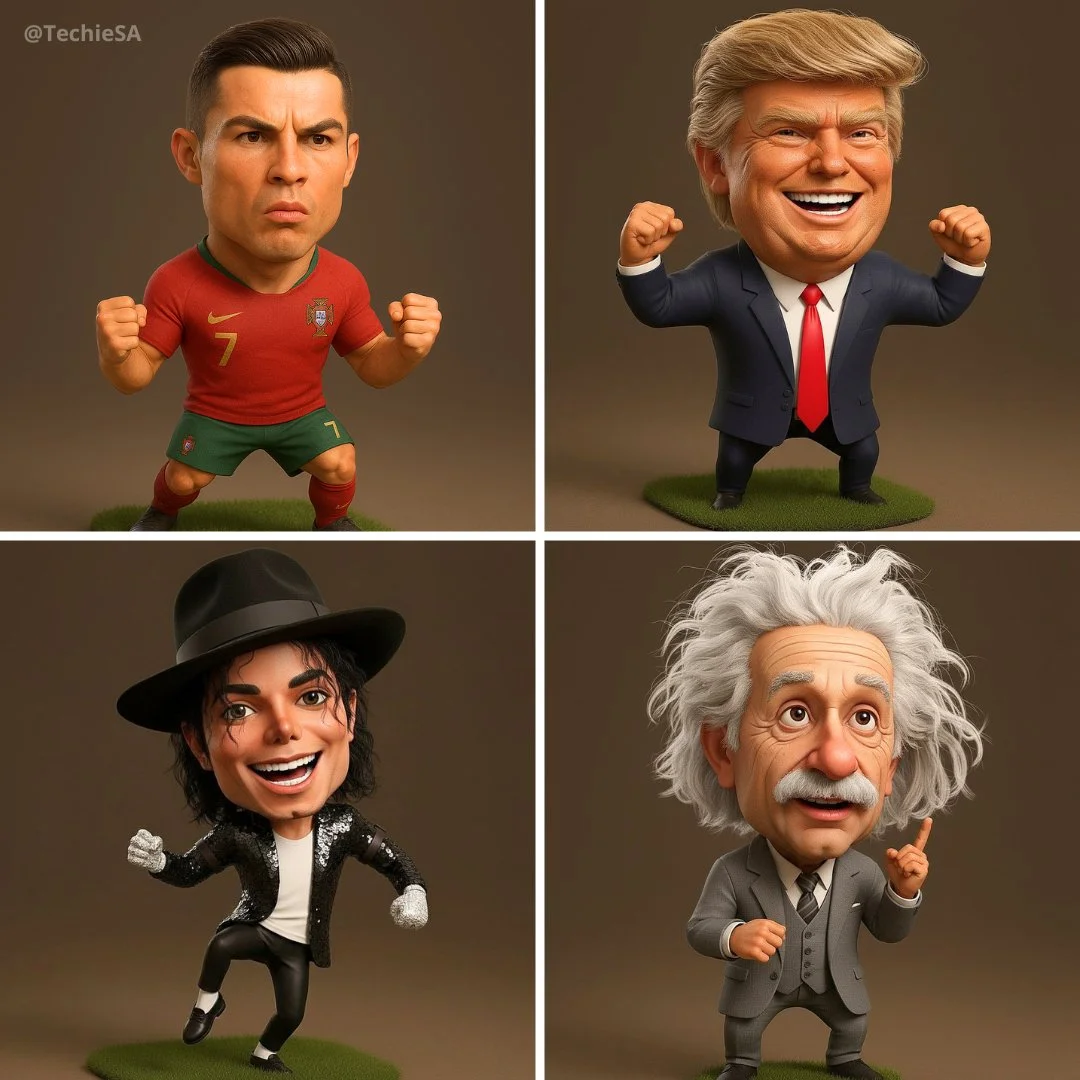
Hyper-realistic 3D caricature of [NAME], featuring an expressive, oversized head, a short body, and a detailed, energetic facial expression. Wearing [OUTFIT / SIGNATURE LOOK], striking a [POSE / ACTION]. Studio lighting, cartoonish proportions, Pixar-style 3D rendering, ultra-detailed fabric and skin textures. The body is slightly smaller than the head. 1080x1080 square format.
Hyper-realistic 3D caricature of [NAME], featuring an expressive, oversized head, a short body, and a detailed, energetic facial expression. Wearing [OUTFIT / SIGNATURE LOOK], striking a [POSE / ACTION]. Studio lighting, cartoonish proportions, Pixar-style 3D rendering, ultra-detailed fabric and skin textures. The body is slightly smaller than the head. 1080x1080 square format.
Prompt verificato
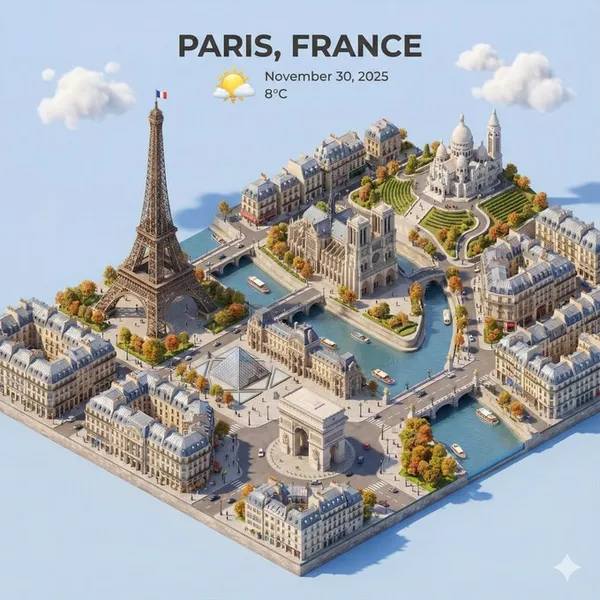
ent a clear, 45° top-down isometric miniature 3D cartoon scene of [CITY], featuring its most iconic landmarks and architectural elements. Use soft, refined textures with realistic PBR materials and gentle, lifelike lighting and shadows. Integrate the current weather conditions directly into the city environment to create an immersive atmospheric mood. Use a clean, minimalistic composition with a soft, solid-colored background. At the top-center, place the title “[CITY]” in large bold text, a prominent weather icon beneath it, then the date (small text) and temperature (medium text). All text must be centered with consistent spacing, and may subtly overlap the tops of the buildings. Square 1080x1080 dimension.
ent a clear, 45° top-down isometric miniature 3D cartoon scene of [CITY], featuring its most iconic landmarks and architectural elements. Use soft, refined textures with realistic PBR materials and gentle, lifelike lighting and shadows. Integrate the current weather conditions directly into the city environment to create an immersive atmospheric mood. Use a clean, minimalistic composition with a soft, solid-colored background. At the top-center, place the title “[CITY]” in large bold text, a prominent weather icon beneath it, then the date (small text) and temperature (medium text). All text must be centered with consistent spacing, and may subtly overlap the tops of the buildings. Square 1080x1080 dimension.
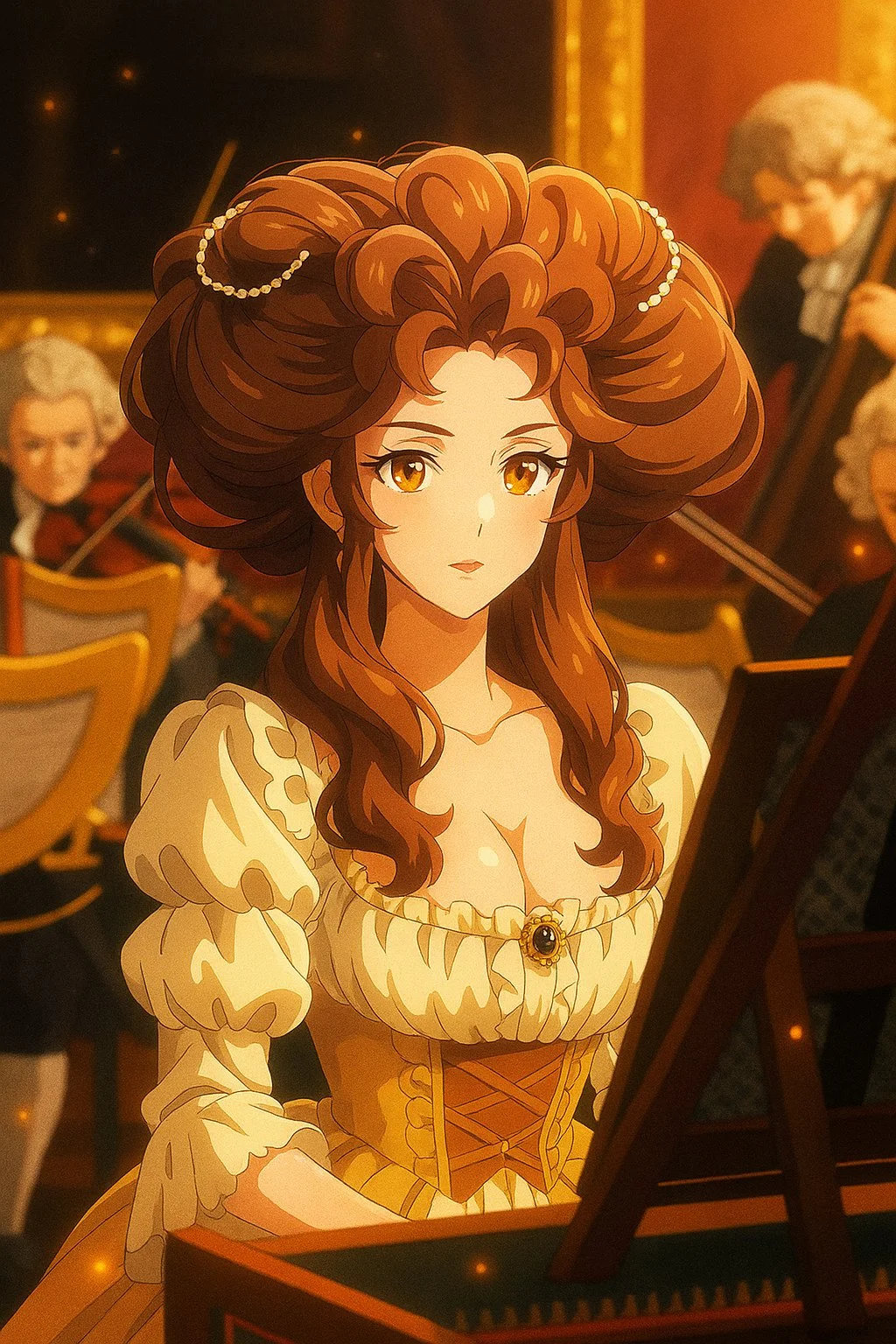
Prompt verificato
Transform this image into a modern digital anime TV style. Use clean and sharp outlines, vivid and high-contrast colors, and digital cel shading with subtle gradients. Add visual effects like glows, particles, or light flares if appropriate. The character design should follow modern anime proportions, with detailed hair and expressive eyes. The background can be softly blurred or cinematic. The image should look like a frame from a high-quality anime series currently airing.
Transform this image into a modern digital anime TV style. Use clean and sharp outlines, vivid and high-contrast colors, and digital cel shading with subtle gradients. Add visual effects like glows, particles, or light flares if appropriate. The character design should follow modern anime proportions, with detailed hair and expressive eyes. The background can be softly blurred or cinematic. The image should look like a frame from a high-quality anime series currently airing.
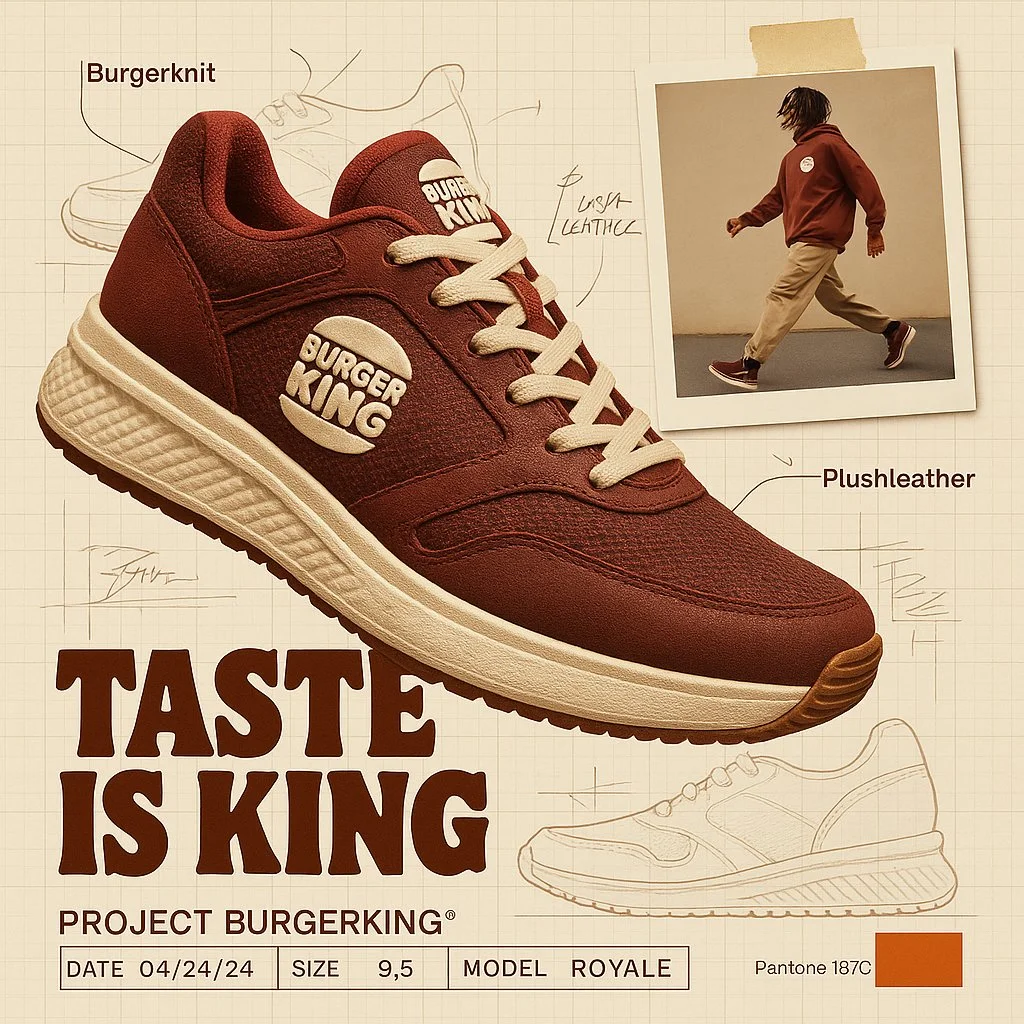
Prompt verificato
create image with 1:1 ratio A branded footwear ad for [Brand], showcasing the high-end Brand shoe using brand technology and texture.(fiction a technology and texture based on brand DNA). The shoe is shown in dynamic floating perspective over a graph paper background layout with technical sketches and handwritten notes. A random lifestyle authentic photo featuring brand clothing in motion is taped in the corner, styled with street wear fashion. Emphasize the product's slogan with bold typography. Layout features include product spec labels like Project a fiction brand title, Date, Size, and fiction model name in engineering style. The background reference with brand pantone color palettes with code number
create image with 1:1 ratio A branded footwear ad for [Brand], showcasing the high-end Brand shoe using brand technology and texture.(fiction a technology and texture based on brand DNA). The shoe is shown in dynamic floating perspective over a graph paper background layout with technical sketches and handwritten notes. A random lifestyle authentic photo featuring brand clothing in motion is taped in the corner, styled with street wear fashion. Emphasize the product's slogan with bold typography. Layout features include product spec labels like Project a fiction brand title, Date, Size, and fiction model name in engineering style. The background reference with brand pantone color palettes with code number
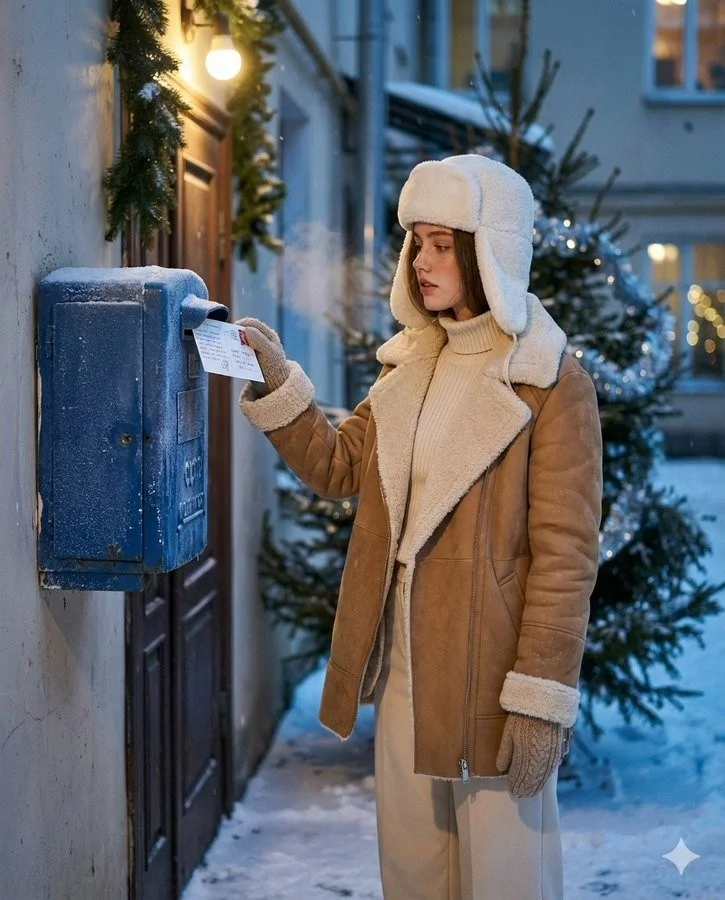
Prompt verificato
Create an ultra-realistic winter scene of a woman identical to the uploaded face reference (strictly preserve her face 1:1 no stylization or beautification). Scene and Composition: Soviet blue street mailbox bolted to a brick entryway or plastered wall; dusk with soft falling snow. Vertical 4:5 from waist to head. The woman stands side-on, gently tucks a handwritten New Year postcard into the slot (stamp visible); a wisp of vapor breath. Background: courtyard garlands and a nearby fir with sparse silver tinsel; warm doorway bulb; faint bokeh from distant windows. Natural, candid, cinematic moment. Outfit: Camel/tan double-faced sheepskin coat with plush cream fleece on collar and turn-back cuffs; cream rib-knit turtleneck + matching wide-leg trousers: white wool ushanka; knitted mittens; dark-brown shearling ankle boots. Natural nude makeup with real skin micro-texture. Look and Light: Teal and orange tone: warm sodium doorway lamp as key; cool blue ambient fill from snow; soft rim on ushanka/fleece; gentle halation on bulbs; shallow DoF with fine 35mm grain (Canon AE-1/Fujifilm X100V Classic Chrome vibe). Color and Texture: Frost on mailbox metal, paper fiber of postcard, knit and shearling detail. True-to-skin tones; no smoothing.
Create an ultra-realistic winter scene of a woman identical to the uploaded face reference (strictly preserve her face 1:1 no stylization or beautification). Scene and Composition: Soviet blue street mailbox bolted to a brick entryway or plastered wall; dusk with soft falling snow. Vertical 4:5 from waist to head. The woman stands side-on, gently tucks a handwritten New Year postcard into the slot (stamp visible); a wisp of vapor breath. Background: courtyard garlands and a nearby fir with sparse silver tinsel; warm doorway bulb; faint bokeh from distant windows. Natural, candid, cinematic moment. Outfit: Camel/tan double-faced sheepskin coat with plush cream fleece on collar and turn-back cuffs; cream rib-knit turtleneck + matching wide-leg trousers: white wool ushanka; knitted mittens; dark-brown shearling ankle boots. Natural nude makeup with real skin micro-texture. Look and Light: Teal and orange tone: warm sodium doorway lamp as key; cool blue ambient fill from snow; soft rim on ushanka/fleece; gentle halation on bulbs; shallow DoF with fine 35mm grain (Canon AE-1/Fujifilm X100V Classic Chrome vibe). Color and Texture: Frost on mailbox metal, paper fiber of postcard, knit and shearling detail. True-to-skin tones; no smoothing.
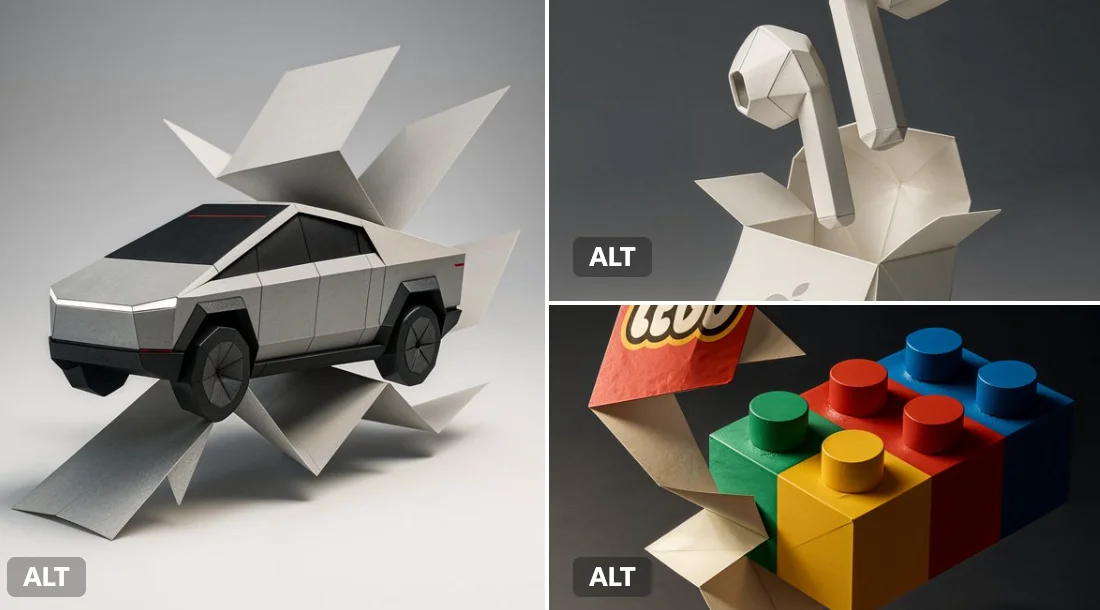
Prompt verificato
A flat branded paper folds itself into the full 3D shape of a [insert product or item, e.g. “Coca-Cola bottle”, “Nike sneaker”, “Big Mac”], mid-motion. The paper colors match the [insert brand name] brand’s signature palette and the natural colors of the item (e.g., [describe key colors or ingredients, like “red and white for Coca-Cola”, “brown, green, yellow for Big Mac”]). Dramatic studio lighting, origami texture detail, soft gradient shadows. Stylized with Japanese minimalism and elegant negative space. The scene captures a clean, elevated transformation from flat brand identity into sculptural product form.
A flat branded paper folds itself into the full 3D shape of a [insert product or item, e.g. “Coca-Cola bottle”, “Nike sneaker”, “Big Mac”], mid-motion. The paper colors match the [insert brand name] brand’s signature palette and the natural colors of the item (e.g., [describe key colors or ingredients, like “red and white for Coca-Cola”, “brown, green, yellow for Big Mac”]). Dramatic studio lighting, origami texture detail, soft gradient shadows. Stylized with Japanese minimalism and elegant negative space. The scene captures a clean, elevated transformation from flat brand identity into sculptural product form.
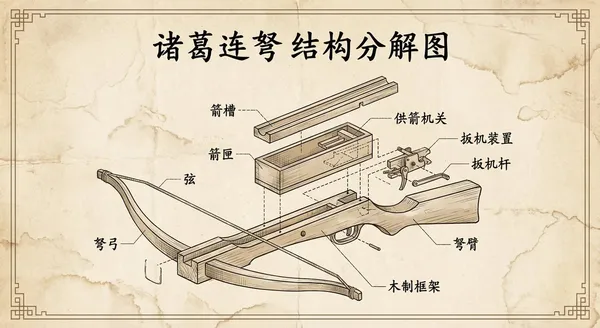
Prompt verificato
te a retro-style engineering exploded view of the Zhuge repeating crossbow, with all text in Chinese.
te a retro-style engineering exploded view of the Zhuge repeating crossbow, with all text in Chinese.
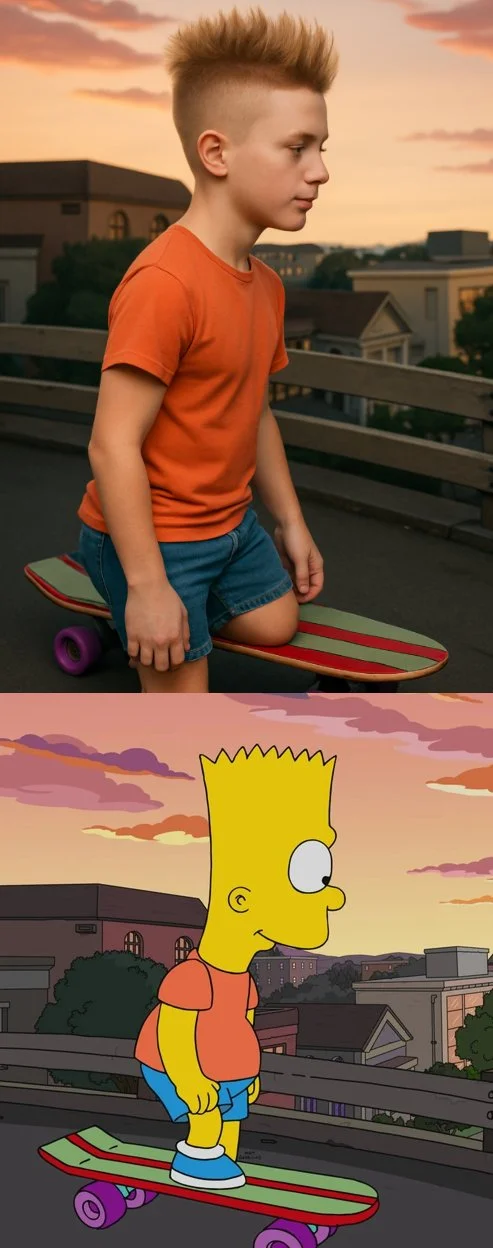
Prompt verificato
Transform the cartoon character from the reference image into a hyper-realistic human while maintaining their core attributes (clothing, hairstyle, facial expression, accessories, and proportions, age and so on). Create a photorealistic portrait
Transform the cartoon character from the reference image into a hyper-realistic human while maintaining their core attributes (clothing, hairstyle, facial expression, accessories, and proportions, age and so on). Create a photorealistic portrait
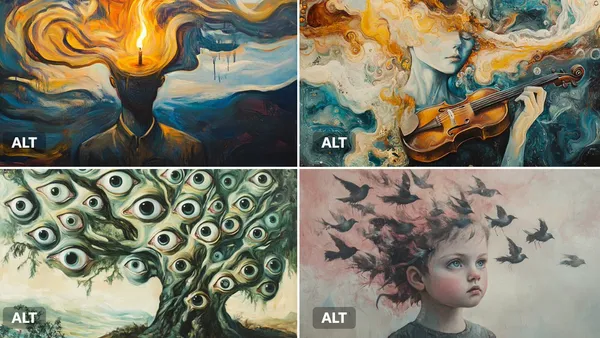
Prompt verificato
rreal oil painting of a [subject], executed in the style of early 20th-century dreamscapes. Melting shapes, floating forms, and swirling [color1] and [color2] brushstrokes create a dreamlike dissonance.
rreal oil painting of a [subject], executed in the style of early 20th-century dreamscapes. Melting shapes, floating forms, and swirling [color1] and [color2] brushstrokes create a dreamlike dissonance.
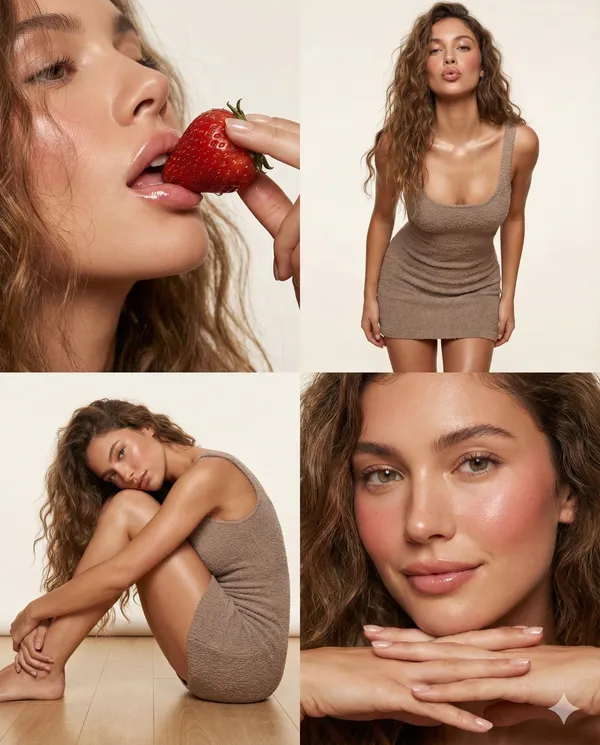
Prompt verificato
"project_specifications": { "format": "2x2 Grid Collage", "aspect_ratio": "4:5", "aesthetic_style": "High-end Beauty Editorial", "rendering_engine_hints": { "realism_level": "Ultra-photorealistic", "texture_quality": "8k", "lighting_simulation": "Ray-traced studio lighting" } }, "global_assets": { "subject_definition": { "hair": { "style": "Long, loosely wavy, voluminous", "texture": "Natural, individual strands defined", "behavior": "Messy but styled, framing face and shoulders" }, "complexion": { "skin_texture": "Porous, hyper-realistic", "finish": "Dewy, glass-skin effect", "makeup": { "cheeks": "Heavy flush/blush", "lips": "High-gloss, plump, natural pink", "eyes": "Clean, defined lashes, natural brows" } }, "wardrobe": { "item": "Mini dress", "fit": "Bodycon / Tight", "fabric": { "material": "Soft textured knit / Boucle", "tactility": "Fuzzy, light-catching fibers", "color": "Soft mauve or neutral taupe" }, "details": "Spaghetti straps, mid-thigh length" } }, "environment_definition": { "studio_setup": { "background": "Seamless paper, soft off-white/beige", "atmosphere": "Clean, warm, intimate" }, "lighting_rig": { "key_light": "Large diffuse softbox (Front-Left)", "fill_light": "Reflector (Right)", "highlights": "Specular highlights on lips, cheekbones, and shoulders" } } }, "panel_architecture": [ { "position": "Top-Left (1)", "shot_type": "Extreme Close-Up (Macro)", "composition": { "angle": "Low angle, looking up slightly", "focus": "Mouth and nose area", "depth_of_field": "Shallow" }, "action": { "primary": "Eating a strawberry", "nuance": "Delicate finger hold, lips slightly parted" }, "visual_anchors": [ "Moisture on strawberry surface", "Gloss reflection on lips", "Baby hairs at temple" ] }, { "position": "Top-Right (2)", "shot_type": "Medium Shot (Thigh-up)", "composition": { "angle": "Eye level", "pose_dynamic": "Leaning forward slightly towards lens" }, "action": { "stance": "Standing straight on", "arms": "Relaxed at sides", "expression": "Direct gaze, alluring pout" }, "visual_anchors": [ "Texture of knit dress", "Collarbone shadows", "Curvature of waist" ] }, { "position": "Bottom-Left (3)", "shot_type": "Full Body (Seated)", "composition": { "angle": "Side profile", "framing": "Subject compacted on floor" }, "action": { "pose": "Knees to chest (fetal position variation)", "interaction": "Cheek resting on knee, arms embracing legs", "hair_flow": "Cascading onto the floor" }, "visual_anchors": [ "Smooth leg definition", "Dress stretching over thigh", "Dreamy gaze" ] }, { "position": "Bottom-Right (4)", "shot_type": "Beauty Portrait (Head & Hands)", "composition": { "angle": "Frontal close-up", "framing": "Chin to hairline" }, "action": { "gesture": "Chin resting on interlaced fingers", "expression": "Soft smile, looking off-camera" }, "visual_anchors": [ "Hand detail and manicure", "Eye clarity", "Flush on cheeks" ] } ] }
"project_specifications": { "format": "2x2 Grid Collage", "aspect_ratio": "4:5", "aesthetic_style": "High-end Beauty Editorial", "rendering_engine_hints": { "realism_level": "Ultra-photorealistic", "texture_quality": "8k", "lighting_simulation": "Ray-traced studio lighting" } }, "global_assets": { "subject_definition": { "hair": { "style": "Long, loosely wavy, voluminous", "texture": "Natural, individual strands defined", "behavior": "Messy but styled, framing face and shoulders" }, "complexion": { "skin_texture": "Porous, hyper-realistic", "finish": "Dewy, glass-skin effect", "makeup": { "cheeks": "Heavy flush/blush", "lips": "High-gloss, plump, natural pink", "eyes": "Clean, defined lashes, natural brows" } }, "wardrobe": { "item": "Mini dress", "fit": "Bodycon / Tight", "fabric": { "material": "Soft textured knit / Boucle", "tactility": "Fuzzy, light-catching fibers", "color": "Soft mauve or neutral taupe" }, "details": "Spaghetti straps, mid-thigh length" } }, "environment_definition": { "studio_setup": { "background": "Seamless paper, soft off-white/beige", "atmosphere": "Clean, warm, intimate" }, "lighting_rig": { "key_light": "Large diffuse softbox (Front-Left)", "fill_light": "Reflector (Right)", "highlights": "Specular highlights on lips, cheekbones, and shoulders" } } }, "panel_architecture": [ { "position": "Top-Left (1)", "shot_type": "Extreme Close-Up (Macro)", "composition": { "angle": "Low angle, looking up slightly", "focus": "Mouth and nose area", "depth_of_field": "Shallow" }, "action": { "primary": "Eating a strawberry", "nuance": "Delicate finger hold, lips slightly parted" }, "visual_anchors": [ "Moisture on strawberry surface", "Gloss reflection on lips", "Baby hairs at temple" ] }, { "position": "Top-Right (2)", "shot_type": "Medium Shot (Thigh-up)", "composition": { "angle": "Eye level", "pose_dynamic": "Leaning forward slightly towards lens" }, "action": { "stance": "Standing straight on", "arms": "Relaxed at sides", "expression": "Direct gaze, alluring pout" }, "visual_anchors": [ "Texture of knit dress", "Collarbone shadows", "Curvature of waist" ] }, { "position": "Bottom-Left (3)", "shot_type": "Full Body (Seated)", "composition": { "angle": "Side profile", "framing": "Subject compacted on floor" }, "action": { "pose": "Knees to chest (fetal position variation)", "interaction": "Cheek resting on knee, arms embracing legs", "hair_flow": "Cascading onto the floor" }, "visual_anchors": [ "Smooth leg definition", "Dress stretching over thigh", "Dreamy gaze" ] }, { "position": "Bottom-Right (4)", "shot_type": "Beauty Portrait (Head & Hands)", "composition": { "angle": "Frontal close-up", "framing": "Chin to hairline" }, "action": { "gesture": "Chin resting on interlaced fingers", "expression": "Soft smile, looking off-camera" }, "visual_anchors": [ "Hand detail and manicure", "Eye clarity", "Flush on cheeks" ] } ] }
Prompt verificato
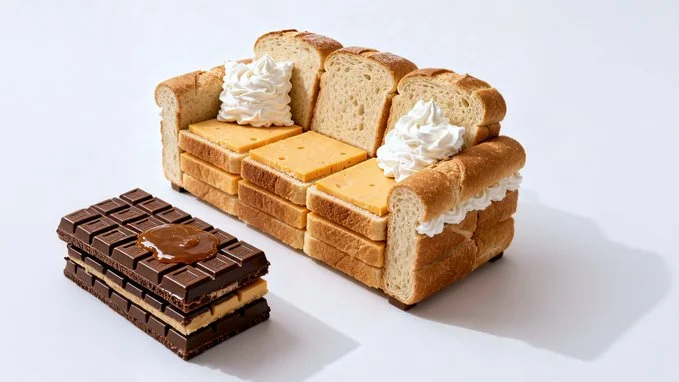
Photorealistic conceptual food art portrait, a minimalist representation of a [SITE OF THE HOUSE] recreated entirely with [TYPE OF FOOD]. The main structure is built from [MAIN INGREDIENTS], with details such as [KEY ELEMENTS] made from [SECONDARY INGREDIENTS]. Optional features include [ADDITIONAL OBJECTS OR FURNITURE] created from [EXTRA INGREDIENTS]. Set against a [COLOR] background to emphasize the surreal food sculpture. Bright soft studio lighting, evenly diffused, casting subtle natural shadows that highlight the textures of [FOOD TEXTURES]. Fine atmospheric detail enhance realism. Captured with a Canon EOS 5D, 85mm f/1.8 lens, shallow depth of field focusing on the cake-bed sculpture, crisp detail with soft falloff in the background. Composition framed at tabletop eye-level, medium close-up, perfectly centered. Clean high-resolution food photography style, vibrant natural colors, editorial dessert photography aesthetic
Photorealistic conceptual food art portrait, a minimalist representation of a [SITE OF THE HOUSE] recreated entirely with [TYPE OF FOOD]. The main structure is built from [MAIN INGREDIENTS], with details such as [KEY ELEMENTS] made from [SECONDARY INGREDIENTS]. Optional features include [ADDITIONAL OBJECTS OR FURNITURE] created from [EXTRA INGREDIENTS]. Set against a [COLOR] background to emphasize the surreal food sculpture. Bright soft studio lighting, evenly diffused, casting subtle natural shadows that highlight the textures of [FOOD TEXTURES]. Fine atmospheric detail enhance realism. Captured with a Canon EOS 5D, 85mm f/1.8 lens, shallow depth of field focusing on the cake-bed sculpture, crisp detail with soft falloff in the background. Composition framed at tabletop eye-level, medium close-up, perfectly centered. Clean high-resolution food photography style, vibrant natural colors, editorial dessert photography aesthetic
Esplora i flussi di lavoro per le immagini
Esplora il flusso di lavoro di Nano Banana 2 e confrontalo con le pagine immagine correlate. Il generatore è la fonte di verità per l'accesso attuale al modello e le impostazioni. Usa la libreria dei prompt per studiare i risultati pubblicati e il modello che li ha creati.


Nano Banana 2: Crea e modifica con il linguaggio naturale
Sviluppa il tuo brief immagine Nano Banana 2 in base al risultato che ti serve. Mantieni la direzione principale specifica, verifica le impostazioni supportate nel generatore e rivedi il lavoro completato prima di usarlo nel tuo progetto.
Scegli solo la risoluzione e le proporzioni mostrate per il modello selezionato. Controlla inquadratura, dettagli fini e qualsiasi testo nell'immagine completata. Una dimensione di output maggiore non garantisce un risultato più accurato.
Esplora Nano Banana 2
Da un brief a un'immagine revisionata: il flusso di lavoro di Nano Banana 2
Concediti il tempo per ispezionare ogni risultato immagine e perfezionare il tuo brief. I tempi di elaborazione variano in base al modello, alla richiesta e al carico del servizio. Cambia una direzione alla volta per poter giudicare quale modifica migliora il risultato.

Inserisci il prompt o carica un'immagine
Inizia il tuo brief immagine Nano Banana 2 con un'immagine di partenza che hai il permesso di usare. Indica l'area da modificare e i colori, le proporzioni o gli oggetti da preservare. Il numero di riferimenti e il supporto alle modifiche dipendono dal modello selezionato.

Verifica disponibilità, impostazioni e crediti
Concediti il tempo per ispezionare ogni risultato immagine e perfezionare il tuo brief. I tempi di elaborazione variano in base al modello, alla richiesta e al carico del servizio. Cambia una direzione alla volta per poter giudicare quale modifica migliora il risultato.

Rivedi e scarica i risultati completati
Quando una richiesta viene completata, ispeziona l'immagine nella Cronologia e scarica il risultato che vuoi conservare. Rivedi la composizione e qualsiasi dettaglio indesiderato prima di condividerla con il tuo team o pubblicarla.
Crea il tuo brief immagine Nano Banana 2
Per un concept di prodotto Nano Banana 2, specifica la forma del prodotto, il materiale, il dettaglio chiave e l'ambientazione. Mantieni loghi e dichiarazioni accurati, lascia spazio per la tua tipografia e rivedi il risultato prima di usarlo in una pubblicità.

Descrivi soggetto, modifiche e riferimenti
Inizia il tuo brief immagine Nano Banana 2 con un'immagine di partenza che hai il permesso di usare. Indica l'area da modificare e i colori, le proporzioni o gli oggetti da preservare. Il numero di riferimenti e il supporto alle modifiche dipendono dal modello selezionato.

Descrivi le modifiche e i dettagli da preservare
Scrivi il tuo brief immagine Nano Banana 2 attorno a un soggetto, una composizione, un'illuminazione e uno stile desiderato. Aggiungi un materiale o una texture quando è importante. Per le modifiche, indica una modifica precisa e spiega quali parti della fonte devono rimanere intatte.

Controlla i dettagli in ogni risultato
Concediti il tempo per ispezionare ogni risultato immagine e perfezionare il tuo brief. I tempi di elaborazione variano in base al modello, alla richiesta e al carico del servizio. Cambia una direzione alla volta per poter giudicare quale modifica migliora il risultato.

Descrivi soggetto, modifiche e riferimenti
Elenca i dettagli che contano nel tuo brief immagine Nano Banana 2: identità, forma, colori, abbigliamento e sfondo. Usa i riferimenti supportati dove appropriato e confronta ogni risultato; la coerenza esatta non è garantita.
Un brief creativo più chiaro per Nano Banana 2
Concediti il tempo per ispezionare ogni risultato immagine e perfezionare il tuo brief. I tempi di elaborazione variano in base al modello, alla richiesta e al carico del servizio. Cambia una direzione alla volta per poter giudicare quale modifica migliora il risultato.

Descrivi soggetto, modifiche e riferimenti
Concediti il tempo per ispezionare ogni risultato immagine e perfezionare il tuo brief. I tempi di elaborazione variano in base al modello, alla richiesta e al carico del servizio. Cambia una direzione alla volta per poter giudicare quale modifica migliora il risultato.

Social media e pubblicità
Per un concept di prodotto Nano Banana 2, specifica la forma del prodotto, il materiale, il dettaglio chiave e l'ambientazione. Mantieni loghi e dichiarazioni accurati, lascia spazio per la tua tipografia e rivedi il risultato prima di usarlo in una pubblicità.

Controlla i dettagli in ogni risultato
Elenca i dettagli che contano nel tuo brief immagine Nano Banana 2: identità, forma, colori, abbigliamento e sfondo. Usa i riferimenti supportati dove appropriato e confronta ogni risultato; la coerenza esatta non è garantita.

Flusso di produzione efficiente
Per un concept di prodotto Nano Banana 2, specifica la forma del prodotto, il materiale, il dettaglio chiave e l'ambientazione. Mantieni loghi e dichiarazioni accurati, lascia spazio per la tua tipografia e rivedi il risultato prima di usarlo in una pubblicità.
Note creative per il tuo brief immagine Nano Banana 2
Assegna al soggetto principale un'azione chiara. Per un concept Nano Banana 2, un brief preciso è più facile da valutare rispetto a un elenco di effetti in competizione.

Flusso di lavoro immagine Nano Banana 2: Domande e risposte
Per un concept di prodotto Nano Banana 2, specifica la forma del prodotto, il materiale, il dettaglio chiave e l'ambientazione. Mantieni loghi e dichiarazioni accurati, lascia spazio per la tua tipografia e rivedi il risultato prima di usarlo in una pubblicità.
Questa pagina di klingai.me spiega il flusso di lavoro immagine di Nano Banana 2. Ti aiuta a scrivere un brief mirato e a rivedere gli input disponibili. L'accesso attuale è mostrato nel generatore; un nome di modello su una guida non significa che al momento accetti richieste.
Questa pagina di klingai.me spiega il flusso di lavoro immagine di Nano Banana 2. Ti aiuta a scrivere un brief mirato e a rivedere gli input disponibili. L'accesso attuale è mostrato nel generatore; un nome di modello su una guida non significa che al momento accetti richieste.
Scrivi il tuo brief immagine Nano Banana 2 attorno a un soggetto, una composizione, un'illuminazione e uno stile desiderato. Aggiungi un materiale o una texture quando è importante. Per le modifiche, indica una modifica precisa e spiega quali parti della fonte devono rimanere intatte.
Inizia il tuo brief immagine Nano Banana 2 con un'immagine di partenza che hai il permesso di usare. Indica l'area da modificare e i colori, le proporzioni o gli oggetti da preservare. Il numero di riferimenti e il supporto alle modifiche dipendono dal modello selezionato.
Sviluppa il tuo brief immagine Nano Banana 2 in base al risultato che ti serve. Mantieni la direzione principale specifica, verifica le impostazioni supportate nel generatore e rivedi il lavoro completato prima di usarlo nel tuo progetto.
Questa pagina di klingai.me spiega il flusso di lavoro immagine di Nano Banana 2. Ti aiuta a scrivere un brief mirato e a rivedere gli input disponibili. L'accesso attuale è mostrato nel generatore; un nome di modello su una guida non significa che al momento accetti richieste.
Usa solo le modalità di input e i controlli offerti dal modello selezionato. Descrivi chiaramente l'immagine desiderata e aggiungi riferimenti supportati quando utile. Questa pagina non promette strumenti separati per pennello dinamico, caricamento audio, restauro o modifica.
Elenca i dettagli che contano nel tuo brief immagine Nano Banana 2: identità, forma, colori, abbigliamento e sfondo. Usa i riferimenti supportati dove appropriato e confronta ogni risultato; la coerenza esatta non è garantita.
Scrivi il tuo brief immagine Nano Banana 2 attorno a un soggetto, una composizione, un'illuminazione e uno stile desiderato. Aggiungi un materiale o una texture quando è importante. Per le modifiche, indica una modifica precisa e spiega quali parti della fonte devono rimanere intatte.
Per un concept di prodotto Nano Banana 2, specifica la forma del prodotto, il materiale, il dettaglio chiave e l'ambientazione. Mantieni loghi e dichiarazioni accurati, lascia spazio per la tua tipografia e rivedi il risultato prima di usarlo in una pubblicità.
Scegli solo la risoluzione e le proporzioni mostrate per il modello selezionato. Controlla inquadratura, dettagli fini e qualsiasi testo nell'immagine completata. Una dimensione di output maggiore non garantisce un risultato più accurato.
Esplora la tua prossima idea immagine Nano Banana 2
Scegli solo la risoluzione e le proporzioni mostrate per il modello selezionato. Controlla inquadratura, dettagli fini e qualsiasi testo nell'immagine completata. Una dimensione di output maggiore non garantisce un risultato più accurato.