
Window Reaction Video: A Three-Frame Continuity Check
Review a window reaction clip with a three-frame worksheet for identity, hands, props, and room geometry, then compare one focused revision at a time.
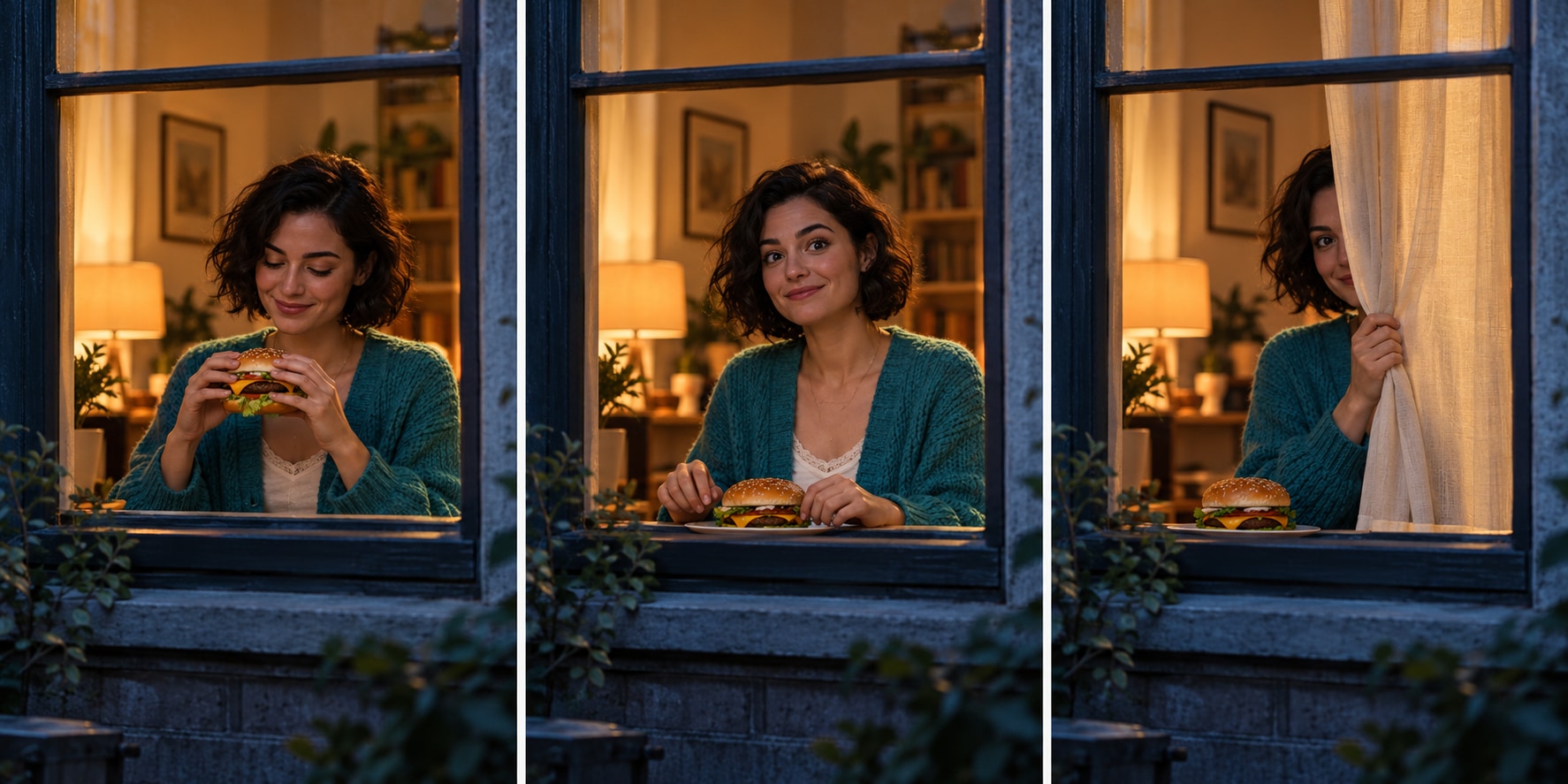
Storyboard: establish the scene, pause for recognition, then end the interaction.
What's new on this page
- 2026-10-29 — Added the continuity worksheet and two detailed scene illustrations; replaced the illustrated video with images.
A window reaction clip can have an attractive opening frame and still become difficult to follow when the person lifts the burger or reaches for the curtain. Review it as a sequence of connected actions. The face, hands, prop and room each need their own check.
Use the continuity worksheet below to decide what to keep and what to revise. It is an original review framework, not a report of a paid generation test. Suggestions explain how to make the next brief clearer; they do not establish a guaranteed fix for a particular model.
Check the scene before the fine details
The basic premise is an exterior view of someone eating inside a window. The person notices the viewer and ends the encounter. Choose settings from the active workflow, then use the three-frame worksheet to inspect the actual result.
First watch your clip at normal speed with no pauses. Note where you stop understanding the scene. Is the camera outside or inside? Is the person looking at the viewer or at something off screen? Does the final movement actually end the interaction? These questions catch structural problems that a sharp face alone will not reveal.
Avoid scoring the clip only on its most flattering frame. A cover image is one moment. The video has to connect that moment to the action before and after it.
Make a three-frame comparison
Choose one frame near the start, one during recognition and one near the ending. Use the actual frames from your exported clip, not three independently generated stills. Place them side by side in an editor so you can compare changes without relying on memory.
-
Face: Compare the hairline, broad facial shape and visible expression. Note when the person becomes difficult to recognize.
-
Clothing: Compare the main color, neckline and sleeve shape. Note outfit changes without a scene reason.
-
Burger: Compare its size and how the hands support it. Note fingers merging with the prop or abrupt changes.
-
Window: Compare the frame position, viewing direction and interior layout. Note unexpected camera crossings.
-
Curtain: Compare the starting side, reach and closing direction. Note endings that contradict the room layout.
The worksheet organizes observations. It does not claim that every small variation is unacceptable. Decide which changes interfere with the joke or distract from the intended person.
Separate identity problems from motion problems
If the person is unclear before any movement begins, review the reference image first. A small or obscured face gives you less information to compare. A clear picture with one main subject is a more useful baseline than a crowded collage.
If the face reads clearly at first but changes during a large turn, note the moment of change. Consider a simpler reaction direction in the next brief. Reducing several simultaneous actions may make the request easier to evaluate, but it is not evidence that a particular generator will preserve identity perfectly.
For a photo-based starting point, inspect the site's image-to-video guide and the actual mode it describes. The input requirements of the active workflow determine what you should upload. Do not submit an unrelated reference merely because another article uses one.
Give each hand a plausible job
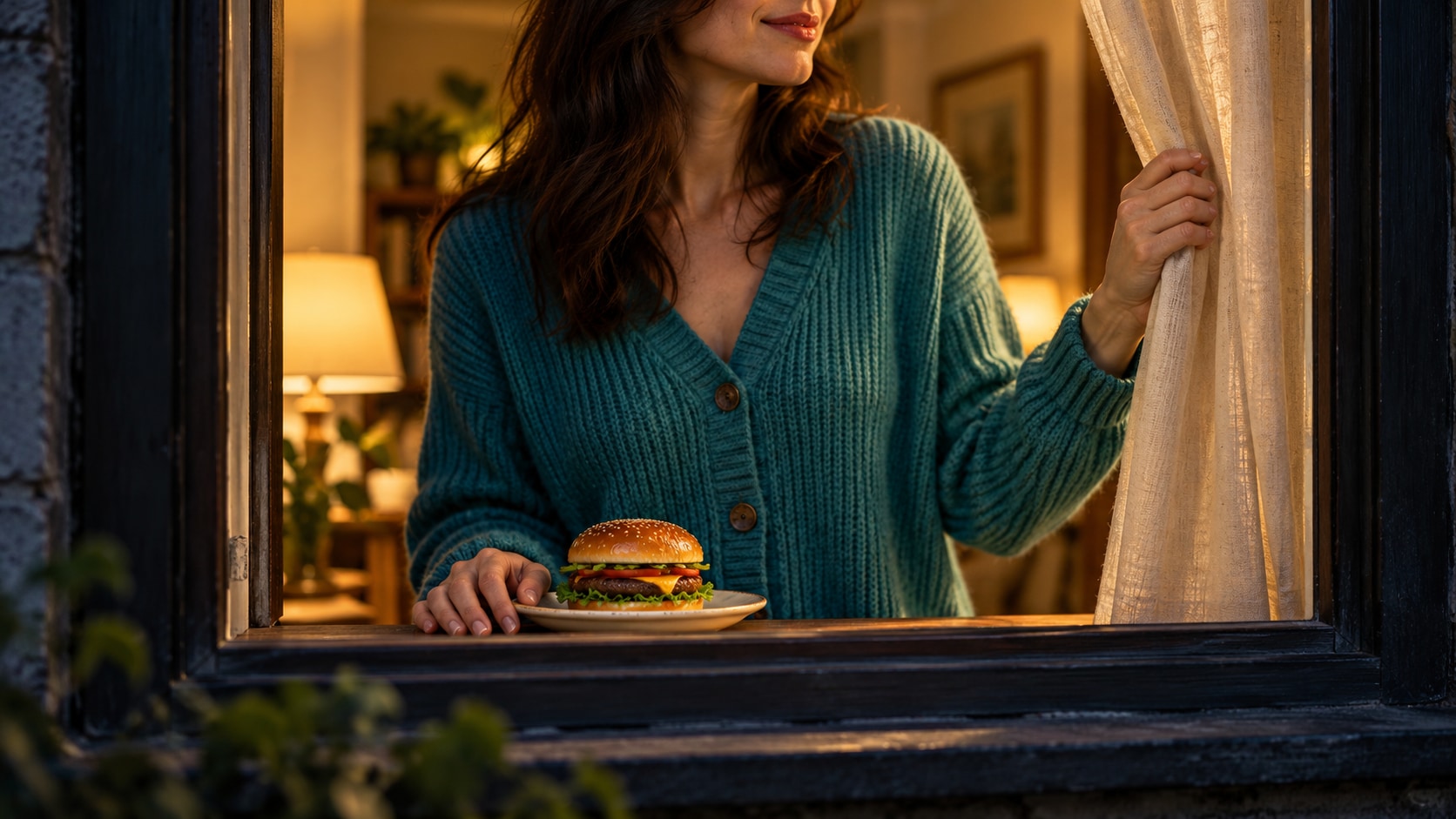
Set the food down before reaching for the curtain, so each hand has one clear job.
Eating and pulling a curtain can compete for the same hand. Write the sequence so the viewer can understand the transition. The person might lower the food before reaching, or keep one hand on the food while the other performs the final gesture. Choose one coherent arrangement instead of requesting every action at once.
An original suggested direction is:
Keep the same person and turquoise cardigan throughout. The person pauses while holding the burger, looks toward the camera, then lowers the burger before reaching toward the curtain. Maintain one exterior viewpoint and a consistent window layout. Keep the gestures restrained and omit on-screen lettering.
Use the wording only when it matches your actual inputs and intended scene. If a supplied motion reference clearly uses a different sequence, align the written direction with it instead of adding contradictory instructions.
Change the brief, then compare a new result fairly
Keep the source image, prompt, selected model and available output settings with each saved version. Change one major requirement at a time. If you change the person, outfit, camera, duration and lighting together, it becomes difficult to learn anything from the comparison.
The video workspace exposes the currently available modes and settings. A dedicated video-to-video page serves a different input workflow; inspect its supported inputs rather than assuming every image-based mode accepts a video reference too.
Read the current quote before submitting another task. A generic model price, an old screenshot or a quote from the source tutorial does not establish the cost of your selected request.
Finish with a normal-speed review
After checking individual frames, return to normal playback. A clip can pass a still-frame comparison yet feel awkward because the reaction is too brief or the ending is unclear. Conversely, a tiny detail visible only in a paused frame may not distract from the performance.
Select a cover that honestly represents the clip, then add a caption in your publishing editor. Keep the continuity worksheet with the export. Its purpose is to turn “something looks wrong” into an observation you can act on, while keeping untested revisions separate from results you have actually watched.